USER MANUAL 750000992/16
5-29
MTS
e
Overlay trace function
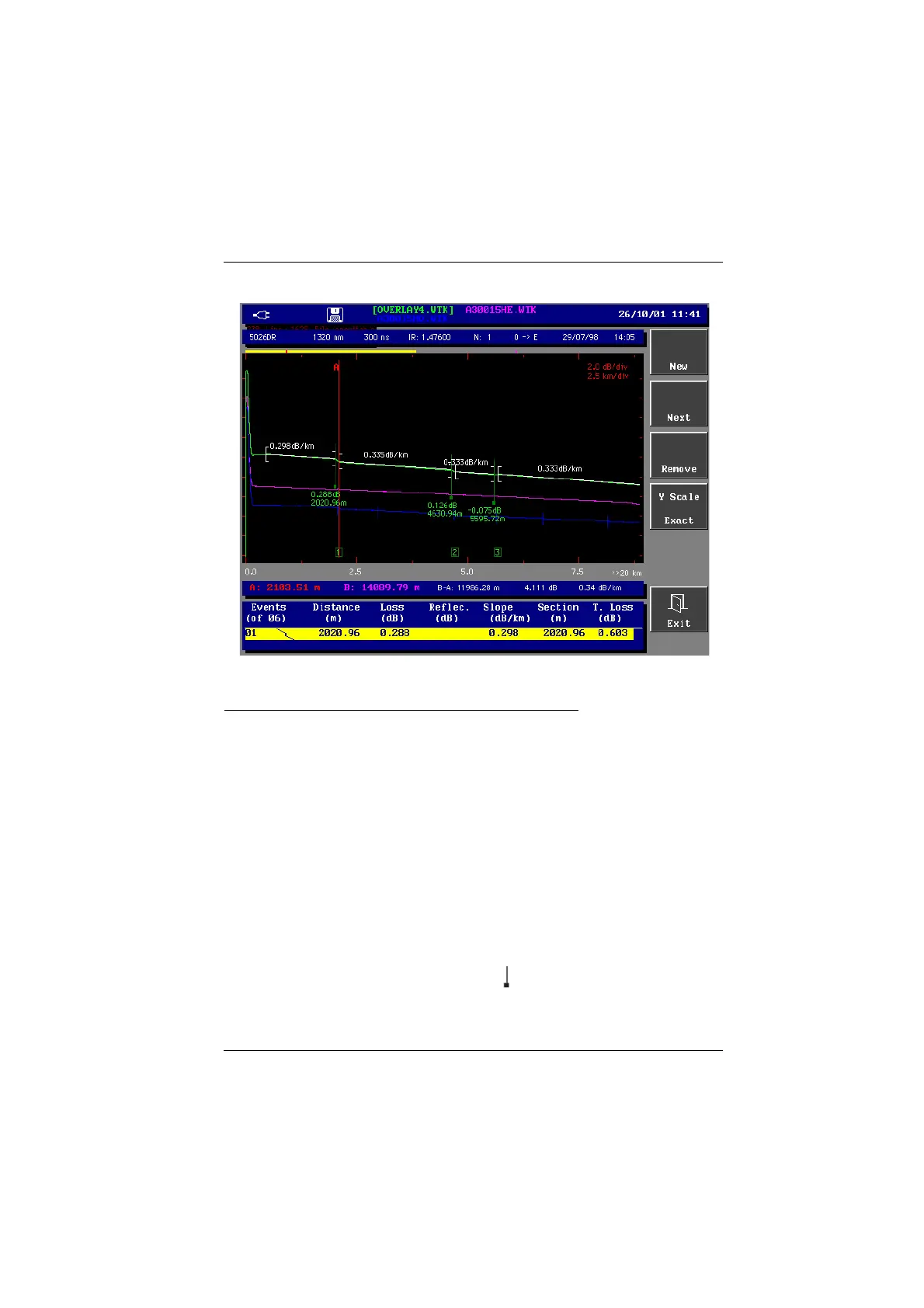
Example : overlay of 3 traces
Transferring stored traces to the overlay memory
To display up to 4 traces originating from the memory, with the erasing of the
current trace or the traces already loaded, do as follows:
• Find the file as described in the section "Finding files" on page 8-18.
• Press the <Load> key.
• Press the <Main+Overlays> key : as the traces are loaded, they progressively
disappear from the file list.
• At the end of the loading, the Results screen is displayed: the first trace
selected is the active trace (green on a colored screen), the other traces being
overlaid.
Display of overlaid traces
• Traces are of different colors (the active trace is green).
• The name of the displayed traces is on the top of the screen, the same color as
the trace ( the active trace name is in square brackets).
• The markers are located:
- on the active trace by the usual symbol ,
- on the other traces by vertical dash.
Artisan Technology Group - Quality Instrumentation ... Guaranteed | (888) 88-SOURCE | www.artisantg.com



 To Next Page