USER MANUAL 750000992/16
5-31
MTS
e
Overlay trace function
Shifting traces
Manual shift of the current trace
To vertically shift the active trace while the overlaid traces remain at their
original position, select the Cursor mode, then use the ↑ or ↓ arrow key.
Manual shift of all the traces
To simultaneously shift the displayed traces, select the Shift mode, then use the ↑
and ↓ arrow keys.
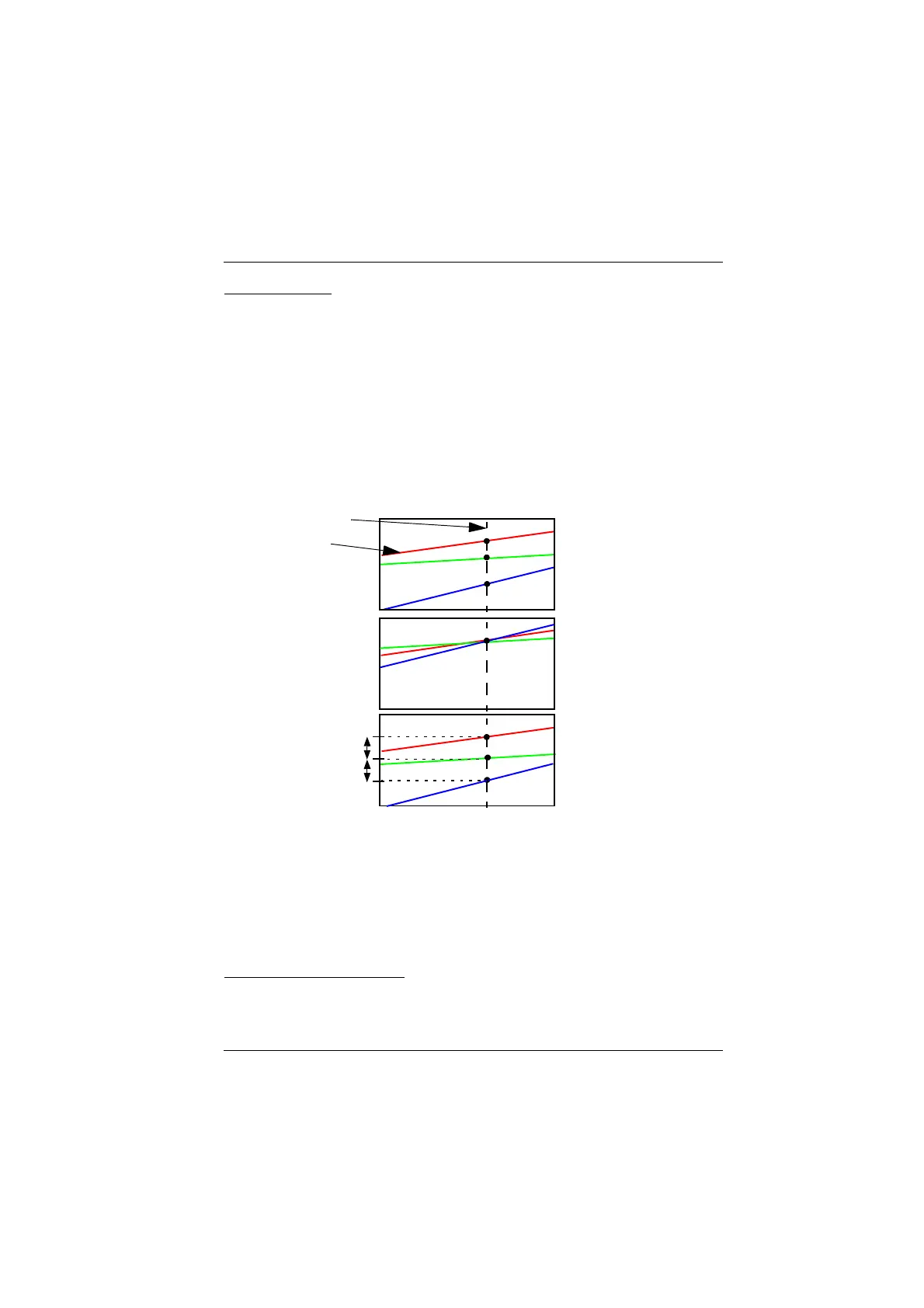
Automatic shift of the traces
This vertical shift is made according to the active cursor location on the current
trace. A key in the Expert/Overlay menu, allows the following choice:
Y reset Focus the display on the active trace and adjust the
overlaid traces at the cursor-current trace intersection
point.
Y Scale Shift Impose a vertical shift of one division between the traces at
the level of the cursor
Y Scale Exact Remove any Y shifts: the traces are at their exact position.
Exiting the overlay menu
To exit the overlay menu, press the <Exit> key.
Active trace
Cursor
Y Reset
Y Scale Shift
Y Scale Exact
1 Div.
1 Div.
Artisan Technology Group - Quality Instrumentation ... Guaranteed | (888) 88-SOURCE | www.artisantg.com


 To Next Page
 Loading...

