Hardware Manual
18
CAUTION: The camera itself is waterproof, however take note that the cable connections
are not. If the cable connections will be exposed outdoors, make sure to shield
adapt proper waterproofing methods. (See Waterproof the Cable
Connections on page 19.)
DISCLAIMER: ACTi will not be responsible for camera damage caused by water entering the
cable connections.
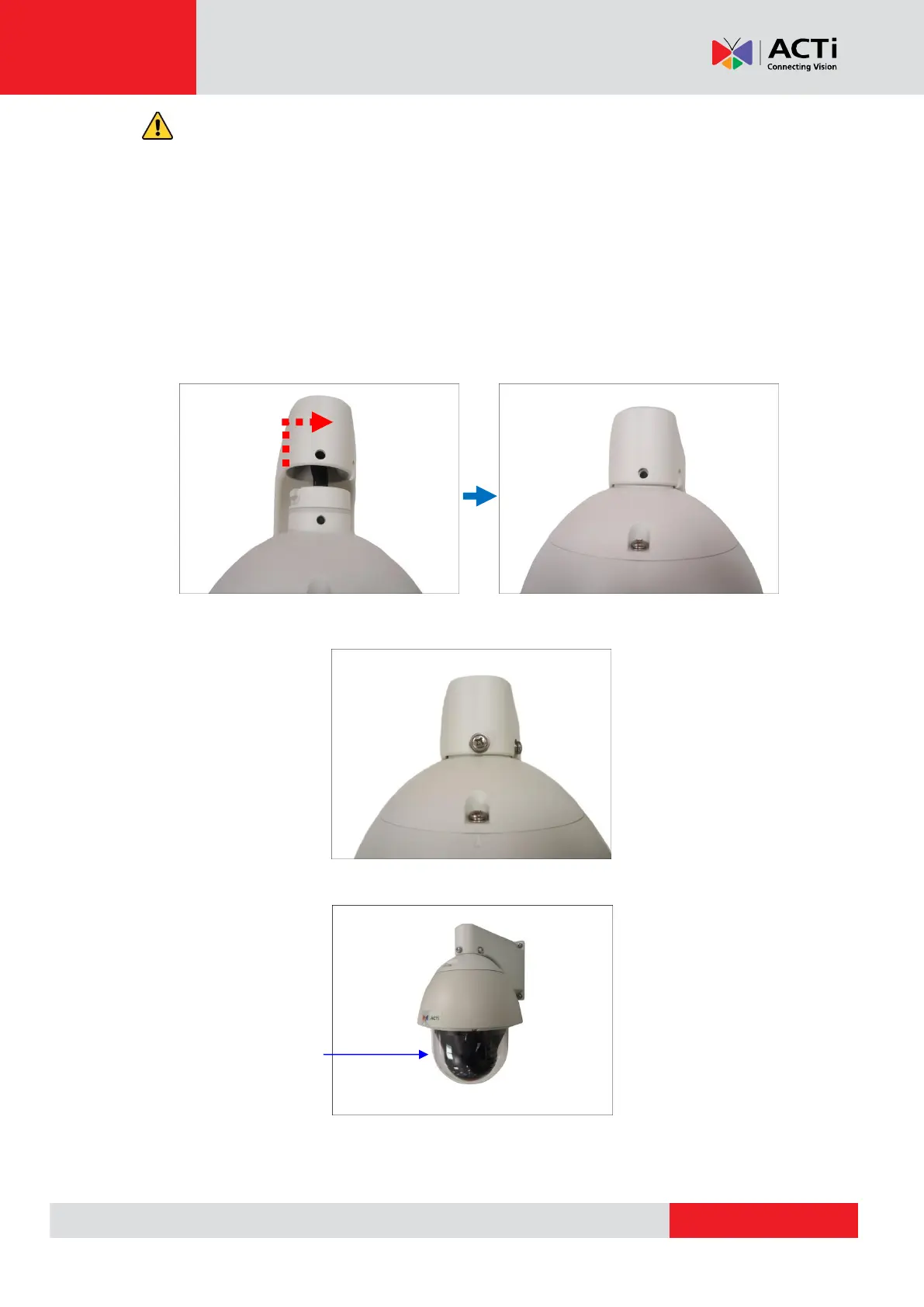
3. Mount the camera
1. Align the gap on the camera to the tab inside the mounting solution and insert the camera
through the mounting tube.
2. Attach the screws included in the camera package to secure the camera.
Below is an example:
NOTE: A blurry image may result when the lens is tilted along or above the line on the dome
cover (A).



 To Next Page