
 Need help?
Do you have a question about the Acuity Brands nLight nPWDMX SNAPSHOT DIN and is the answer not in the manual?
Details electrical input and output ratings.
Covers device dimensions, mounting, and connection types.
Outlines operating temperature and humidity requirements.
Lists regulatory standards and certifications the device adheres to.
Notes system component compliance with building codes and standards.
Details wiring and terminal connections for power and data.
Explains power supply options, including PoE and auxiliary DC.
Provides best practices for nLight network cable termination and testing.
Describes the 3-pole connector for dry contact input.
Discusses cybersecurity legislation and its impact on devices.
Explains security requirements and recommendations for users.
Managing network security through the concept of security domains.
Describes devices needing domain assignment for security.
Indicates devices in a domain, but read-only access.
Devices configured with front-panel password, read-only via Pathscape.
Devices within the current domain, offering read/write access.
Devices with security features disabled via front panel UI.
Devices with older firmware or those shipped before security mandates.
Steps to establish a security domain for device management.
Accessing utilities for domain management and configuration.
Functions for managing domain name, passwords, and device membership.
Procedure for updating Administrator and User passwords for a domain.
How to rename an existing security domain.
Managing which devices are included within a security domain.
Process for removing devices from a security domain.
Options for factory defaulting devices and managing restore points.
Restoring a device to its original factory settings.
Creating and recalling device configuration backups.
Steps to create a device restore point.
Steps to restore a device from a saved restore point.
Procedure to regain access to a security domain using a recovery key.
Details on Pathway's secure streaming ACN protocol with authentication.
How Pathscape generates unique passwords for secure sACN.
Option to set a custom ssACN password for specific network scenarios.
Configuring devices to use the secure sACN protocol.
Guide for connecting the device to Ethernet and nLight networks.
Instructions for downloading and installing the SensorView software.
Configuring the primary label and properties of the device.
Assigning nLight devices to track local channels for control.
Setting up and managing nLight Wallpod inputs.
Understanding different views within Pathscape for device information.
How to select devices in Pathscape to view or edit properties.
Methods for selecting multiple devices for batch configuration.
Customizing the display by rearranging and sorting columns.
Identifying different device types through updated icons in Pathscape.
Configuring properties of child devices like DMX Ports.
Overview of nPWDMX Snapshot properties displayed in Pathscape.
Configuring basic device properties like name and notes.
Viewing device type, firmware, serial number, and MAC address.
Checking the current status of CCI, Network DMX TX, and Priority.
Configuring IP mode, address, subnet mask, and gateway.
Settings for receiving DMX protocols, including secure sACN.
Settings for transmitting DMX protocols, including ssACN password options.
Properties for Network DMX output like start universe and number of universes.
Setting the default priority for DMX outputs.
Configuring priority override for specific scenarios.
How to trigger nLight Wallpod channels or Scenes.
Specific properties and configurations for DMX output ports.
Settings for enabling/disabling DMX512 ports and configuring direction.
Forcing DMX levels to hold indefinitely.
Assigning DMX ports to specific universes.
Properties related to DMX signal loss handling.
Configuring Remote Device Management (RDM) settings.
Specific properties and configurations for DMX input ports.
Settings for DMX512 input ports, including enable and force hold.
sACN transmit priority and signal loss properties for input ports.
Defining the behavior of CCI input buttons as momentary or maintained.
User-configured text descriptions for nLight outputs.
Checking the current status of nLight outputs.
Viewing the current output level of selected nLight outputs.
Monitoring the status of snapshot recording.
Checking the current status of nLight Wallpods.
Viewing the current level of an nLight Wallpod channel.
Tracking Vignette playback functions to control nLight Wallpods.
Indicating the active or inactive status of an nLight Scene.
Tracking Vignette playback functions to control nLight Scenes.
Assigning a name to Vignette Wall Station subdevices.
Viewing DMX channel values in a grid format.
Visualizing channel levels over time with graphical representation.
Displaying DMX channels as circular white lights indicating brightness.
Displaying DMX channels as virtual RGB fixtures with color and intensity.
Analyzing ssACN data and authentication status in Data Scope.
Setting static levels for selected channels in the Virtual Console.
Applying preset effects for testing and troubleshooting in the Virtual Console.
Listing devices and their ports for DMX patching.
Configuring and displaying universe columns for patching.
Managing universe ranges for DMX patching.
Cleaning up the display by hiding unused universe columns.
The process of patching DMX output ports to specific universes.
Creating custom universe patches for output ports.
Managing custom DMX patches, including copying and deleting.
Contextual menu options for universe columns in DMX Patch.
Menu for quick access to functions related to universe columns.
Sorting data in the DMX Patch view by clicking column headers.
Using the advanced editor for detailed DMX patch configurations.
Manually inputting channel numbers and priorities in the Advanced Patch Editor.
Copying and incrementing channel patch values efficiently.
Adding new universe ranges to the patch editor.
Creating patches using command-line syntax in the Advanced Patch Editor.
Demonstrating command-line usage for patch editing.
Helpful functions available via the right-click menu in the patch editor.
Checking the online/offline status of RDM devices.
Moving RDM devices between different ports.
Setting up properties for discovered RDM devices.
Viewing real-time sensor data from RDM devices.
Replacing an offline RDM device with an online one while retaining properties.
Managing RDM discovery when multiple Pathscape instances are active.
Potential synchronization problems and conflicts between systems.
Explanation of DMX cable connectors and wiring conventions.
Pinout details for DMX512 connections on the Snapshot device.
Link to video tutorials for setup and usage.
 General
| Brand | Acuity Brands |
|---|---|
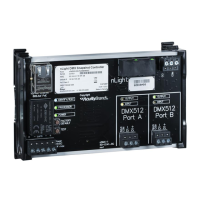
| Model | nLight nPWDMX SNAPSHOT DIN |
| Category | Controller |
| Language | English |

 To Next Page