16 of 27
Acuity Brands | One Lithonia Way Conyers, GA 30012 Phone: 800.535.2465 www.acuitycontrols.com © 2014-2015 Acuity Brands Lighting, Inc. All rights reserved. 08/17/15
Setup > Channels (continued)
Overview
Lighting channels are used to control the behavior of lighting devices. A
lighting channel corresponds to the control slider. Up to 36 lighting channels
can be assigned and displayed on a single fresco station
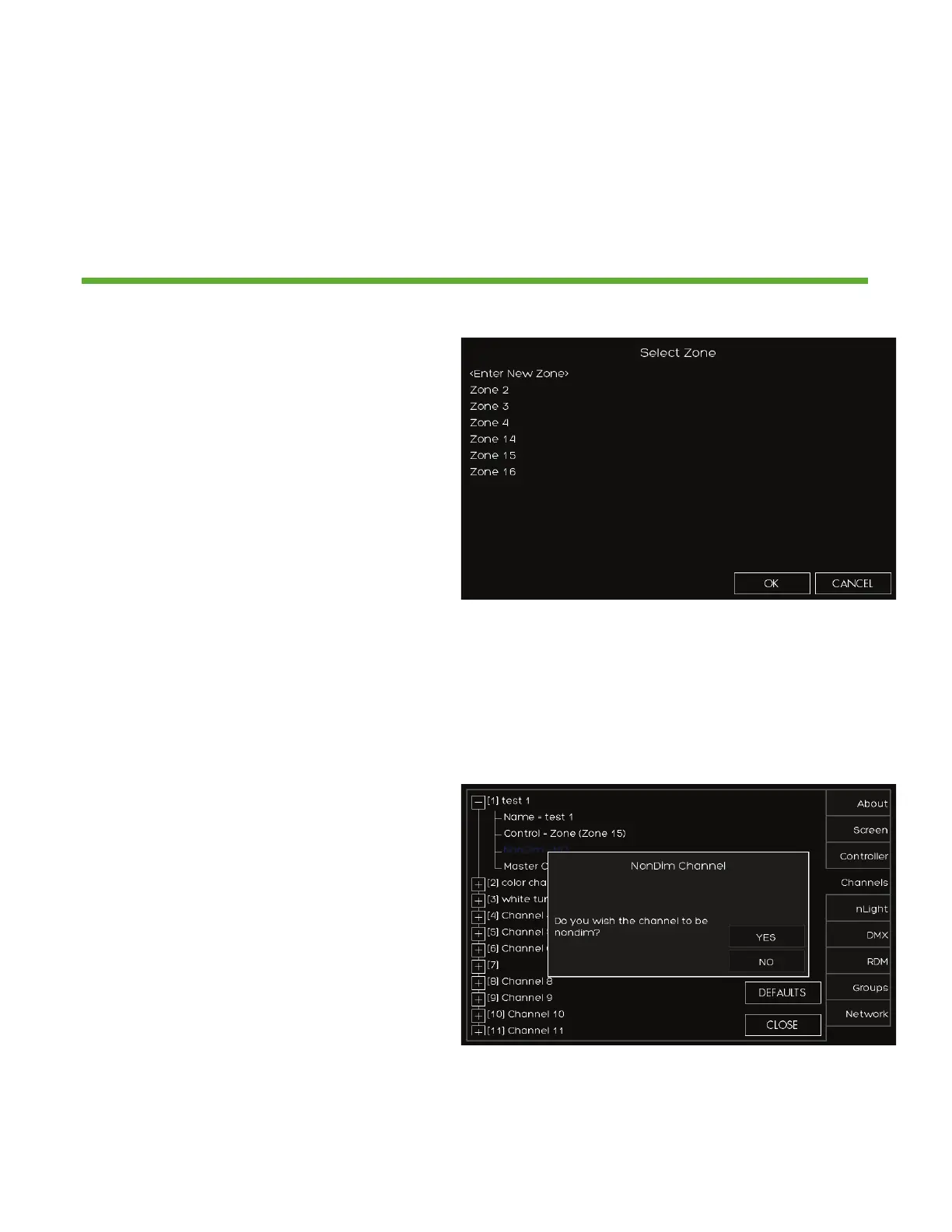
1. Choose the ZONE that the channel
will control. Choose an existing
zone or add a new zone
2. There are 100 available zones
available on each fresco station, but
you can only have a maximum of
36 channel sliders. This is intended
for additional devices that need to
be controlled by the system without
controlling them manually from the
station
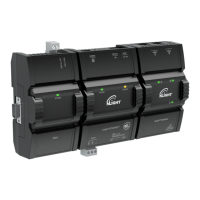
1. Choose if you want the CHANNEL
to be NONDIM. FALSE will provide
the 0-100 intensity slider. TRUE will
provide an ON/OFF toggle
2. MASTER CONTROL allows the home
page raise/lower buttons to control
the channel.


 To Next Page