15 of 27
Acuity Brands | One Lithonia Way Conyers, GA 30012 Phone: 800.535.2465 www.acuitycontrols.com © 2014-2015 Acuity Brands Lighting, Inc. All rights reserved. 08/17/15
Setup > Channels
Overview
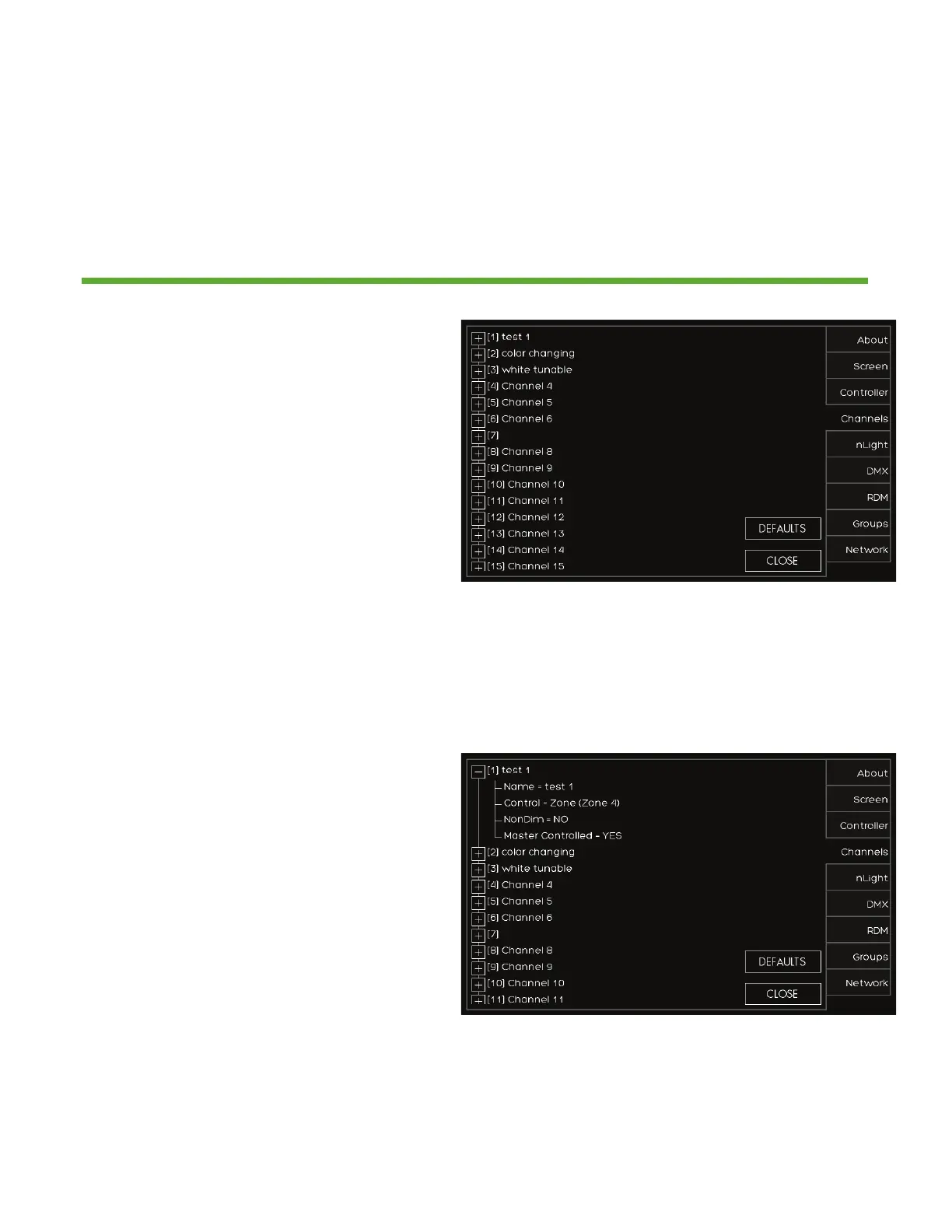
Lighting channels are used to control the behavior of lighting devices. A
lighting channel corresponds to the control slider. Up to 36 lighting channels
can be assigned to a single fresco station
1. Create a new lighting channel by
pressing (+) next to the channel
location
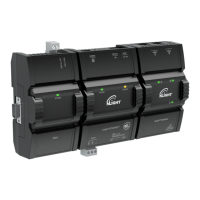
1. Create a name for the channel that
will appear above the channel slider
2. Determine the type of CONTROL to
be ZONE, GROUP, or NONE
1. A ZONE can be a single
or multiple fixture
controlled together
2. GROUP is more than one
ZONE of lighting
controlled together
3. NONE disables the
channel slider.


 To Next Page