18 of 27
Acuity Brands | One Lithonia Way Conyers, GA 30012 Phone: 800.535.2465 www.acuitycontrols.com © 2014-2015 Acuity Brands Lighting, Inc. All rights reserved. 08/17/15
Setup > nLight® (continued)
Overview
Add up to 128 supported nLight devices to each fresco station for control
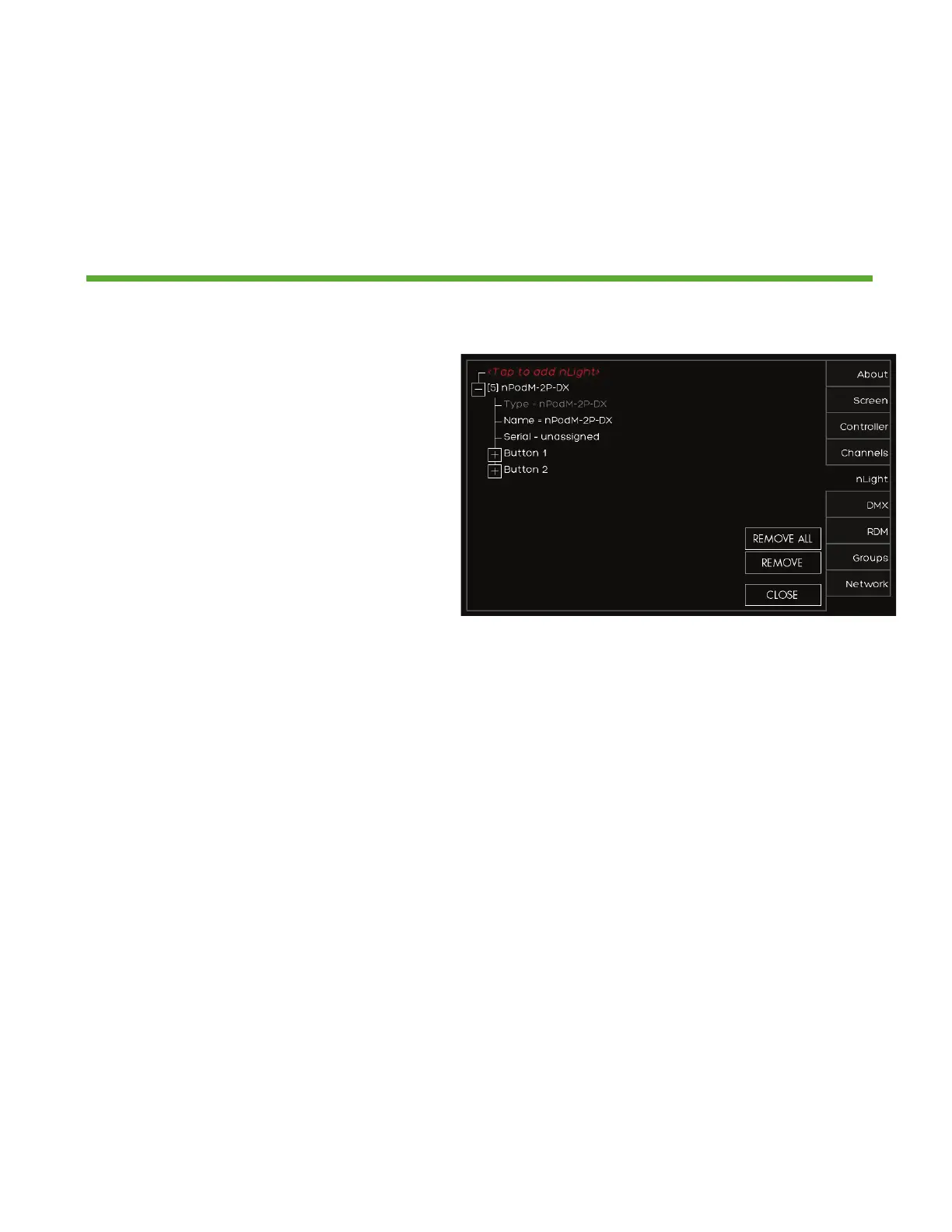
1. If the nLight device was auto
identified or you manually entered it
you now need to set it up*
2. Press the (+) next to the device to
expand the device settings
3. You can change the NAME of the
device
4. SERIAL should be populated already.
If it is not press UNASSIGNED and
choose it from the list of available
serial numbers that match the device
*TIP for UNKNOWN devices
If the station auto discovers an
nLight device and appears as
UNKNOWN, REMOVE the device
and manually enter the device


 To Next Page