19 of 27
Acuity Brands | One Lithonia Way Conyers, GA 30012 Phone: 800.535.2465 www.acuitycontrols.com © 2014-2015 Acuity Brands Lighting, Inc. All rights reserved. 08/17/15
Setup > nLight ® (continued)
Overview
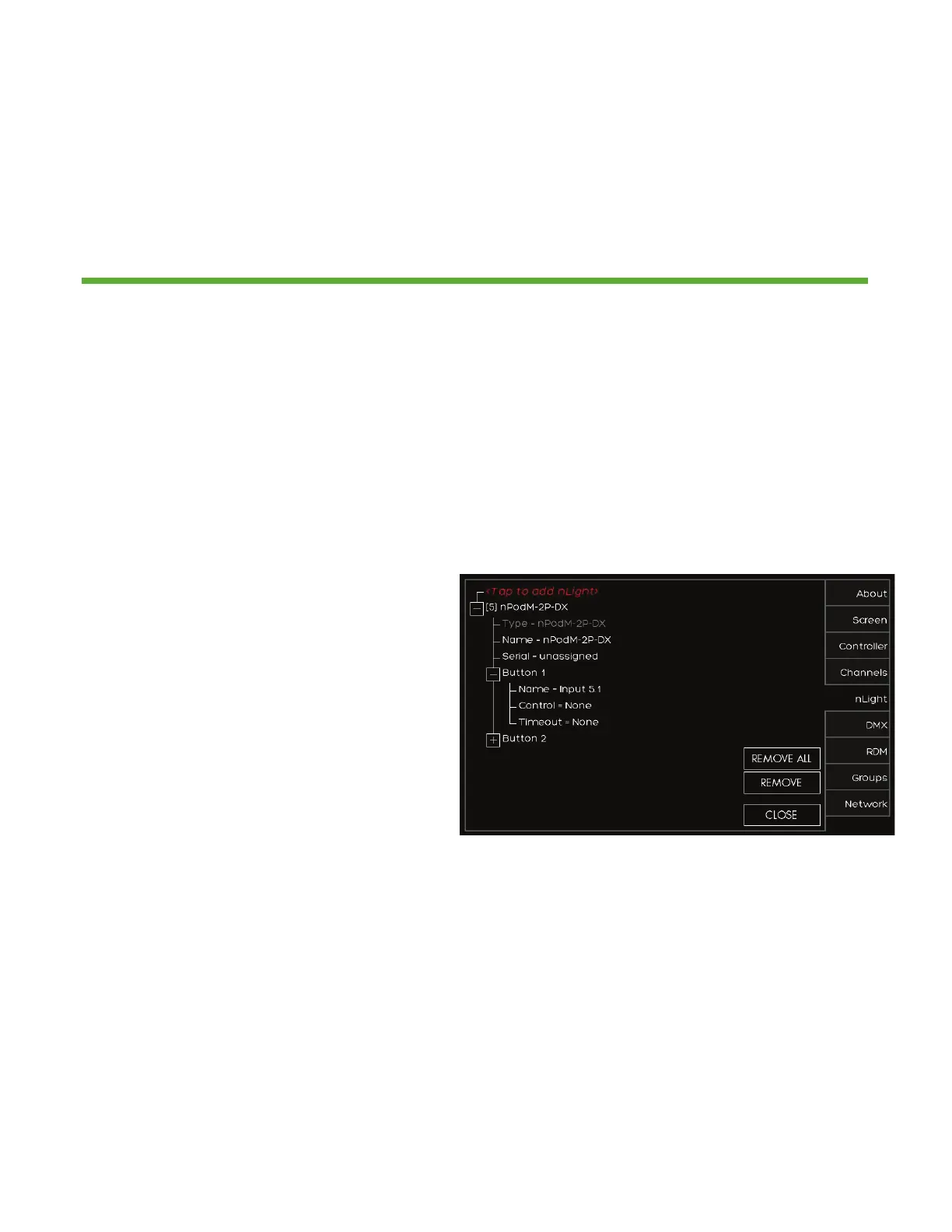
Add up to 128 supported nLight devices to each fresco station for control
1. Depending on the device it now
needs to be configured for control.
Press the (+) to setup the control for
the device
2. Sensors/Wall Stations/Power Packs/
Embedded Fixtures Devices
1. Change the NAME of the
nLight device if desired
2. Choose the type of CONTROL
it will affect (Group/Zone/
Scene/Channel/None)
3. MODE for sensors only will
change the setting to (Auto
On/Manual Off or Manual On/
Auto Off)
4. TIMEOUT will adjust device
timeout setting
5. OUTPUT sets what the relay/
dimmer will control
6. Change the NAME of the
device output if desired
7. Choose what ZONE it will
control
8. THRESHOLD changes when
the relay will get switched
on. This will not matter when
you assign this to a non-dim
channel. You are best to leave
this field unchanged
9. LOW SET/HIGH SET are
adjustable trim settings for
dimming wall stations/power
packs/embedded fixture
devices


 To Next Page
 Loading...