20 of 27
Acuity Brands | One Lithonia Way Conyers, GA 30012 Phone: 800.535.2465 www.acuitycontrols.com © 2014-2015 Acuity Brands Lighting, Inc. All rights reserved. 08/17/15
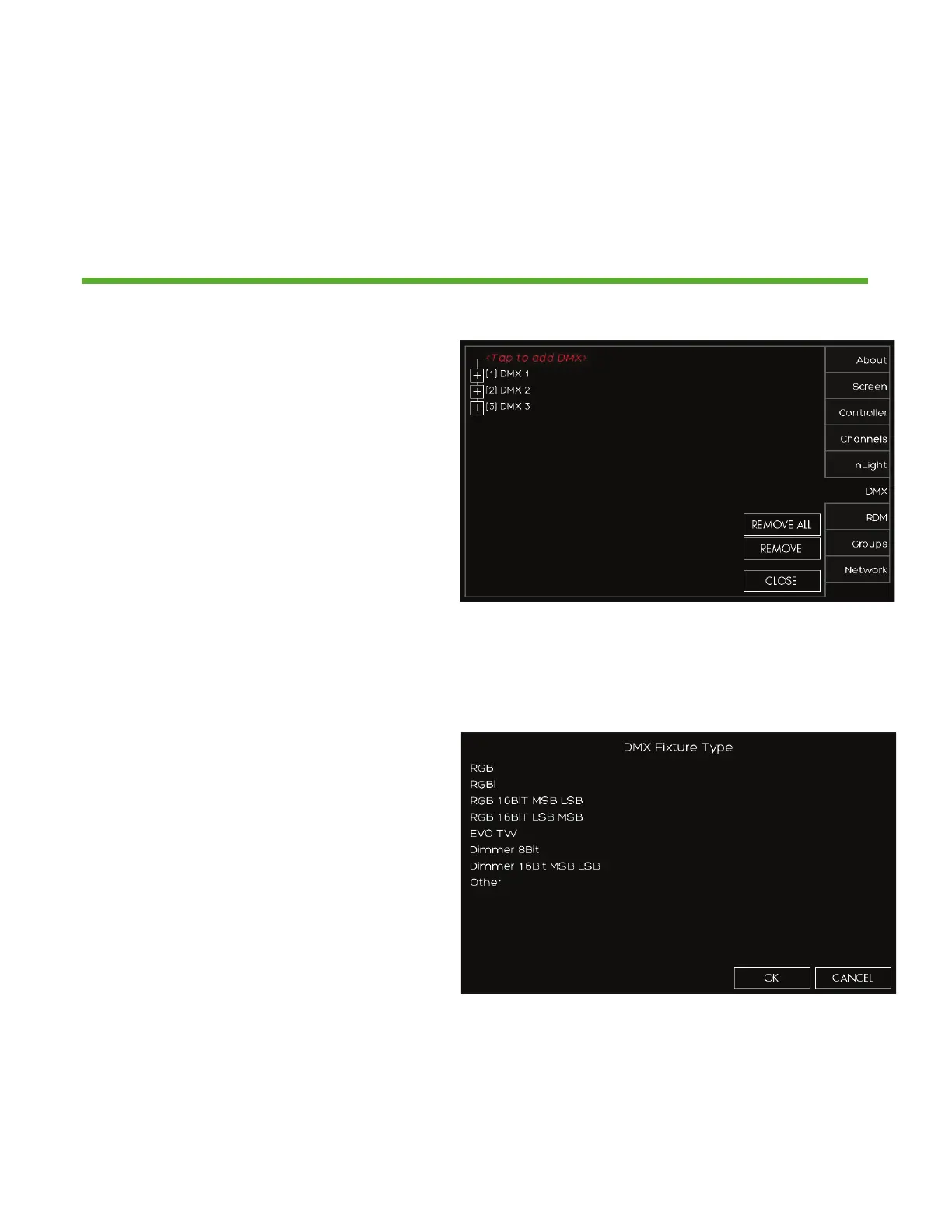
Setup > DMX
Overview
One universe (512 channels) of DMX allows control of DMX/RDM fixtures
1. If you have RDM capable DMX
devices already connected to the
station they will appear here
2. If you need to manually add DMX
devices press <Tap to add DMX>
devices
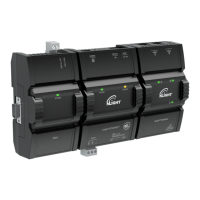
1. After pressing <Tap to add DMX>
choose the DMX fixture type that
best matches the profile required
2. Choose the DMX start address
3. Next select the ZONE that it will be
assigned to
4. If you know the exact fixture ID
listed within the Horizon DMX fixture
library (provided upon request)
choose OTHER and enter the fixture
ID and enter the DMX start address
and zone output for assignment


 To Next Page