21 of 27
Acuity Brands | One Lithonia Way Conyers, GA 30012 Phone: 800.535.2465 www.acuitycontrols.com © 2014-2015 Acuity Brands Lighting, Inc. All rights reserved. 08/17/15
Setup > DMX (continued)
Overview
One universe (512 channels) of DMX for control of DMX/RDM fixtures
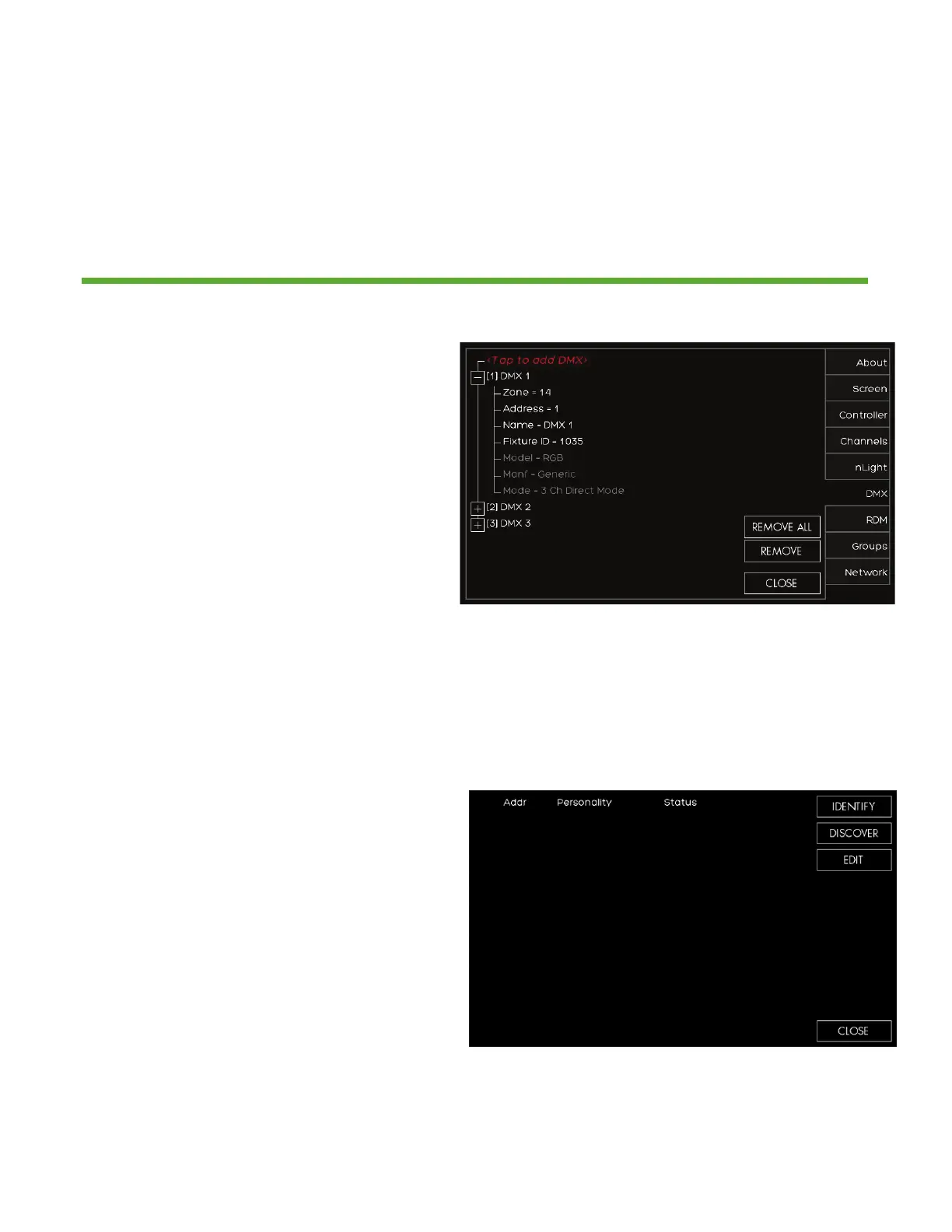
1. If the DMX fixture was auto identified
or you manually entered it you now
need to set it up
2. Press the (+) next to the device to
expand the device settings
3. Verify the ZONE assignment and
correct start ADDRESS is correct.
Make the changes if necessary
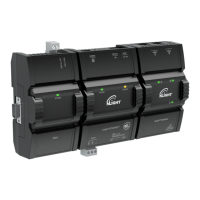
4. RDM responding fixtures can be
setup by pressing RDM DEVICE
1. DISCOVER will force a DMX signal
to search for all RDM discoverable
fixtures
2. After the search has completed a list
of fixtures will display in this list
3. IDENTIFY will locate the fixture (flash
to find)
4. EDIT will allow the personality of the
fixture to be changed if available


 To Next Page