76
T r i p C o m p u t e r T i r e P r e s s u r e M o n i t o r i n g S y s t e m
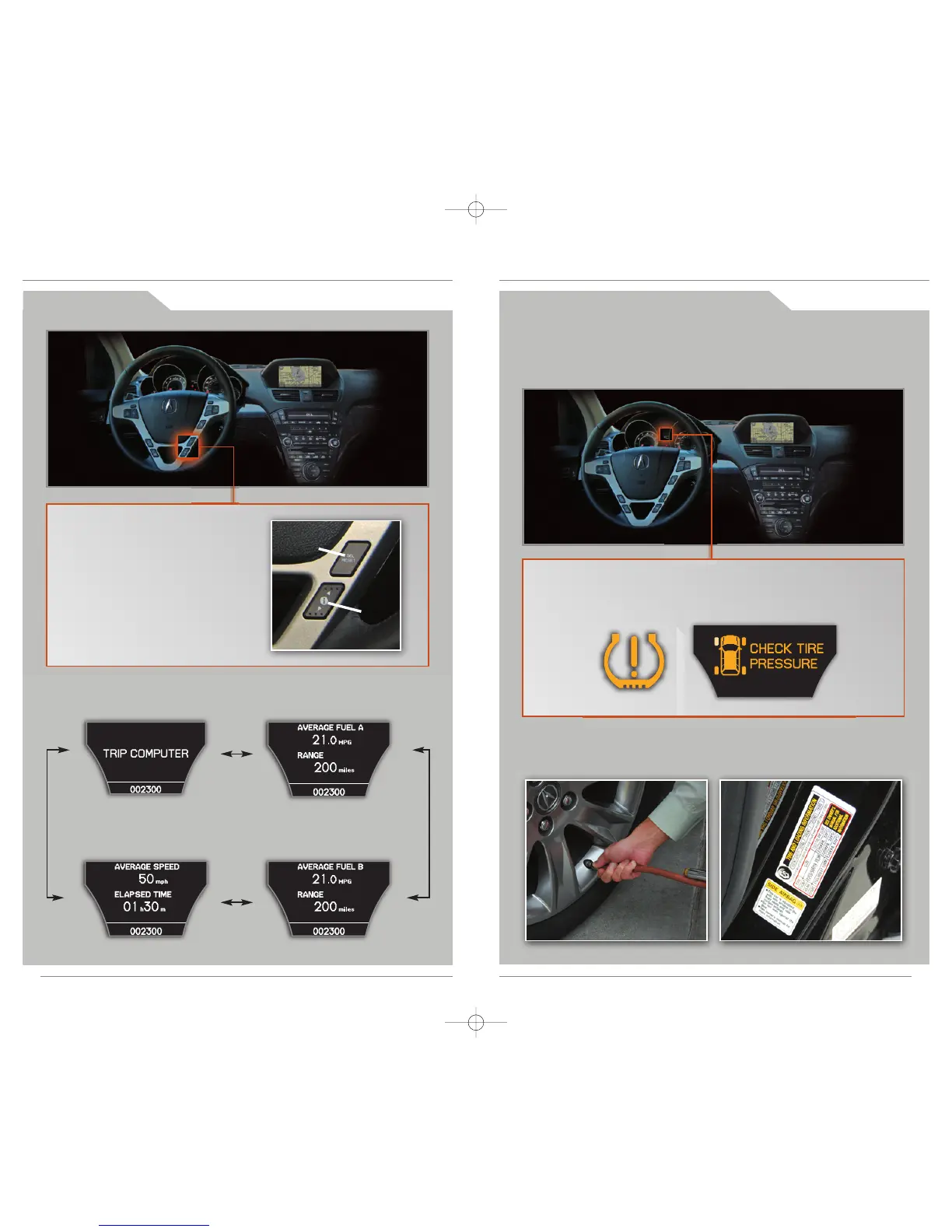
While on the Trip Computer display,
press SEL/RESET to access trip
information and to toggle through
the various screens. Press either
INFO (▲/▼) button to return to the
Trip Computer main display.
SEL/RESET
button
INFO
button
Trip computer Average fuel economy A,
Range
Average fuel economy B,
Range
Average speed,
Elapsed time
Alerts you when one or more of your tires have significantly low pressure.
Toggle to the tire pressure monitor display to view pressure readings on
the MID.
Inflate the tire(s) to the recommended pressures listed on the label on the
driver’s doorjamb.
H o w I t W o r k s
W h a t t o D o
If the tire pressure drops significantly below recommended levels:
• The low tire pressure indicator comes on.
• A "CHECK TIRE PRESSURE" message appears on the MID.
• The tire(s) icon showing low pressure blinks.



 To Next Page
 Loading...