EasyManua.ls Logo

AcuRite 75127 - User Manual

AcuRite 75127
8 pages
Print Icon
To Next Page IconTo Next Page
Loading...
Instruction Manual
SAVE THIS MANUAL FOR FUTURE REFERENCE.
Questions? Contact Customer Support at
(877) 221-1252 or visit www.AcuRite.com.
CONTENTS
Unpacking Instructions ........... 2
Package Contents .................. 2
Product Registration ............... 2
Features & Benets ................. 3
Clock Setup ........................... 4
Set the Time & Date ............... 5
Care & Maintenance .............. 6
Specications ......................... 6
FCC Information .................... 6
Customer Support .................. 7
Warranty............................... 7
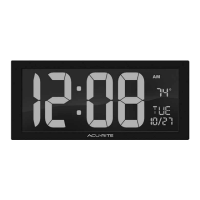
Digital Clock
model 75127
Question and Answer IconNeed help?

Do you have a question about the AcuRite 75127 and is the answer not in the manual?

Summary

Unpacking Instructions

Package Contents

Lists the items included with the digital clock product.

Product Registration

Features & Benefits

Setup

Install or Replace Backup Batteries

Instructions for installing or replacing the backup AA batteries for power outage protection.

Plug in Power Adapter

Guide on connecting the power adapter to the device and a power outlet.

Set the Time & Date

Care & Maintenance

Clock Care

Specific instructions for cleaning the clock using appropriate materials.

Specifications

FCC Information

Customer Support

Limited One Year Warranty

Details the terms and conditions of the one-year limited warranty.

AcuRite 75127 Specifications

General IconGeneral
DisplayLCD
Time Format12/24 Hour
Power SourceAC Adapter
Indoor Humidity Range1% to 99%
Time SyncAtomic
FeaturesIndoor Temperature, Indoor Humidity
Battery BackupYes
Indoor Temperature Range32°F to 122°F

Related product manuals