, ;- ~~~~:'f~' '~~'-- ~
j
1: : "--
Operating Instructions
ACURUS ACT -3 Remote Control
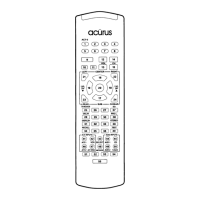
The ACURUS ACT -3 remote control has been designed to operate eight different
AudioNideo components. It is preprogrammed to operate with the Mondial
ACURUS ACT -3, as well as, CD, Tape, Satellite, TV, VCR, Cable, and DVD
equipment of other manufacturers.
In the Audio mode, the remote Code 001 will only operate the ACURUS ACT-3.
A) Programming the Remote Control:
1. Three Digit Code Method.
...
The remote control can be programmed by pressing in a three digit code number,
listed in the code table, that corresponds to particular manufactures and brands of
AudioNideo equipment.
Step 1. Turn on the equipment you wish to program.
Step 2. Press the Device button and Mute button, simultaneously, and hold until the
red Led of the Device button remains lit. ( The LED will stay on for 20 seconds. The
next step must be entered during this period. )
Step 3 Point the remote control toward the equipment and press in the three digit
code number that is assigned to your brand of equipment. The equipment will turn
off when the correct code number is entered.
Note: If there is more than one three digit number listed for your brand, try one code
number at a time until your equipment turns off. When it turns off, you have
selected the right code number for your equipment.
Step 4. Store the code number by pressing the corresponding Device button once
again. The Device button will blink twice to confirm that the code has been stored
and then turn off.


 To Next Page
 Loading...