Step 5. Try all the functions on the remote control. If any of the functions do not
work as they should, repeat from Step 2 using the next three digit code number
assigned to your brand.
2. Auto Search Method:
If none of the three digit code numbers assigned to your brand shut off your
equipment or the code table does not list your brand, you can use the Auto Search
Method to fmd the right code number for your equipment.
Step 1. Turn on the equipment you wish to operate.
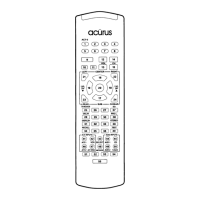
Step 2. Press the Device and Mute buttons simultaneously, and hold until the red
LED of the Device button remains lit. ( The LED will stay on for 20 seconds. )
Step 3. Press and hold the CH UP or CH DOWN buttons. The remote will emit a
series of Power On/OFF code signals that are stored in its memory. Release the CH
button as soon as the equipment turn off.
Step 4. Press the Device button to store the code. The Device Button will blink twice
to confinn that the code has been stored. The LED will then turn off.
B. To Find the Code Number That was Stored for a Device:
Step 1. Press the Device button and Mute button simultaneously, and hold until the
red LED of the Device Buton remains lit.
Step 2. Press the Exit button. The Device button will blink indicating the number of
each digit of the code. Each digit is separated by a 1 second "off' interval of the
LED.
I.
~" Example: One blink, LED OFF, Three blinks, LED OFF and Eight blinks, indicates
: the code number 138. Note: Ten blinks is equal to the number O.
-


 To Next Page
 Loading...