EN
FR
NL
ES
IT
DE
PL
RU
en
11
WaterMaster 25 - 35 - 45 - 70 - 85 - 120 : A1006482 - 664Y7300 • D
USER’S GUIDE
Easy Setup Reset
EZ Setup
EZ Setup
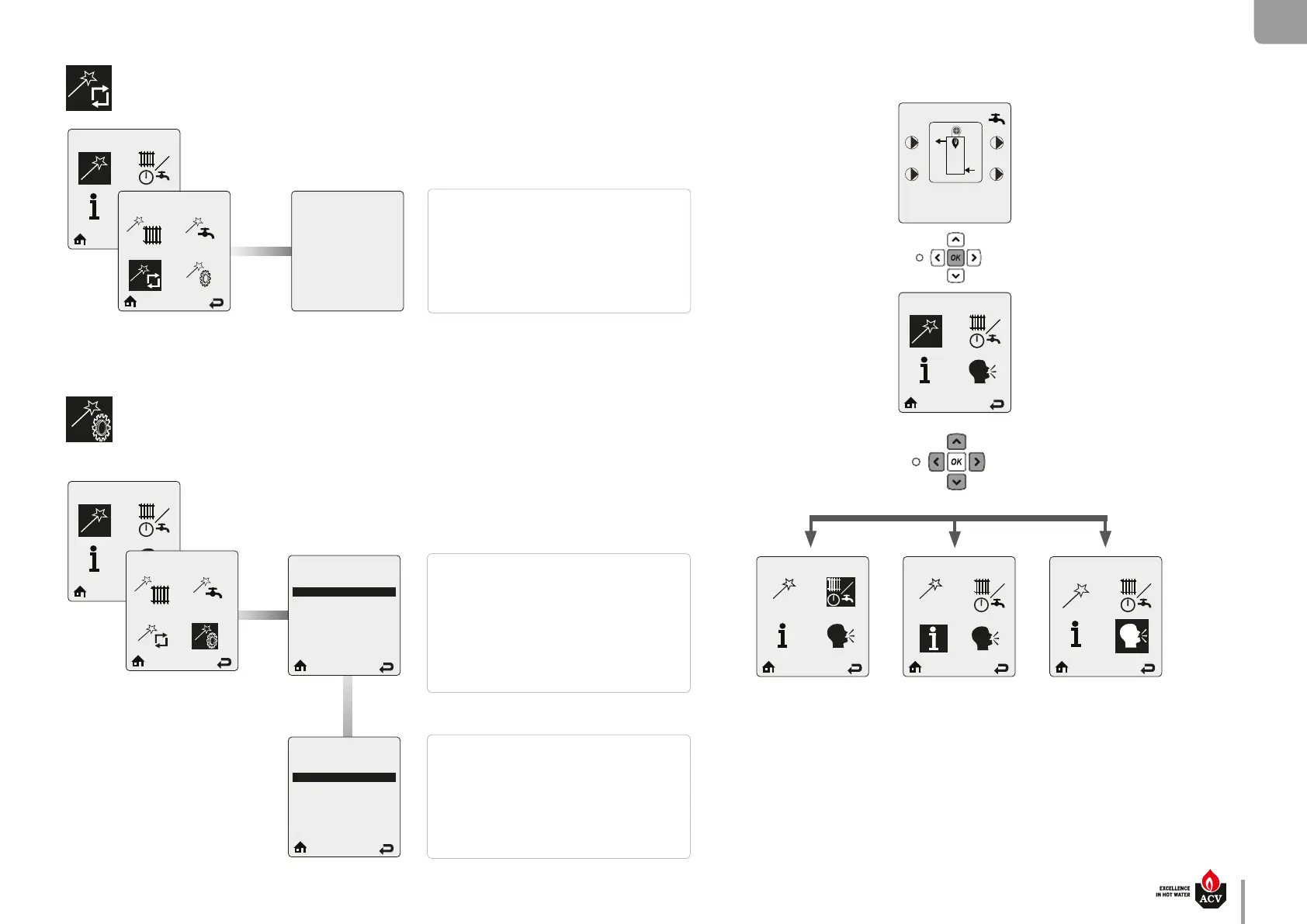
EZ Setup Reset EZ Setup Reset
Press OK to restore factory settings,
any other button to keep current
settings.
EZ Setup Reset allows to reset all EZ
setup settings back to the original factory
defaults.
Follow the on-screen instructions to reset
all EZ setup settings.
Display Easy Setup
Display EZ Setup
English
Français
Nederlands
Español
Italiano
Deutsch
Select Unit
Fahrenheit
Celsius
Display EZ Setup allows to select the
interface language (Nine dierent languag-
es: English, French, Dutch, Spanish, Italian,
German, Czech, Polish and Russian).
Press on UP or DOWN button to select the
required language then press OK to store the
setting.
Display EZ Setup allows to select the inter-
face temperature unit.
Press on UP or DOWN button to select the
required unit then press OK to store the set-
ting.
Boiler Protection
P3
DHW
P4
84°C
61°C
CH
Target = 85°C
WaterMaster
EZ Setup
Starting from the Home screen :
CH / DHW Operation Boiler Information Select Language
Selecting this icon
and validating the
selection with the
OK key allows to
access directly to the
language selection
page (see on the left)



 To Next Page