7
Preparing the Disk Drive for Installation
Before installing the disk drive, ensure that it meets the
requirements listed in Supported Disk Drives on page 5.
Set the drive jumper to Master or Device 0 mode (or equivalent, as
described on your disk drive), following the instructions on your
disk drive.
Installing a Disk Drive
Note: You need a Phillips screwdriver to complete this task.
To install a disk drive into your USB Enclosure:
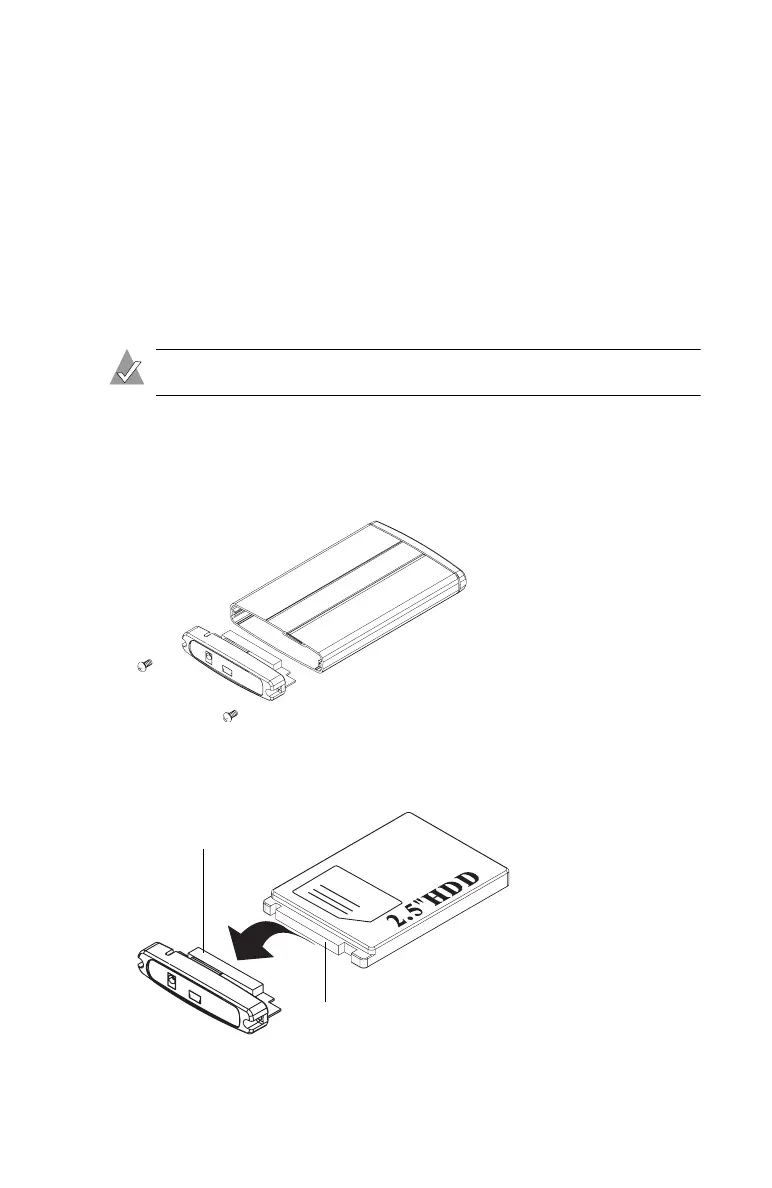
1 Use a screwdriver to remove the enclosure cover, as shown
below.
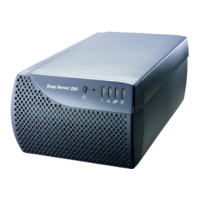
2 Connect the EIDE/IDE connector of your disk drive to the
interface connector inside the enclosure cover.
Interface Connector
Disk Drive Connector



 To Next Page