
EasyManua.ls Logo

Adaptiv Technologies TPX - User Manual

Adaptiv Technologies TPX
22 pages
Print Icon
To Next Page IconTo Next Page
Loading...
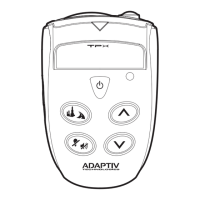
TPX™ MAIN CONSOLE
MANUAL
MOTORCYCLE RADAR & LASER
DETECTION SYSTEM

Other manuals for Adaptiv Technologies TPX

Questions and Answers

  • A
    Antonio JohnsonJul 26, 2025
    Why won't my Adaptiv Technologies TPX Radar Detector turn on?
    • K
      Kimberly WillisJul 26, 2025
      If your Adaptiv Technologies Radar Detector system isn't turning on, there are a few potential causes. First, ensure the system is properly connected to a power source and check the fuse, replacing it with a 3A fuse if needed. Next, verify that your vehicle is turned on. Finally, confirm the system isn't powered off by pressing and holding the button for three seconds while the vehicle is on.
  • S
    Seth LoweryJul 30, 2025
    What to do if Adaptiv Technologies Radar Detector drains motorcycle battery?
    • G
      Gerald RasmussenJul 30, 2025
      If your Adaptiv Technologies Radar Detector system is draining your motorcycle's battery, it's likely not connected to a switched power source. To resolve this, connect the power to a switched power source that turns on and off with the ignition.
  • T
    Timothy HoffmanAug 4, 2025
    What to do if Adaptiv Technologies TPX Radar Detector has no display or audio?
    • V
      Virginia DeckerAug 4, 2025
      If your Adaptiv Technologies Radar Detector's main console has no display or audio, there might be a few reasons. First, ensure your vehicle is turned on if the detector is connected to a switched power wire. Check the fuse and replace it with a 250V, 1A fuse if necessary. Also, verify the power connections and make sure the plug is properly inserted into the main console. Finally, ensure the vehicle is turned on.
  • L
    lisawalkerAug 8, 2025
    Why does my Adaptiv Technologies TPX Radar Detector have weak sensitivity?
    • C
      Carol BeltranAug 8, 2025
      If your Adaptiv Technologies Radar Detector's main console sensitivity appears weak, consider these potential causes: * Ensure the main console is mounted horizontally to the ground. * Check that the front and rear of the main console are not obstructed by any metal or opaque plastic objects. * If using in an automobile, make sure windshield wipers are not blocking the detector. * Determine if the vehicle has an Instaclear®, ElectriClear®, or solar reflective windshield, which may hinder the detector’s performance.
  • S
    Seth CaseyAug 12, 2025
    What to do if Adaptiv Technologies TPX Radar Detector resets when driving over bumps?
    • J
      Jose MasseyAug 13, 2025
      If your Adaptiv Technologies Radar Detector's main console resets when the vehicle goes over a bump, the cause might be a poor electrical connection. Check the power connections to resolve this issue.
  • P
    pamela73Aug 16, 2025
    Why didn't my Adaptiv Technologies TPX Radar Detector register a signal near a police vehicle?
    • M
      Michelle GonzalezAug 16, 2025
      Your Adaptiv Technologies Radar Detector might not register a signal near a police vehicle if the police radar is not turned on or if non-radar or laser detection methods are being used. In either case, it is recommended to slow down.
  • J
    James JenkinsAug 21, 2025
    Why is my Adaptiv Technologies Radar Detector Main Console very warm?
    • S
      slambertAug 21, 2025
      It is normal for the Adaptiv Technologies Radar Detector main console to be warm during operation.

Summary

Introduction

Safety Warning

Package Contents

Product Overview

Using the TPX System

Installation

Details on installing the system components, including wiring and connections.

Aux Out Connection

Details on the audio output signal connector for communication systems.

Mounting the Main Console

Instructions for securely mounting the main console unit.

Main Console Operation

Power Operation

Instructions for turning the main console on/off and power considerations.

City;Highway Modes

Explanation of different modes for optimizing radar detection performance.

Volume and Brightness Control

How to adjust audio volume and display brightness levels.

Alert Off Function

Temporarily disabling all alerts and their behavior.

Radar and Laser Signal Detection

How the system detects and indicates radar and laser signals.

Button Backlights

Control for turning the button backlights on or off.

Troubleshooting

Maintenance and Care

Service

Warranty Service

Procedure for obtaining warranty repairs and required information.

Non-Warranty Service

Process for non-warranty repairs and associated costs.

Warranty

Specifications

Accessories

FCC Statement

Adaptiv Technologies TPX Specifications

General IconGeneral
BandsX, K, Ka, Laser
GPSYes
DisplayOLED
City/Highway ModesYes
Audio AlertsYes
Mute FunctionYes
Power Source12V DC