EasyManua.ls Logo

Adastra AD-100 - User Manual

Adastra AD-100
6 pages
Print Icon
To Next Page IconTo Next Page
Loading...
AD-100
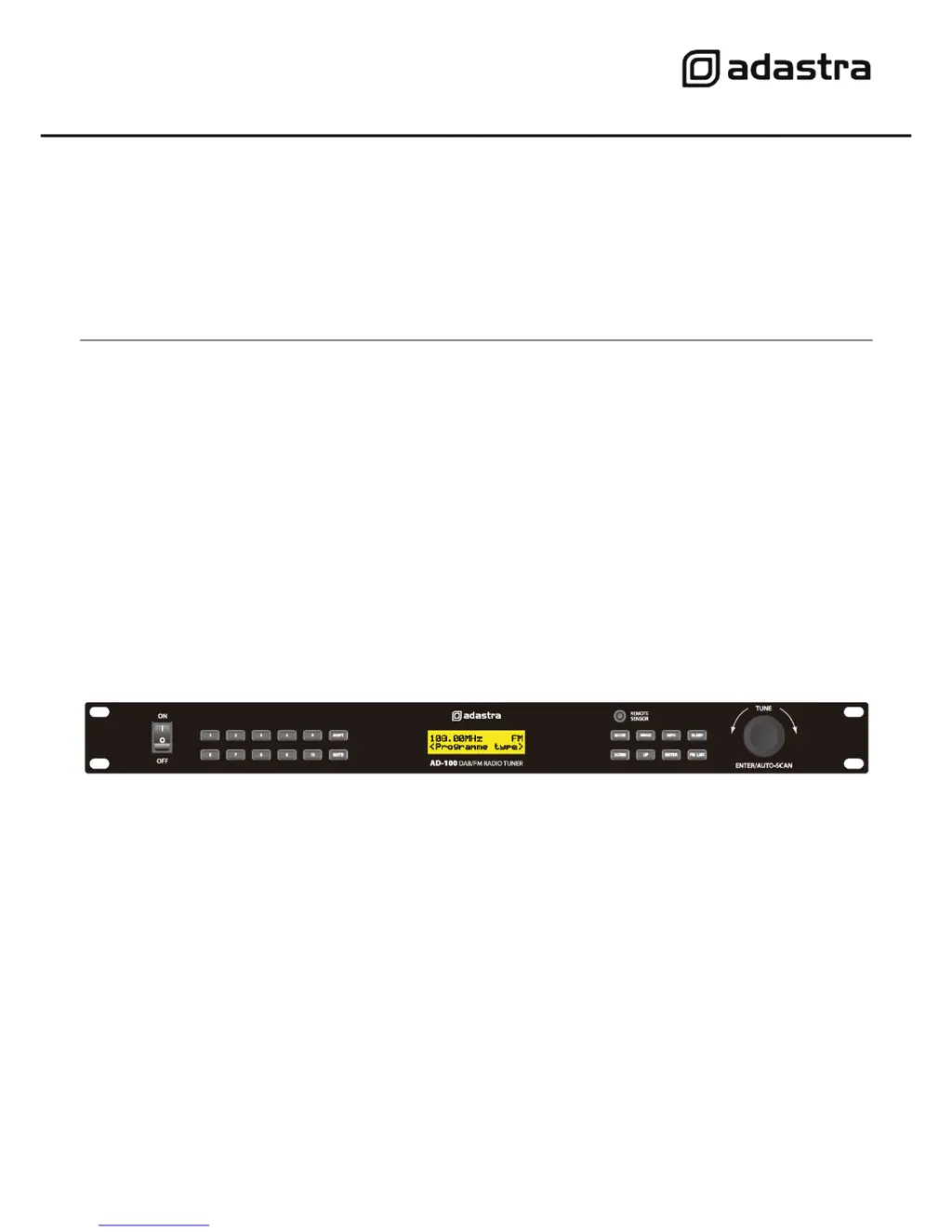
1U DAB/FM Tuner
Item ref: 952.979UK
User Manual

Other manuals for Adastra AD-100

Questions and Answers

  • C
    Carol ReedAug 10, 2025
    What to do if Adastra AD-100 Tuner is not responding to remote control?
    • H
      hsandersAug 10, 2025
      If your Adastra Tuner isn't responding to the remote control, ensure the main front panel can 'see' the remote. Also, check the batteries in the remote handset and replace them if needed.
  • F
    Fred LeeAug 16, 2025
    Why is there interference or hiss in FM mode on my Adastra AD-100?
    • S
      Samantha JonesAug 16, 2025
      If you're experiencing interference or hiss in FM mode on your Adastra Tuner, verify that the antenna is connected, fully extended, and correctly angled. If the issue persists, try rescanning and manually tuning if necessary. For consistently poor reception, consider connecting an outdoor aerial instead of the included antenna.
  • P
    Paul CooperAug 22, 2025
    What to do if there is intermittent audio in DAB mode on Adastra AD-100?
    • K
      Katie ColeAug 22, 2025
      If you're encountering intermittent audio in DAB mode on your Adastra Tuner, check that the antenna is properly connected, fully extended, and correctly angled. If the problem persists, try using the auto scan function again. If reception remains poor, consider connecting an outdoor aerial instead of the included antenna.
  • D
    David AtkinsonAug 28, 2025
    What to do if Adastra AD-100 Tuner LCD backlight is on but there is no output?
    • B
      barry61Aug 28, 2025
      If the LCD backlight is on but there's no output from your Adastra Tuner, ensure the mixer or amplifier channel is turned up. Check that the output from the AD-100 is correctly connected. Also, verify on the LCD display that a station is properly tuned.
  • J
    Jeanette MasseySep 3, 2025
    How to fix Adastra AD-100 Tuner with no output and no LCD backlight?
    • A
      Amber DavisSep 3, 2025
      To resolve a situation where your Adastra Tuner has no output and the LCD backlight is off, first, make sure the IEC lead is in good condition and properly connected. Next, ensure the POWER switch is turned on and inspect the mains inlet fuse.

Summary

Safety Precautions

Warning

Advice to prevent fire or electric shock, and warnings against opening the unit.

General Safety

Checks for mains voltage and IEC lead condition before connecting to power.

Front Panel Controls

Power, Mute, and Display

Controls for power, muting, and the unit's LCD screen.

Tuning and Station Selection

Buttons and rotary tuner for station tuning, presets, and scanning.

Specifications and Troubleshooting

Technical Specifications

Key technical details of the AD-100 DAB/FM Tuner.

Troubleshooting Common Issues

Solutions for problems like no output, LCD issues, interference, and remote control failure.

Adastra AD-100 Specifications

General IconGeneral
DAB frequency range174-240MHz
FM frequency range87.5-108MHz
Power supply230V AC, 50Hz
Dimensions482 x 44 x 48mm
Weight1.3kg
TypeFM
ConnectionsRCA audio output

Related product manuals