EasyManua.ls Logo

Adastra DT50 - User Manual

Adastra DT50
8 pages
Print Icon
To Next Page IconTo Next Page
Loading...
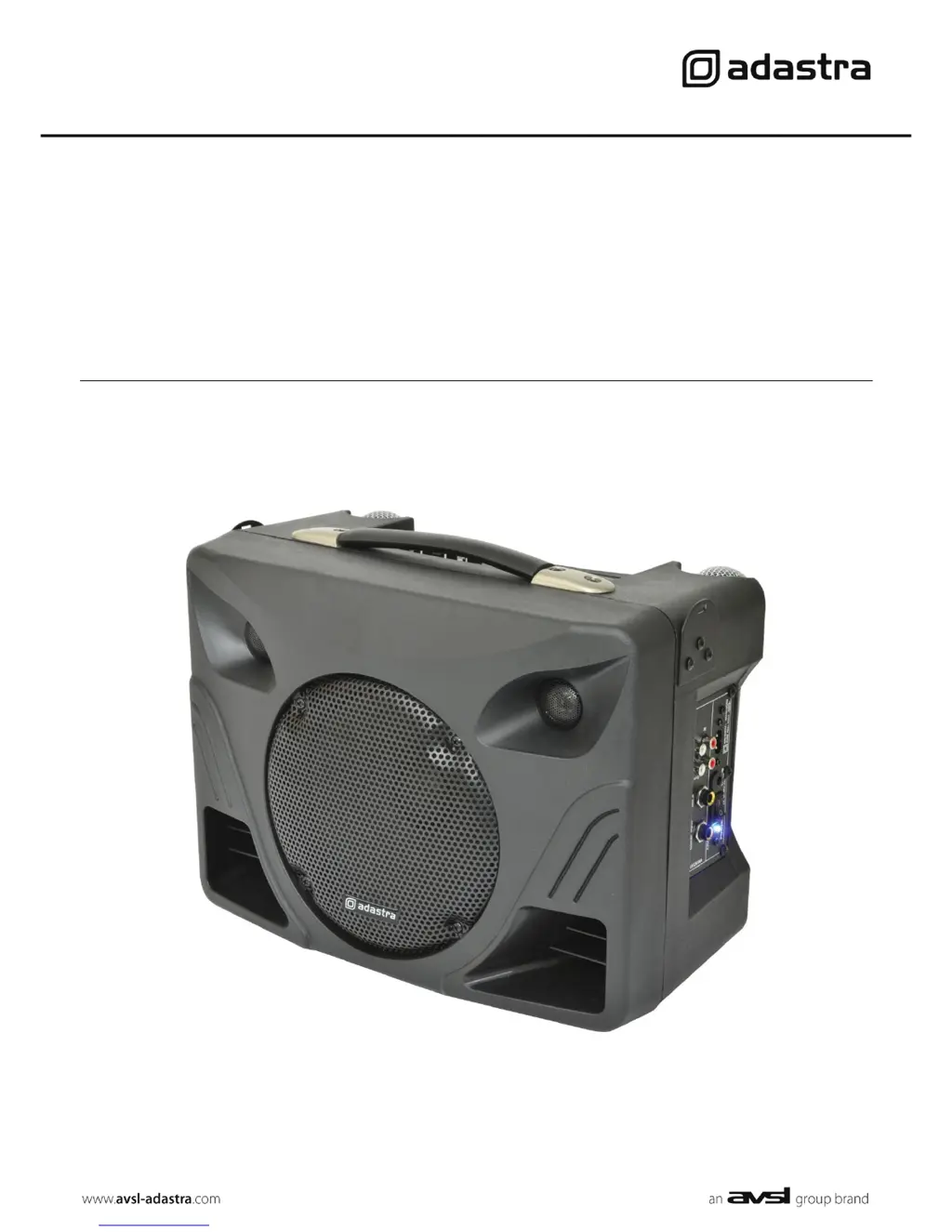
DT50
Desktop PA
Item ref: 952.400UK
User Manual
Version 3.0

Questions and Answers

  • B
    brittney49Aug 2, 2025
    What to do if Adastra Desktop power LED is lit but no sound from external inputs?
    • P
      Patricia MeyerAug 2, 2025
      If the Adastra Desktop's power LED is on but there's no sound from external inputs, first, verify that the connecting cables are properly connected and in good working order. Next, check the volume and power switch on the external microphone or line source. Ensure that neither the main volume nor the microphone volume control is turned all the way down. Lastly, if you're in AUX mode, press the Play/Pause button to ensure the input isn't muted.
  • J
    jose92Aug 9, 2025
    What to do if Adastra DT50 power LED is lit but no media player output?
    • T
      Tyler WhiteAug 9, 2025
      If the power LED is lit on your Adastra Desktop, but there is no media player output, make sure that the USB or SD card contains compressed audio files and is correctly connected. Try pressing the MODE button and then the Play/Pause button. If you are in FM tuner mode, make sure a station is properly tuned in. Also, verify that the volume isn't turned down. Press and hold the “VOL +” button and check the LCD display for moving numbers.
  • B
    Bradley TerryAug 17, 2025
    Why is there no VHF output when the power LED is lit on my Adastra DT50?
    • E
      Elizabeth FreemanAug 17, 2025
      If the Adastra Desktop's power LED is lit but there's no VHF output, first check the 9V batteries in the handheld transmitters. Then, ensure that the VHF POWER is switched on and the VOL controls on the top panel are not turned down. Finally, check that the RF LED is lit for each channel, and verify the transmitter frequency.
  • S
    Sandra SandersAug 25, 2025
    How to fix no output and no LEDs lit on Adastra Desktop?
    • A
      Amber OlsonAug 25, 2025
      If your Adastra Desktop has no output and no LEDs are lit, check that the POWER switch is on. Also, ensure that the battery is not completely drained. If you're not using battery power, verify that the mains lead is properly connected.

Summary

Introduction and Safety

Package Contents

Lists all items included in the DT50 desktop PA unit package.

Warning and Safety

Essential safety advice for operating, placement, and cleaning the unit.

Controls Overview

Front Panel Controls

Detailed description of the audio player/recorder and microphone controls.

Rear Panel Connections

Explanation of all input and output ports on the rear of the unit.

Operation Guide

Connecting Power and Powering Up

Instructions for connecting power sources and turning the unit on.

VHF Microphone Operation

Setup and usage of the wireless handheld microphones.

External Input Usage

Connecting and using external microphones, guitars, and line inputs.

Voice Controlled Volume (VCV)

How the VCV feature prioritizes microphone input over playback.

Media Player Functions

Media Player Panel Controls

Details the function of buttons for the USB/SD/FM player.

FM Tuner Menu Operations

Navigating and using the FM tuner settings and functions.

USB;SD Playback Menu

Options for playback modes like repeat, random, and equalizer settings.

Media Player Advanced Functions

USB;SD Pause Menu Options

File management options when the media player is paused.

AUX Input and Recording

Using the AUX input and initiating recording functions.

Remote Control and Battery Charging

Information on the infra-red remote and internal battery charging.

Specifications

Troubleshooting Guide

No Output or LEDs

Steps to resolve issues with no power or sound output.

No VHF Output

Troubleshooting steps when wireless microphones are not producing sound.

No Media Player Output

Solutions for when the internal media player is not playing audio.

No External Input Sound

How to fix issues with wired or line-in audio sources.

Adastra DT50 Specifications

General IconGeneral
BrandAdastra
ModelDT50
CategoryDesktop
LanguageEnglish