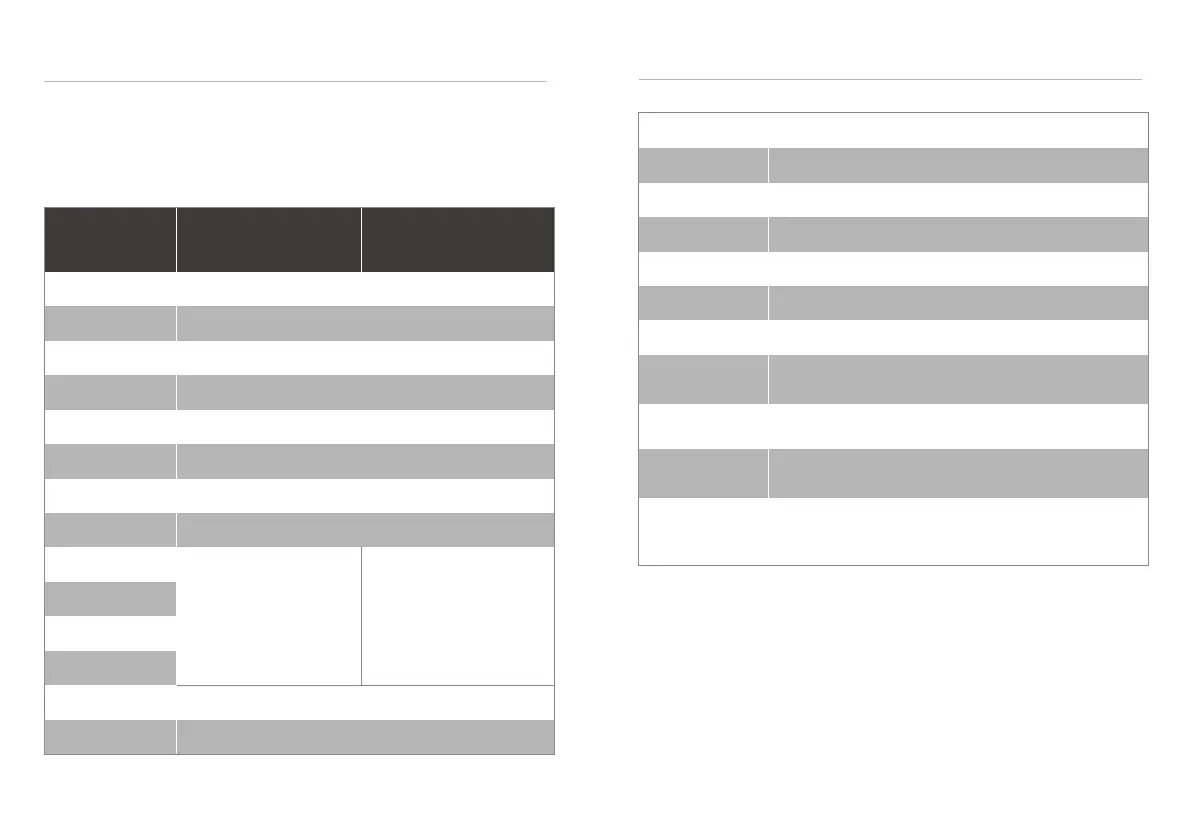
Mode 1
Mode 2
Mode 3
Mode 4
Mode 5
Mode 6
Mode 7
Mode 8
Mode 9
Mode 10
Mode 11
Mode 12
Mode 13
Long Press
Red
Green
Blue
Purple
Yellow
White
Orange
Green
OFF
Enter/ exit music mode
Four different color
breathing mode
Four different color
rainbow mode
PRESS LIGHTING
TOGGLE BUTTON
RGB EFFECT ARGB EFFECT
Leads Installation Guide
Please consult your user manual of your motherboard manufacturer, then connect these
leads to the panel header on the motherboard.
USB 3.0 Connection : Please consult your motherboard manual to find out section of USB
3.0 connection.
Audio Connection : Please refer to the motherboard installation to connect the Audio
Connector to avoid the device error and cause the motherboard sound device to be damaged.
Specifications
Dimension (H*W*D)
Form Factor
Side Panel
Color
Material
3.5" HDD/HDD tray
2.5" HDD/SSD tray
470*206*482mm (18.74*8.11*18.97 inch)
Mini-ITX, Micro-ATX, ATX
4mm Tempered Glass*1(Left Side)
Exterior & Interior : Black / White
SPCC
2
2+2(Combo 3.5”/2.5”)
USB 3.0 * 2 , Audio*1
HD Audio ( Mic & SW ) * 1 , LED Control * 1
Front: 3*120mm , 2*140mm Top: 2*120mm
Rear: 1*120mm Bottom:1*120mm Right Side : 2*120mm
IO Port
Front:360/240mm Top:240mm
Right Side : 1*240mm Rear:120mm
Radiator Support
Fan Support
CPU Cooler Height Limitation : 170mm
Graphic Card Length Height Limitation : 400mm
PSU Height Limitation : 225mm
Clearance
2221


 To Next Page