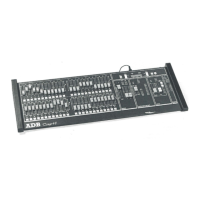
Need help?
Do you have a question about the ADB IMAGO and is the answer not in the manual?
Inspect received items for damage upon delivery and contact the carrier immediately for any claims.
Install the desk on a smooth, level, sturdy surface with adequate clearance for opening, connections, and ventilation.
The IMAGO has a universal power supply (100-260V, 50-60Hz). Ensure equipment is earthed and connections are made with power off.
To prevent shock, do not open the desk. Refer servicing to qualified engineers. Disconnect power before inspection.
Handle IMAGO with care: avoid liquids, foreign objects, excessive force. Ensure correct connections before powering on.
Steps to connect power, computer, USB devices, DMX cables, and desk lamp to the IMAGO unit.
Details minimum IBM compatible PC system requirements for CPU, RAM, storage, network, USB, graphics, and operating systems.
Explains automatic IMAGO driver installation with HATHOR software and notes for PREGO users.
 General
| Brand | ADB |
|---|---|
| Model | IMAGO |
| Category | Control Panel |
| Language | English |

 To Next Page