EasyManua.ls Logo

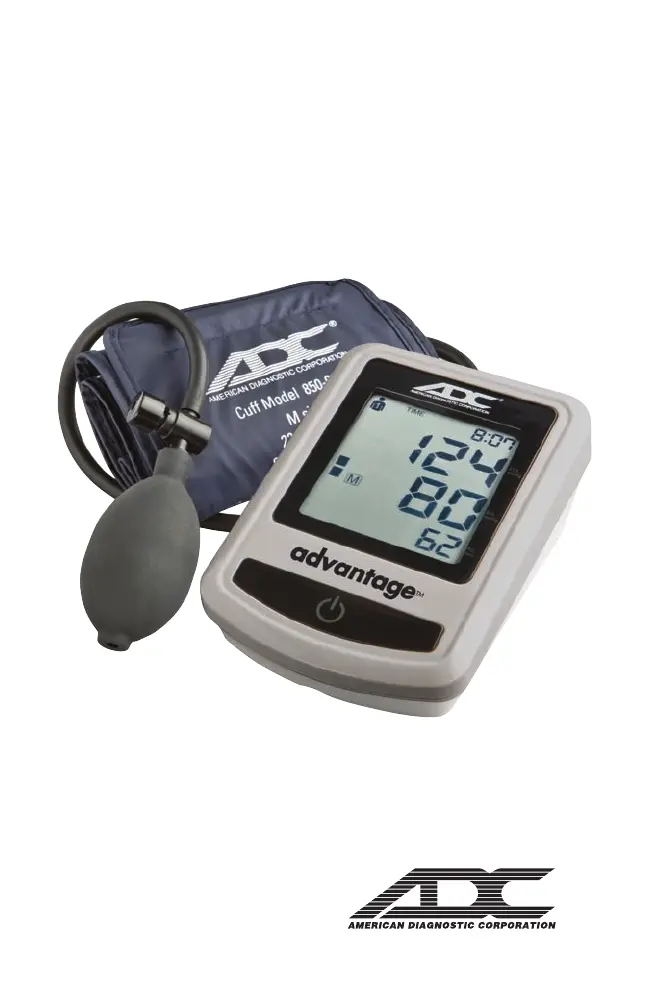
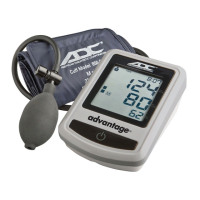
ADC Advantage 6012N - User Manual

ADC Advantage 6012N
12 pages
Print Icon
To Next Page IconTo Next Page
Loading...
®
Directions for Use
ADC
®
6012N
Advantage
TM
Semi-Automatic
Blood Pressure Monitor

Questions and Answers

  • M
    Michelle SimpsonJul 28, 2025
    What to do if my ADC Advantage 6012N Blood Pressure Monitor is not accurate?
    • G
      Grace ReevesJul 28, 2025
      If your ADC Blood Pressure Monitor frequently fails to measure or the values measured are too low or too high, ensure the cuff is correctly fitted on your arm. Before starting the measurement, make sure that clothing is not exerting pressure on the arm. Remove any tight clothing if necessary. Measure your blood pressure again in complete peace and quiet.
  • L
    Larry WhiteAug 2, 2025
    Why is the display blank on my ADC Advantage 6012N?
    • M
      Mark HicksAug 2, 2025
      If the display of your ADC Blood Pressure Monitor remains blank when you switch it on, even with batteries in place, first check the battery installation and polarity. If the display is still unusual, remove the batteries and exchange them for new ones.
  • T
    thomasscottAug 7, 2025
    How to fix ADC Advantage 6012N Blood Pressure Monitor when pressure doesn't rise?
    • G
      gwhiteheadAug 7, 2025
      If the pressure does not rise in your ADC Blood Pressure Monitor although the inflation bulb is being pumped, check the connection of the cuff tube and connect it properly.
  • C
    chandlerjuliaAug 12, 2025
    What does ERR 1 mean on ADC Advantage 6012N?
    • K
      Katherine ThomasAug 12, 2025
      If your ADC Blood Pressure Monitor displays 'ERR 1', it could be due to a few reasons: The systolic pressure was determined, but then the pressure in the cuff went down to less than 20 mmHg, or the tube may have loosened after the systolic pressure was determined. Another possible reason is that the pulse could not be detected.
  • A
    Anthony KelleyAug 17, 2025
    What does ERR 2 mean on ADC Blood Pressure Monitor?
    • U
      umooreAug 18, 2025
      If your ADC Blood Pressure Monitor displays 'ERR 2', it means that the arm was moved during the measurement.
  • L
    Lindsey MartinezAug 22, 2025
    What does ERR 3 mean on ADC Advantage 6012N?
    • M
      Matthew HernandezAug 22, 2025
      If your ADC Blood Pressure Monitor displays 'ERR 3', measure again carefully following proper procedures. Consult your doctor if you still get unusual results of measurements.

Summary

Introduction and Intended Use

About the Blood Pressure Monitor

Describes the device as a semi-automatic digital blood pressure measuring device for the upper arm.

Warnings and Precautions

General Safety Warnings

Warns about electronic components, electromagnetic fields, and using only approved parts.

About Blood Pressure

Understanding Blood Pressure

Explains arterial blood pressure, systolic/diastolic, and how it's regulated.

Normal Blood Pressure Values

Defines normal blood pressure based on JNC criteria and recommends consulting a doctor.

Factors Influencing Blood Pressure

Details how age, activity, diet, stress, and time of day affect blood pressure.

Blood Pressure Variability

Explains that blood pressure varies daily, seasonally, and throughout life.

What is Hypertension?

Defines hypertension, its causes, consequences, and classification standards.

Controlling Hypertension

Discusses lifestyle changes and medical supervision for managing hypertension.

Benefits of Home Monitoring

Highlights how home monitoring improves detection and provides a more comprehensive history.

How Blood Pressure is Measured

Explains the traditional method using a sphygmomanometer and stethoscope.

Recording Blood Pressure Readings

Provides guidance on creating a chart for recording measurements and taking multiple readings.

Components of Your Blood Pressure Monitor

Monitor Overview

Identifies key parts of the blood pressure monitor shown in an illustration.

Setting Up Your Blood Pressure Monitor

Battery Installation

Instructions for inserting and replacing batteries, including warning indicators.

Measurement Procedure

Cuff Fitting and Placement

Detailed steps for correctly fitting and positioning the blood pressure cuff on the arm.

Performing a Measurement

Step-by-step guide on inflating the cuff, taking readings, and auto-deflation.

Reading and Interpreting Results

Explains how to read systolic, diastolic pressure, and pulse, and notes about auto-off.

Handling Insufficient Inflation

Instructions for when the cuff inflation is not sufficient for measurement.

Discontinuing Measurements

How to stop a measurement in progress using the quick-release valve.

Irregular Heartbeat Detection

Explains the IHD symbol and when to consult a doctor.

Memory Function

Recalling Last Measurement

How to access the last recorded blood pressure and pulse reading from memory.

Error Messages and Troubleshooting

Common Error Codes

Lists error codes (ERR 1, 2, 3, 5) and their potential causes and solutions.

Specific Error Indicators (HI;LO)

Explains the meaning of 'HI' (high pressure/pulse) and 'LO' (low pulse) indicators.

Troubleshooting Common Malfunctions

Provides solutions for issues like blank display, no pressure rise, or inconsistent readings.

Care and Maintenance

Device Care Instructions

Guidelines for protecting the device from damage, cleaning, and proper handling.

Technical Specifications

Product Specifications

Lists key technical details like weight, size, temperature/humidity ranges, and accuracy.

Warranty

Product Warranty Information

Details the 5-year warranty period and conditions for coverage.

Quality Standards

Compliance Standards

Mentions adherence to European and US standards for non-invasive blood pressure monitors.

Symbol Definitions

Key Symbols Explained

Defines important symbols used on the device and in the manual, like warnings and certifications.

ADC Advantage 6012N Specifications

General IconGeneral
BrandADC
ModelAdvantage 6012N
CategoryBlood Pressure Monitor
LanguageEnglish

Related product manuals