www.addonics.com Technical Support (M-F 8:30am - 6:00pm PST) Phone: 408-453-6212 Email: www.addonics.com/support/query/
LAN Configuration
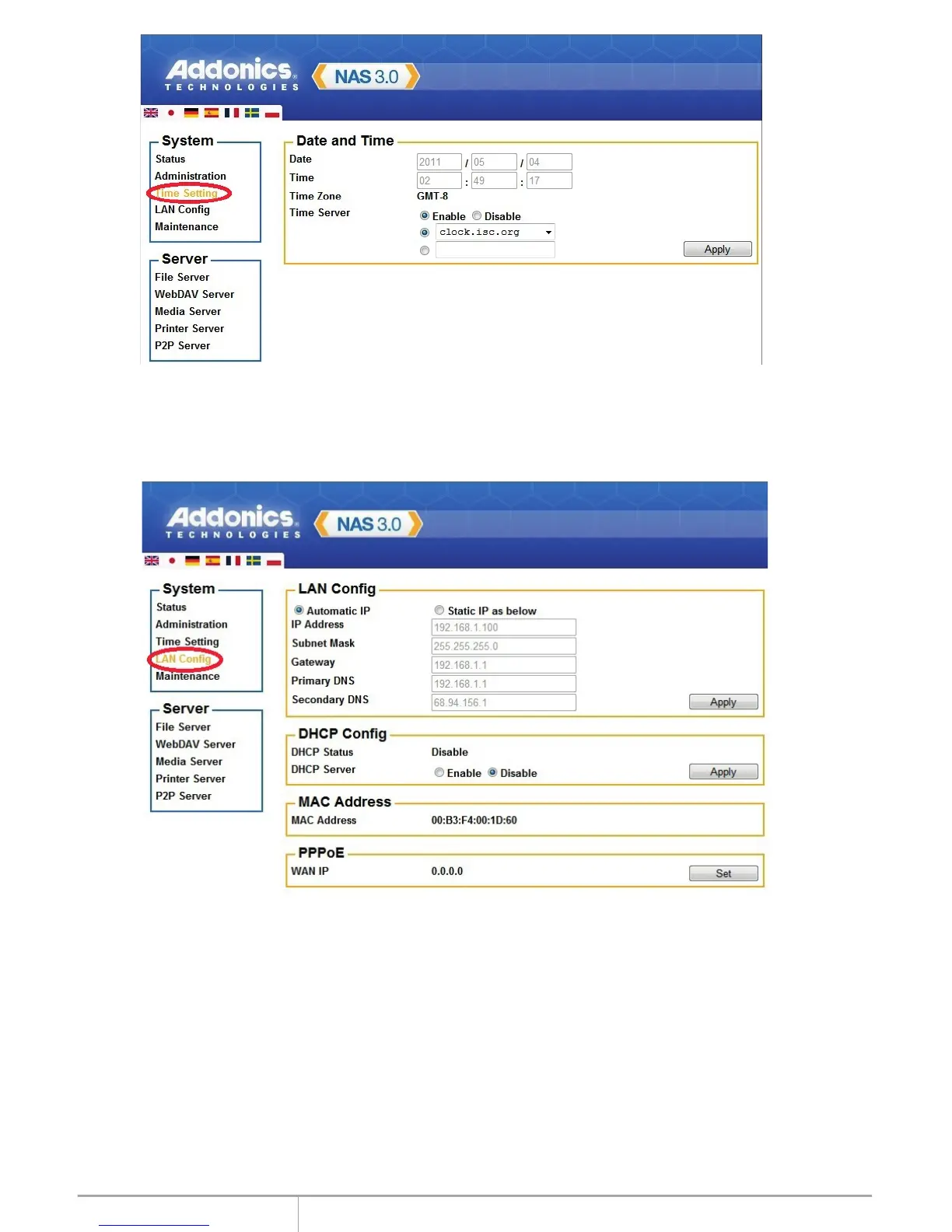
By default, “LAN Config” is set to “Automatic IP”. This will allow the NAS30U2 to
obtain its IP address automatically. If you prefer setting it manually, select the
static IP option, enter your own value and click “Apply” to confirm the new setting.
PPPoE Setting
PPPoE (Point-to-Point Protocol over Ethernet) is an internet connection
protocol allowing users to connect to the internet without a router. All local
users can share one PPPoE connection to access the internet.
If you want to configure the setting of PPPoE for your NAS, click the “Set”
button.
5


 To Next Page