EasyManua.ls Logo

ADENDORFF Mac Afric GCHARG/108 - User Manual

ADENDORFF Mac Afric GCHARG/108
8 pages
Print Icon
To Next Page IconTo Next Page
Loading...
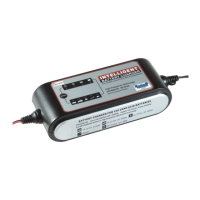
DIGITAL BATTERY CHARGER 12V 8A
GCHARG/108
Rated Voltage: AC 220-240V Rated Current: 0.60 Amp
Output: DC 12V 2Amp / 8Amp
IMPORTANT SAFETY INSTRUCTIONS
1. This appliance is not intended for use by persons (including children) with reduced physical,
sensory or mental capabilities, or lack of experience and knowledge, unless they have been
given supervision or instruction concerning use of the appliance by a person responsible for
their safety. Children should be supervised to ensure that they do not play with the appliance.
2. Working in vicinity of a lead-acid battery is dangerous. batteries generate explosive gases
during normal battery operation. For this reason, it is of utmost important that each time
before using your charger, you read this manual and follow the instruction exactly.
3. To reduce risk of battery explosion , follow these instructions and those published
by the battery manufacturer and manufacturer of any equipment you intend to use
in vicinity of battery. Review cautionary markings on these products and on
engine
4. Use the charger in door only , do not expose it to rain.
Question and Answer IconNeed help?

Do you have a question about the ADENDORFF Mac Afric GCHARG/108 and is the answer not in the manual?

Summary

Important Safety Instructions

General Safety Precautions

Appliance not for persons with reduced capabilities; children supervised. Battery safety warnings.

General Safety

Charger Usage Guidelines

Use for lead-acid batteries only. Use recommended attachments. Handle cords carefully to prevent damage.

Operational Safety

Do not operate damaged chargers. Unplug before maintenance. Use extension cords carefully and properly.

Battery Charging Environment

Charge in well-ventilated areas. Keep away from rain/snow. Do not charge frozen batteries.

Personal Precautions and Safety

Protecting Yourself

Wear eye protection and clothing. Have water and soap nearby for acid contact.

Battery Handling Precautions

Avoid touching eyes with battery acid. Remove metal items. Avoid dropping tools on battery.

How to Use

Battery Types and Settings

Configurable for various 12V lead-acid batteries (wet, MF, AGM, GEL). Consult manufacturer for specifics.

Mode Selection

Charging Modes Overview

Details on various charging modes including voltage, amperage, and specific battery types or conditions.

Preparing to Charge

Battery Preparation Steps

Determine battery voltage, remove from vehicle if needed, clean terminals, and check acid levels.

Start to Charge

Charging Process

Connect leads correctly, select mode, monitor charging/maintenance lamps, and handle repair modes.

Fault Indicators

Understanding fault lamp indications for short circuits, polarity issues, or battery failure.

Operating Instructions

Charging Battery in Vehicle

Position cords safely, avoid moving parts, check polarity, connect clips correctly to chassis/engine.

Charging Battery Out of Vehicle

Determine battery type, avoid sparks near battery, disconnect grounded pole first, check polarity.

Terminals

Connection Types

Using clamps for terminals, eyelets for trickle charge, and cigarette lighter for 12V appliances.

Care and Maintenance

Charger Maintenance

Clean clamps after use, clean case with soft cloth, coil cords loosely for storage, replace damaged cords.

Overview

The device is an Intelligent Digital Battery Charger, model GCHARG/108, designed for 12V lead-acid and GEL cell batteries. It utilizes high-frequency technology with a micro-processor inside for efficient and safe charging.

Function Description:

This battery charger is designed to charge various types of 12V lead-acid batteries, including wet batteries, MF, AGM, and GEL batteries. It offers multiple charging modes to suit different battery conditions and environmental factors, as well as a desulfation mode for recovering deeply discharged or sulfated batteries. Additionally, it can function as a DC power supply for 12V appliances. The charger features an intelligent system that indicates charging status, faults, and full charge, and can maintain a trickle charge for extended periods.

Important Technical Specifications:

  • Model: GCHARG/108
  • Rated Voltage (Input): AC 220-240V
  • Rated Current (Input): 0.60 Amp
  • Output: DC 12V
  • Charging Current Options: 2Amp / 8Amp
  • Charging Modes:
    • 14.4V/2.0A: For batteries <40Ah
    • 14.4V/8.0A: For batteries <160Ah
    • 14.7V/8.0A: Recommended for batteries at temperatures below 5°C and many AGM batteries (<160Ah). Not recommended for maintenance charging above 5°C.
    • Desulfation Mode: Automatically raises output voltage up to 17V to recover batteries with voltage below 10.5V and no capacity to absorb charging current. If recovery fails after 2 hours, a "Fault" light will illuminate.
  • DC Power Supply Mode: 13.5V 5Amp output, Max output power 80W, for use with 12V appliances.
  • Charging Steps: 9-step charging process.
  • Battery Types: WET/AGM/GEL batteries.

Usage Features:

The charger is equipped with a "MODE" button to select the desired charging mode or reset during charging. Visual indicators provide clear status updates:

  • MODE: To select charging mode or re-set during charging.
  • Fault (!): Lights up in case of short circuit, reverse polarity, or a bad battery.
  • Charging Indicator: Indicates that the battery is currently charging.
  • Full Battery Indicator: Indicates that the battery is fully charged.
  • Maintenance Lamp: Lights up when the battery is fully charged and in trickle charge, sending current to the battery if the voltage drops. The charger can remain connected for months in this mode.
  • Repair Mode: Indicated by a blinking lamp, this mode attempts to repair slightly sulfated batteries and can take 0.5-2 hours. If successful, it reverts to 12V 2Amp mode; otherwise, the fault lamp will light, and charging stops.

Preparing to Charge:

  1. Determine the battery voltage from the car owner's manual.
  2. If removing the battery from the vehicle, disconnect the grounded terminal first. Ensure all vehicle accessories are off to prevent arcing.
  3. Clean battery terminals, avoiding contact with eyes.
  4. Add distilled water to each cell until the acid reaches the level specified by the manufacturer (for batteries with cell caps). Do not overfill.
  5. Follow all battery manufacturer's specific precautions and recommended charging rates.
  6. Ensure the charging area is well-ventilated.
  7. Verify that the initial charging rate does not exceed the battery manufacturer's suggestion.

Starting to Charge:

  1. Connect the power cord to the outlet after ensuring battery leads are correctly placed. A fault lamp will light if connections are wrong.
  2. Select the appropriate charging mode using the "MODE" button.
  3. The charging lamp will indicate charging.
  4. Once fully charged, the maintenance lamp will light, and the charger will enter trickle charge.
  5. If the battery is slightly sulfated, the charger will attempt repair in repair mode.
  6. Charging can be stopped by disconnecting the supply cord or pressing the "MODE" button.
  7. A fault lamp during charging may indicate an interruption, loose connection, or a severely sulfated/dead battery requiring replacement.

Charging Battery In Vehicle:

  1. Position AC and DC cords to avoid damage from moving engine parts.
  2. Stay clear of fan blades, belts, and pulleys.
  3. Check battery post polarity (POSITIVE is usually larger).
  4. Determine which battery post is grounded to the chassis.
    • If negative post is grounded: Connect the RED clip to the POSITIVE battery post. Connect the BLACK clip to the vehicle chassis or engine block away from the battery (avoid carburetor, fuel lines, or sheet-metal body parts).
    • If positive post is grounded: Connect the BLACK clip to the NEGATIVE battery post. Connect the RED clip to the vehicle chassis or engine block away from the battery (avoid carburetor, fuel lines, or sheet-metal body parts).
  5. When disconnecting, remove the AC cord first, then the clip from the vehicle chassis, and finally the clip from the battery terminal.
  6. Do not charge the battery while the engine is operating.

Charging Battery Out Of Vehicle:

  1. Determine the battery type.
  2. Disconnect the grounded pole first when removing the battery from a vehicle or boat. Ensure all accessories are off to prevent arcing.
  3. Check battery post polarity (POSITIVE is usually larger).
  4. Connect the POSITIVE (RED) charger clip to the POSITIVE battery post. Connect the NEGATIVE (BLACK) charger clip to the NEGATIVE battery post. Rock clips back and forth for good connection.
  5. Plug the charger AC cord into a 220-volt main supply.
  6. Switch on the charger and select amperage.
  7. Continue charging until the LCD displays "FUL".
  8. When fully charged, unplug the charger from the AC power source first, then remove the clip from the Negative post, and finally the clip from the Positive battery post.
  9. Clean and store the battery charger.

Terminals:

The charger comes with different terminal options:

  1. Clamps: For all kinds of battery terminals.
  2. Eyelet: For long-term trickle charge, connected to the battery by bolt.
  3. Cigarette Lighter: For charging via a cigarette lighter socket, ensuring the key is OFF and the lighter stays on.
  4. Cigarette Socket: For continuous power consumption of 12V appliances, ensuring it's less than 72W.

Maintenance Features:

The battery charger requires minimal maintenance for years of dependable service.

  • After each use, clean the battery charger clamps to remove any battery fluid that could cause corrosion.
  • Clean the outside case of the charger with a soft cloth and, if necessary, a mild soap solution.
  • Keep the charger cords loosely coiled during storage to prevent damage.
  • Do not use the charger if cords or clamps are damaged.
  • If the power supply cord is damaged, it must be replaced by the manufacturer, its service agent, or a qualified person to avoid hazards.

Safety Precautions:

  • Use only for LEAD-ACID batteries; other battery types may burst.
  • Use output socket only for DC12V appliances with current less than 12A.
  • Use only manufacturer-recommended attachments.
  • Pull by the plug, not the cord, when disconnecting.
  • Do not operate with a damaged cord or plug.
  • Do not operate if dropped or damaged; seek professional repair.
  • Do not disassemble; seek professional repair for service.
  • Unplug from outlet before maintenance or cleaning.
  • Use an extension cord only if absolutely necessary and ensure it's properly wired and in good condition.
  • Always charge in a well-ventilated area to avoid explosive gas risk.
  • Locate the charger as far from the battery as the DC cable permits.
  • Do not expose to rain or snow.
  • Never charge a frozen battery; thaw it first.
  • Never allow battery acid to drip on the charger.
  • Never set a battery on top of the charger or directly above it.
  • Never touch battery clips together when energized.
  • Never crank the engine with the charger attached.
  • Wear complete eye and clothing protection when working with lead-acid batteries.
  • Ensure someone is nearby when working with lead-acid batteries.
  • Have fresh water and soap available for acid contact.
  • Avoid touching eyes while working with a battery; flood eyes with cold water for 10 minutes and seek medical attention if acid enters.
  • Remove all personal metal items (rings, bracelets, necklaces, watches) when working with a lead-acid battery to prevent short-circuits and burns.
  • Take care not to drop metal tools onto the battery to prevent sparking and explosions.
  • Never smoke or allow sparks/flames near the battery or engine.
  • Do not attempt to charge a frozen battery.
  • Do not leave the charger connected to the battery without main power.

ADENDORFF Mac Afric GCHARG/108 Specifications

General IconGeneral
BrandADENDORFF
ModelMac Afric GCHARG/108
CategoryBattery Charger
LanguageEnglish