EasyManua.ls Logo

ADJ AIRSTREAM WIFI PACK - User Manual

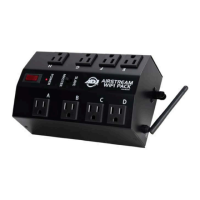
ADJ AIRSTREAM WIFI PACK
42 pages
Print Icon
To Next Page IconTo Next Page
Loading...
AIRSTREAM WIFI PACK
user guide
Question and Answer IconNeed help?

Do you have a question about the ADJ AIRSTREAM WIFI PACK and is the answer not in the manual?

Summary

GENERAL INFORMATION

Introduction and Unpacking

Congratulates user and provides unpacking instructions.

PRODUCT SUPPORT AND WARRANTY

Customer Support Contacts

Provides contact information for ADJ service in USA and Europe.

Warranty Registration and Important Notices

Details warranty registration, important notices, and voiding conditions.

LIMITED WARRANTY

Warranty Periods and Terms

Outlines warranty durations for different product types and terms.

SAFETY INSTRUCTIONS

General Safety, Power Limits, and FCC Compliance

Covers essential safety, indoor use, power limits, and FCC compliance.

Safe Operation Practices

Lists critical DO NOT and ALWAYS instructions for safe use.

DEVICE SETUP AND INSTALLATION

Device Overview and Master-Slave Configuration

Explains device components and master/slave setup.

Mounting Options

Guides on clamp/truss mounting methods.

Wall Mounting and Power Capacity

Instructions for wall mounting and detailed power load capacity.

WIRELESS OPERATION GUIDELINES

Signal Optimization and WiFi Range

Tips for improving signal and information on WiFi range.

APP SETUP AND OVERVIEW

App Download and Initial Connection

Steps to download, install, and connect the app to the WiFi network.

Device Configuration and App Icons

Setting master/slave modes, connecting devices, and understanding app icons.

App Interface Overview

Explains the function of various icons within the mobile application.

APP OPERATION

Manual Outlet Control

How to turn power outlets ON/OFF manually via the app.

Timer Settings

Setting custom ON/OFF timers for individual outlets.

Program Creation and Management

Creating and managing sequential ON/OFF programs for outlets.

Schedule Creation

Creating custom ON/OFF schedules for specific times and days.

Schedule Management

Activating, deactivating, and deleting created schedules.

App Lock and Password Security

Setting a password to lock the app and managing security.

Network Name and Password Settings

Changing the WiFi network name (SSID) and password.

Time Format Settings

Switching between 12-Hour (AM/PM) and 24-Hour time formats.

Pack Color ID Assignment

Assigning a color identifier to each connected WIFI PACK.

TROUBLESHOOTING AND FAQS

Common Issues and Solutions

Addresses connection problems, error messages, and password recovery.

Frequently Asked Questions

Answers to common user queries about functionality and limits.

TECHNICAL SPECIFICATIONS

Device Specifications and Ratings

Details on control, WiFi, size, weight, electrical, and approvals.

Dimensional Drawings

Visual representations of the device with dimensions.

Summary

GENERAL INFORMATION

Introduction and Unpacking

Congratulates user and provides unpacking instructions.

PRODUCT SUPPORT AND WARRANTY

Customer Support Contacts

Provides contact information for ADJ service in USA and Europe.

Warranty Registration and Important Notices

Details warranty registration, important notices, and voiding conditions.

LIMITED WARRANTY

Warranty Periods and Terms

Outlines warranty durations for different product types and terms.

SAFETY INSTRUCTIONS

General Safety, Power Limits, and FCC Compliance

Covers essential safety, indoor use, power limits, and FCC compliance.

Safe Operation Practices

Lists critical DO NOT and ALWAYS instructions for safe use.

DEVICE SETUP AND INSTALLATION

Device Overview and Master-Slave Configuration

Explains device components and master/slave setup.

Mounting Options

Guides on clamp/truss mounting methods.

Wall Mounting and Power Capacity

Instructions for wall mounting and detailed power load capacity.

WIRELESS OPERATION GUIDELINES

Signal Optimization and WiFi Range

Tips for improving signal and information on WiFi range.

APP SETUP AND OVERVIEW

App Download and Initial Connection

Steps to download, install, and connect the app to the WiFi network.

Device Configuration and App Icons

Setting master/slave modes, connecting devices, and understanding app icons.

App Interface Overview

Explains the function of various icons within the mobile application.

APP OPERATION

Manual Outlet Control

How to turn power outlets ON/OFF manually via the app.

Timer Settings

Setting custom ON/OFF timers for individual outlets.

Program Creation and Management

Creating and managing sequential ON/OFF programs for outlets.

Schedule Creation

Creating custom ON/OFF schedules for specific times and days.

Schedule Management

Activating, deactivating, and deleting created schedules.

App Lock and Password Security

Setting a password to lock the app and managing security.

Network Name and Password Settings

Changing the WiFi network name (SSID) and password.

Time Format Settings

Switching between 12-Hour (AM/PM) and 24-Hour time formats.

Pack Color ID Assignment

Assigning a color identifier to each connected WIFI PACK.

TROUBLESHOOTING AND FAQS

Common Issues and Solutions

Addresses connection problems, error messages, and password recovery.

Frequently Asked Questions

Answers to common user queries about functionality and limits.

TECHNICAL SPECIFICATIONS

Device Specifications and Ratings

Details on control, WiFi, size, weight, electrical, and approvals.

Dimensional Drawings

Visual representations of the device with dimensions.

ADJ AIRSTREAM WIFI PACK Specifications

General IconGeneral
BrandADJ
ModelAIRSTREAM WIFI PACK
CategoryAccessories
LanguageEnglish