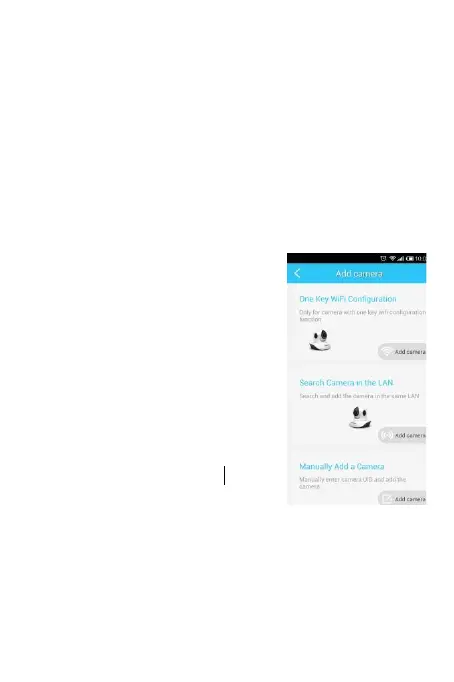
4. Add camera
Click
“
+
”
, enter device management interface.
① One key WiFi Setup: (Used only with camera that
supports Fast configuration, look for the sticker on
the camera)
② Search LAN: find the IP cameras in the same WiFi network
as the mobile phone.
③ Manually input: Please
input camera UID;
④ Scan UID code: point the phone
camera to the UID code, after a
“bee” sound, scan success.
5. Four-channel view
Click the upper right corner of the camera list, can view four
cameras simultaneously


 To Next Page