Installation •• 5
2
Installation
This chapter describes how to install the 725X series products. At first,
the contains in the package and unpacking information that you should
be careful are described. The jumpers setting for digital input channel
configuration (AC-filter or Non-AC-filter) and the signals definitions of
the 37-pins connectors are also specified in this chapter.
2.1 What You Have
In addition to this User‘s Manual , the package includes the following
items:
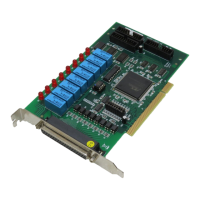
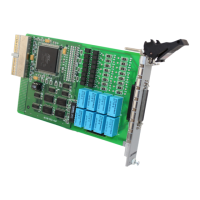
• PCI-7250 (or PCI-7251, cPCI-7252) Relay Actuator & Isolated
D/I Card
• Manual & Software Utility CD-ROM Disk ( for PCI-7250 and
cPCI-7252 only)
If any of these items is missing or damaged, contact the dealer from
whom you purchased the product. Save the shipping materials and
carton in case you want to ship or store the product in the future.
2.2 Unpacking
Your PCI-7250 card contains sensitive electronic components that can
be easily damaged by static electricity.
The card should be done on a grounded anti-static mat. The operator
should be wearing an anti-static wristband, grounded at the same point
as the anti-static mat.


 To Next Page
 Loading...