This document is a service manual for a Jinyoung Electronics co.,ltd LCD TV, providing comprehensive information for its maintenance, troubleshooting, and software updates.
Function Description:
The device is an LCD TV capable of receiving and displaying television broadcasts (ATV and ISDB) and various external video and audio inputs. It supports multiple video formats, including PC-RGB, YPbPr, HDMI, and composite video (AV), and can play multimedia files (music, pictures, and movies) from a USB source. The TV features a range of connectors for external devices, including multiple HDMI inputs, a PC-RGB input, USB ports, and audio inputs/outputs. It also includes an IR receiver for remote control and a keypad for local control.
Important Technical Specifications:
Tuner (ATV):
- Input Impedance: 75 ohm
- Video System: NTSC, PAL, M/N
- Sound System: M/N
- Tuner Receiving Range: AIR:ch2~ch69, CABLE:ch1~ch125
Tuner (ISDB):
- Input Impedance: 75 ohm
- Input Level: -83~-5dBm(8VSB), -62~-5dBm (256QAM)
- C/N: >16dB (ATV), >28dB (Cable)
- Modulation: QPSK-16QAM, OFDM(J83B)
- Video System: MPEG-2 MP@HL
USB:
- MUSIC: Mp3/wma/m4a/aac
- PIC: JPEG/jpg/bmp/png
- MOVE: Avi/mp4/ts/trp/mkv/mov/mpg/dat/vob/rm/rmvb
- PC-RGB:
- Format: Up to SXGA @75Hz
- H-Frequency: 30~80KHz
- V-Frequency: 56~75Hz
- CVBS: 1.0 Vp-p +/- 5%
- YPbPr: 480i, 480p, 576i, 576p, 720p, 1080i, 1080p
- HDMI: 480i, 480p, 576i, 576p, 720p, 1080i, 1080p
- PC-RGB: Earphone input terminal
- YPbPr: L/R RCA input
- USB: USB 2.0
- Power Input: 5V, 12V
- To Panel (LVDS): 5V or 12V
- Management: Low power consumption mode: standby< 1W
OSD Languages: English, Spanish, Portuguese
Amplifier: 2*5W (8Ω)
Key Functions: KEY1, KEY0
Comb Filter: 3D
Deinterlace: 3D
Noise Reduction: 3D
TEXT: Caption
Panel Resolutions: Up to FULL HD
Connectors:
The main board features various connectors:
- CN5 (Power pcb): Power input from the power board.
- CN26 (Power pcb): Power input from the power board.
- CN7 (Control pcb): Connects to the IR and LED board interface.
- CN15 (LCD LVDS): Connects to the LCD panel.
- CN10 (speaker): Connects to the internal speakers.
- P6 (Hdmi2): HDMI input.
- P5 (Hdmi1): HDMI input.
- P8 (PC RGB): PC-RGB input.
- P9 (PC audio): PC audio input.
- U17 (RF): RF input for antenna/cable.
- U17 (CATV): CATV input.
- CON8 (earphone): Earphone output.
- T14 (Video in): Composite video input.
- T15 (Y Pb Pr): Component video input.
Power Board Specifications (for <32inch> and <39inch> models):
- Power Input: Main pcb
- LCD Panel: Main pcb
CN26 Main Board Power Supply:
- NO 1,2: GND 12,13 (+5.2VSB +12VDC RETURN)
- NO 3,4: +5V (+5VDC INPUT)
- NO 5: PSON (SMPS ON/OFF CONTROL (ON = HIGH))
- NO 6: +5VSB (STANDBY (+5.0VDC) INPUT)
- NO 7,8: +5V (+5VDC INPUT)
- NO 9,10,11: GND (+5.2VSB +12VDC RETURN)
- NO 12,13: +12V (+12VDC INPUT)
CN7 IR and LED board Interface:
- PIN No 1: GND (Ground)
- PIN No 2: KeyA/K7 (POWER /RESERVED)
- PIN No 3: KeyB/K6 (POWER)
- PIN No 4: K5 (Volume up)
- PIN No 5: K4 (Volume down)
- PIN No 6: K3 (SOURCE)
- PIN No 7: K2 (Ch up)
- PIN No 8: K1 (Ch down)
- PIN No 9: K0 (MENU)
- PIN No 10: GND (Ground)
- PIN No 11: IR (IR)
- PIN No 12: LED-GREEN (Green Indicator)
- PIN No 13: LED-RED (Red Indicator)
- PIN No 14: 5V (+5V DC Power Supply)
CN5 Backlight Control:
- PIN No 1: GND (Ground)
- PIN No 2: GND (Ground)
- PIN No 3: DIMMING (Brightness Adjustment for Panel)
- PIN No 4: BL_OFF (Backlight On/Off Control for Panel)
- PIN No 5: BL_5V (+12V DC power Supply)
- PIN No 6: BL_12V (+12V DC power Supply)
CN10 Speaker Output:
- PIN No 1: R output (Audio Right Channel Output)
- PIN No 2: GND (Ground)
- PIN No 3: GND (Ground)
- PIN No 4: L output (Audio Left Channel Output)
CN15 LVDS Output:
This connector provides the LVDS signals and power supply for the LCD panel, including multiple RX channels (RX0 to RX4) for data, clock signals, and ground connections. It also includes signals for logic control (CON1), PDP display enable (DISPLAY), and reserved power/I2C signals (VSEL2, VSEL1).
Usage Features:
Software Update Steps:
- Step 1: Copy the
merge_6M181.bin file to a USB disk.
- Step 2: Plug the USB disk into the TV's USB slot.
- Step 3: Power on the LCD TV.
- Step 4: Press the MENU key, then navigate left or right to select "Software Update(USB)" from the "OPTION" menu.
- Step 5: Use the up or down key to highlight "Software Update(USB)" and press OK.
- Step 6: Confirm the update by pressing the left key for "Yes" or the right key for "No".
- Step 7: Wait for the update to complete; the LCD TV will restart automatically.
Maintenance Features:
Safety Precaution:
- When moving or laying down the LCD Set, ensure two people work together to avoid any impact towards the LCD Set.
- Do not leave a broken LCD Set on for a long time. To prevent further damages, after checking the condition of the broken Set, make sure to turn the power (AC) off.
- When opening the BACK COVER, you must turn off power (AC) to prevent any electric shock.
- When loosening screws, check the position and type of the screw. Sort out the screws and store them separately for reassembling. Because screws holding PCBs are working as electric circuit grounding, make sure to check if any screw is missing when assembling/reassembling. Do not leave any screws inside the set.
- A LCD Set contains different kinds of connector cables. When connecting or disconnecting cables, check the direction and position of the cable beforehand.
- Connect/disconnect the connectors slowly with care, especially FFC (film) cables and FPC cables. Do not connect or disconnect connectors instantaneously with force, and handle them carefully for reassembling.
- Connectors are designed so that if the number of pins or the direction does not match, connectors will not fit. When having problems plugging the connectors, check their kind, position, and direction.
Preliminary Troubleshooting:
- LCD TV does not response or remote controller does not work:
- Check the power cord to be plugged.
- Check the battery of the remote controller.
- Sound is discontinuous or broken sometimes:
- Set the sound effect into 'MONO'.
- Set the [SOUND] -> [Digital Volume] into proper value.
- [Digital Volume] is enabled only in digital program.
- Check if [SOUND] -> [Speaker] is on.
- Picture of digital program is sometimes broken and sound is discontinuous:
- Digital program has a little problem because of signal receiving status.
- Check if the RF cable is correctly connected.
- Ask for the broadcasting station if the RF cable connection has no problem.
- Picture of analog program is noisy:
- Check the RF cable connection.
- Check if [Picture] -> [N.R] is ON.
- Change the [Channel] -> [Fine Tune] value.
- Sound is not generated in HDMI mode:
- Reconnect HDMI jack.
- DVI signal has no sound. Check the output signal of device to be connected to LCD TV.
- If you want to use DVI-HDMI cable, you should also connect audio cable into the LCD TV.
- In spite of 'Auto Setup', picture size is not completely adapted to the screen in PC mode:
- Check if the input signal is available.
- Ensure that the desktop has no black area.
- Some errors (picture position problem) will be occurred according to certain video card. In this case, you should adjust 'Phase', 'Clock', 'H.Position', 'V.Position' control.
- In spite of 'Auto Setup', picture is not clear in the PC mode:
The manual also includes detailed schematics for the 32" POWER, 32" POWER Schematic, and MAIN Schematic, providing in-depth technical diagrams for repair and component identification. These schematics cover the power input, various voltage regulators (e.g., 230mA, 380mA, 1100mA, 110mA, 150mA, 300mA DDR2 Max), LVDS connector, IR/LED PCB, KEY PCB, main chip, video inputs (CVBS, YPbPr, HDMI, VGA), USB connections, audio pre-amp, mute circuit, and tuner circuit. The exploded view diagram provides a visual guide for disassembling and reassembling the TV, listing all components and their quantities.

 Need help?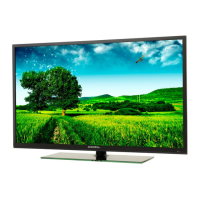

 To Next Page
 General