FLASH CS3
User Guide
330
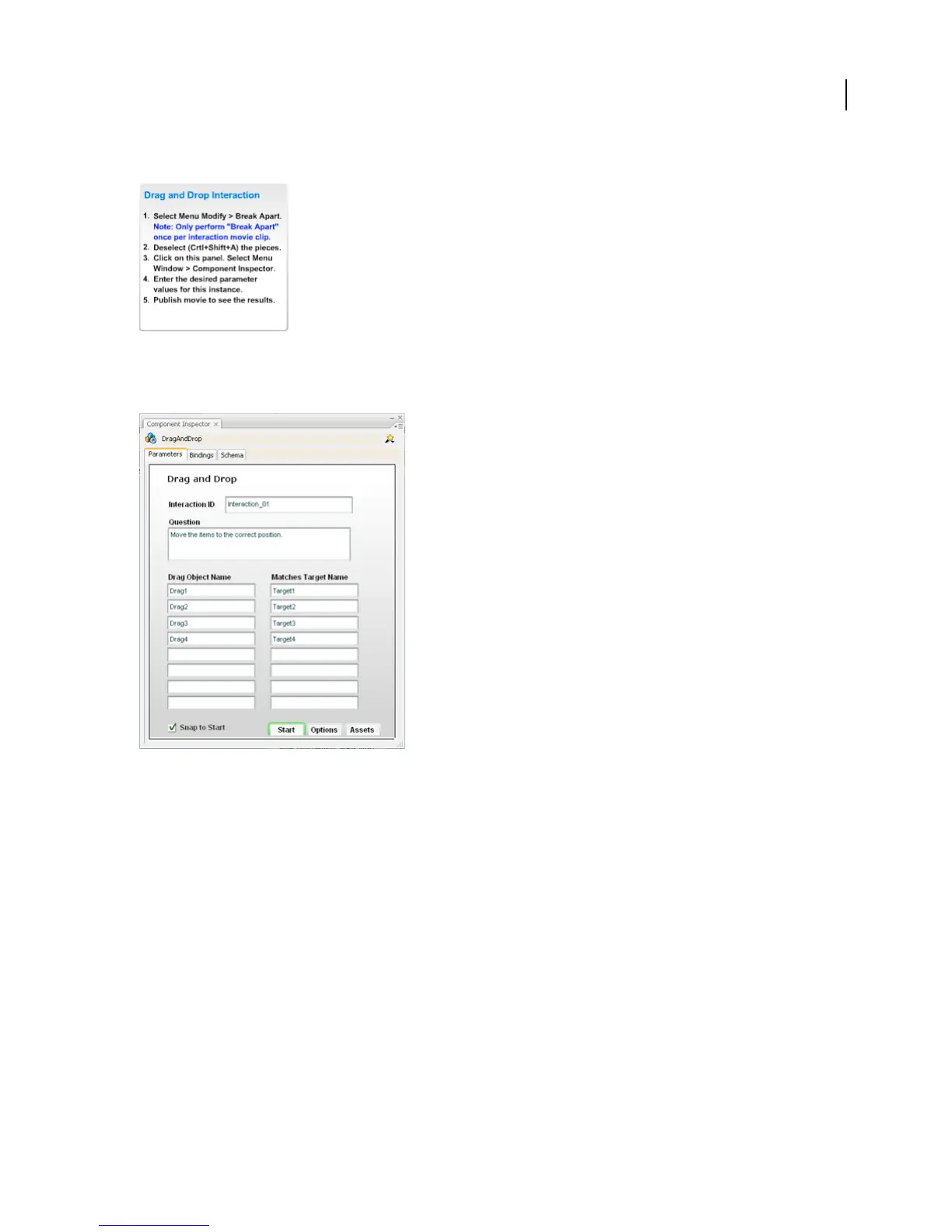
3 Select the Learning Interaction component.
Note: Do not delete these instructions; they contain necessary ActionScript code and do not appear in the SWF file.
4 In the Property inspector, click Launch Component Inspector.
5 If the Flash application sends tracking information to a server-side LMS, specify a name for the interaction in the
Interaction ID box. Each interaction in the quiz templates is uniquely named. If you add interactions from the library
or you are not using the quiz template, follow your LMS specifications to uniquely name each interaction in your file.
6 In the Question box, type the text the user will see. This text can be a question or instructions for the user.
7 Configure the learning interaction.
8 At the bottom of the Component inspector, click Options and enter feedback and Knowledge Track parameters
for the learning interaction.
Note: Documents created using a quiz template have the Knowledge Track option turned on and the Navigation option
turned off (the default settings) for each learning interaction, because the quiz template has its own navigation controls.
9 (Optional) Click the Assets button, and change the assets for the learning interaction.
See also
“Configure a Drag and Drop interaction” on page 338
“Configure a Fill In The Blank interaction” on page 339



 To Next Page