LESSON 1
20
Working with FrameMaker 7.0 Documents
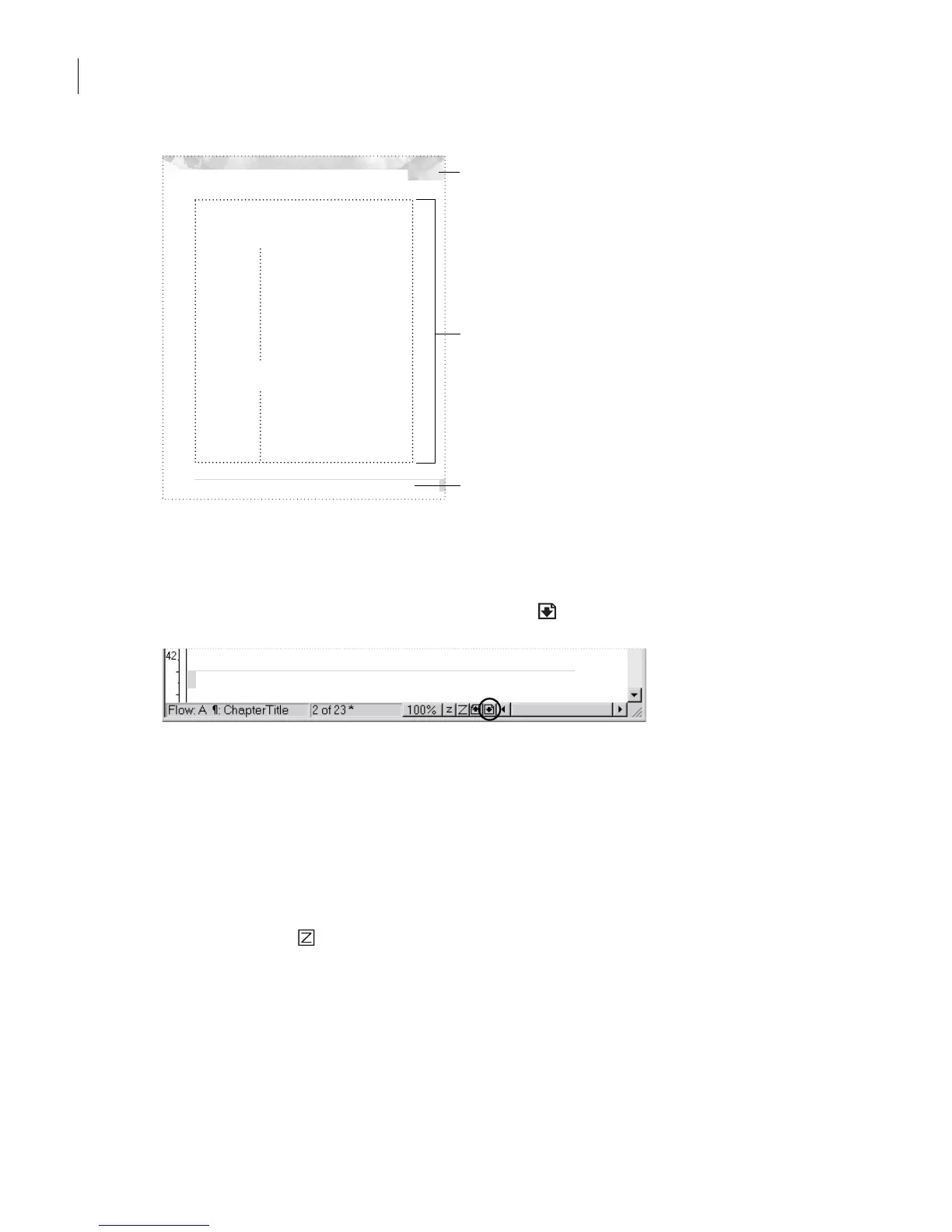
A.
Page number in header
B.
Tex t frame
C.
Page footer
Next, you’ll take a quick look at a few pages of the document.
1
In the status bar, click the Next Page button ( ) to display page 2 of the document.
Notice that the page number, which was at the top right of page 1, appears at the top left
of this page. (You may need to scroll up to see the page number.)
2
Click the Next Page button three more times to display page 5. Notice that the text in
the page footer changes to reflect the first-level heading on the page (the heading
Printing
terminology
). You may need to scroll down to see the page footer.
Note
: If the page footer is “greeked” and appears as a gray bar rather than as text, click the
Zoom In button ( ) in the status bar until the footer appears as text.
The text frame is split into two areas:
•
The area on the left is set up for
side heads
—headings that stand to one side of the
body text.
•
The area on the right is for body text.
Color and Commercial Printing: The properties of color
Chapter 1: Color and
Commercial Printing
When you create a multi-color publication, you want
the colors in the final printed piece to match your expec-
tations as closely as possible. To accomplish this, you
need three things: a clear understanding of color and
how it’s displayed and printed on different devices,
knowledge of the commercial printing process, and
close communication with your commercial printer.
This chapter presents fundamental color and printing
concepts, defines printing terminology, and introduces
new technologies. We also recommend browsing in your
local library, bookstore, or graphic arts supply store for
books on graphic arts and commercial printing. The
more you know about printing color, the better you can
prepare your publication.
The properties of color
Objects appear to be certain colors because of their
ability to reflect, absorb, or transmit light, which we per-
ceive as color. Our eyes are sensitive enough to per-
ceive thousands of different colors in the spectrum of
visible light—including many colors that cannot be dis-
played on a color monitor or printed on a commercial
printing press.
1
A
B
C
Color and Commercial Printing: The properties of color



 To Next Page