LESSON 10
244
Cross-References and Footnotes
4
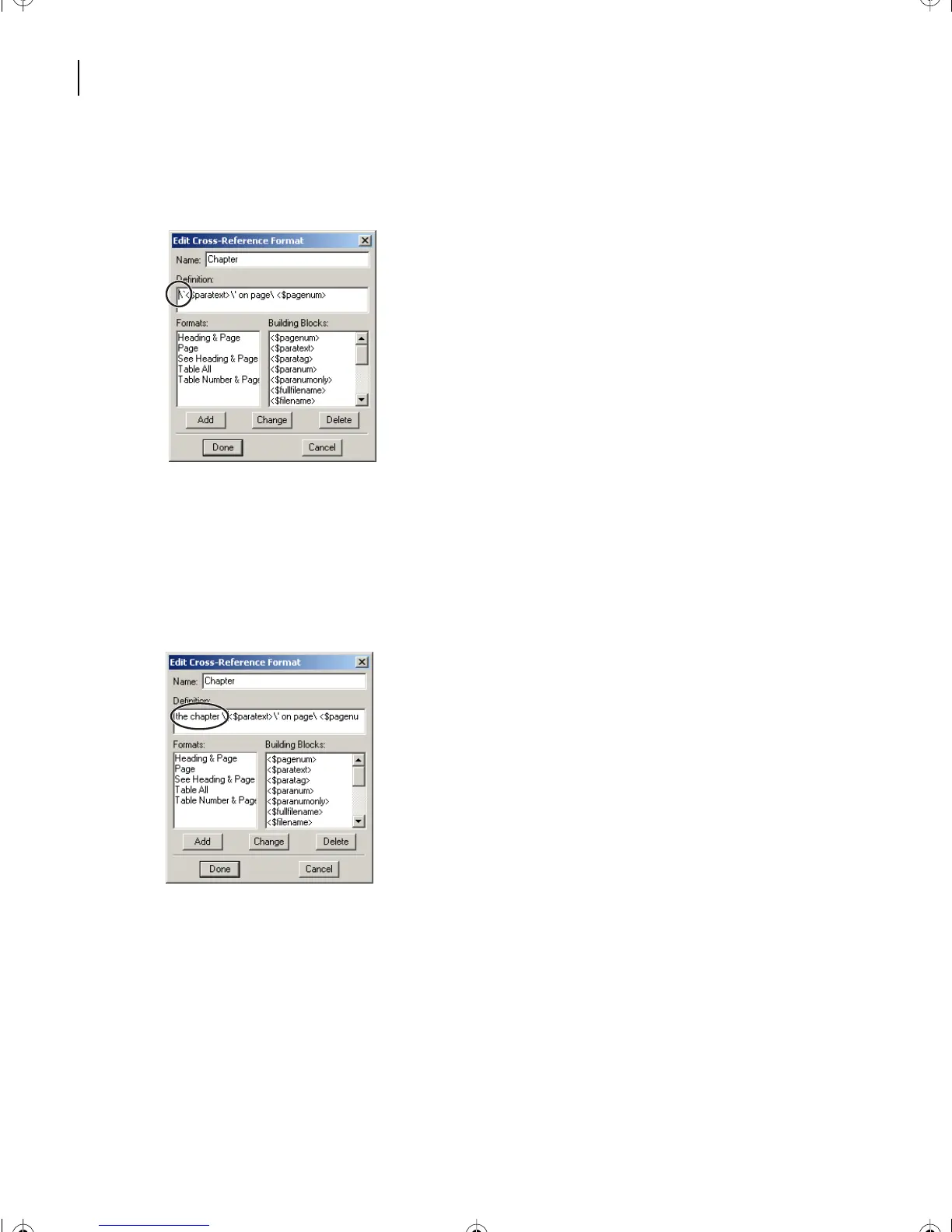
In the Definition text box, place the insertion point at the very beginning or left of the
<$paratext> building block.
Note
: In Windows and on UNIX systems, the backslash sequences in the Definition text box
indicate curved quotation marks. On the Mac OS, you literally see curved quotation marks:
“and ”
instead of:
\` and \'
.
5
Type
the chapter
and press the spacebar. Carefully proofread the words, because
Spelling Checker does not check text that is inserted into dialog boxes.
6
Click to set the cursor at the left of the building block <$paratext>.
L10.fm Page 244 Saturday, July 6, 2002 12:17 PM



 To Next Page