LESSON 10
248
Cross-References and Footnotes
4
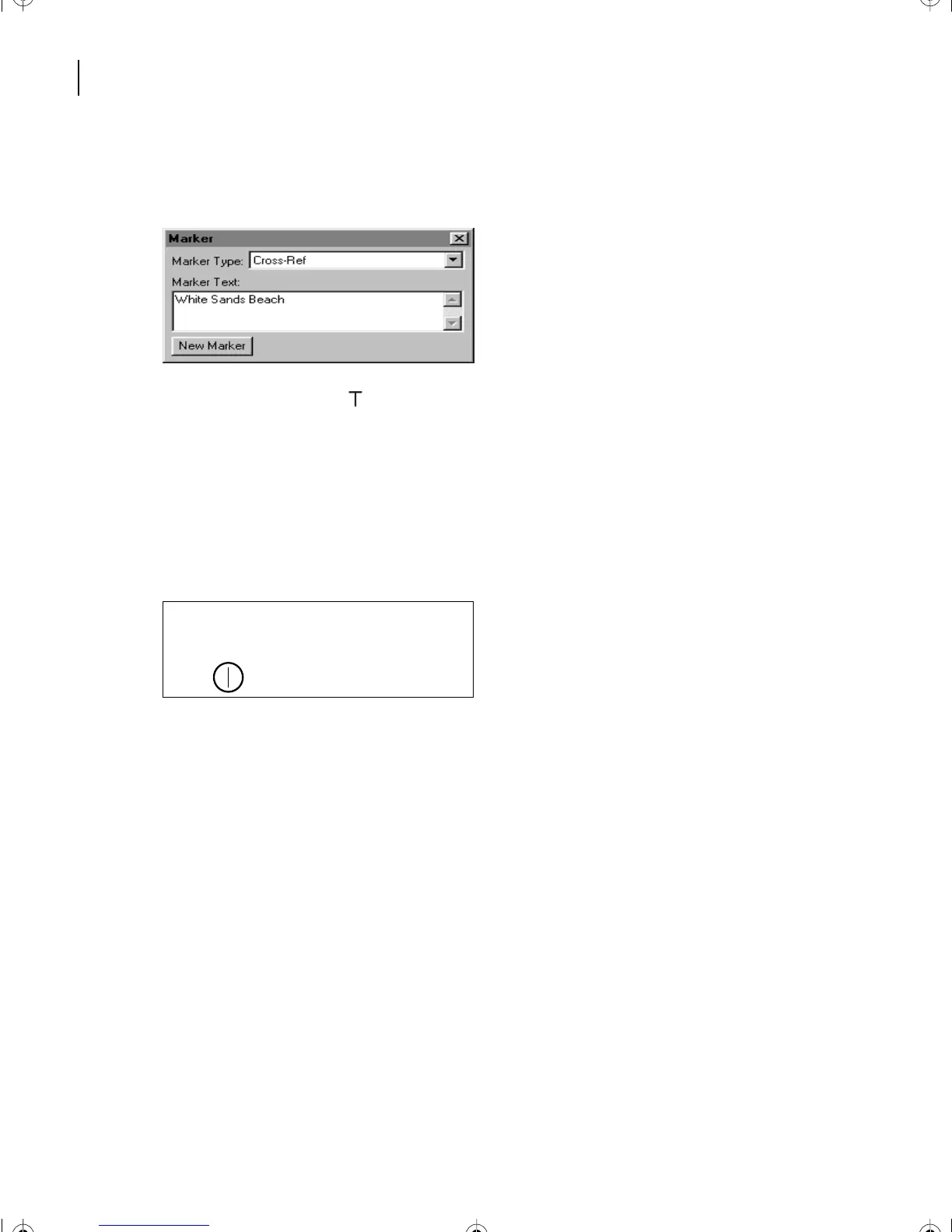
Enter
White Sands Beach
in the Marker Text box, or drag to select the actual text to
make it appear in the Marker Text area, then click New Marker.
5
The marker symbol ( ) now appears at the insertion point. (If the marker symbol isn’t
visible, choose View > Text Symbols.)
6
Close the Marker dialog box.
Now that the marker is in place, you’re ready to insert the cross-reference in Ref2.fm.
7
Go to page 10 (the third page) of Ref2.fm.
8
Place the insertion point at the end of the last paragraph on the page.
9 Press the spacebar, type
See, and press the spacebar again.
10 Choose Special > Cross-Reference.
11 Choose Ref1.fm from the Document pop-up menu.
12 Choose Cross-Reference Markers from the Source Type pop-up menu.
it too exciting. Lots of fish here as well.
Located north of the 4-mile mark on Alii
Drive in Kailua (just north of White Sands
Beach).
L10.fm Page 248 Saturday, July 6, 2002 12:17 PM



 To Next Page