269
ADOBE FRAMEMAKER 7.0
Classroom in a Book
7
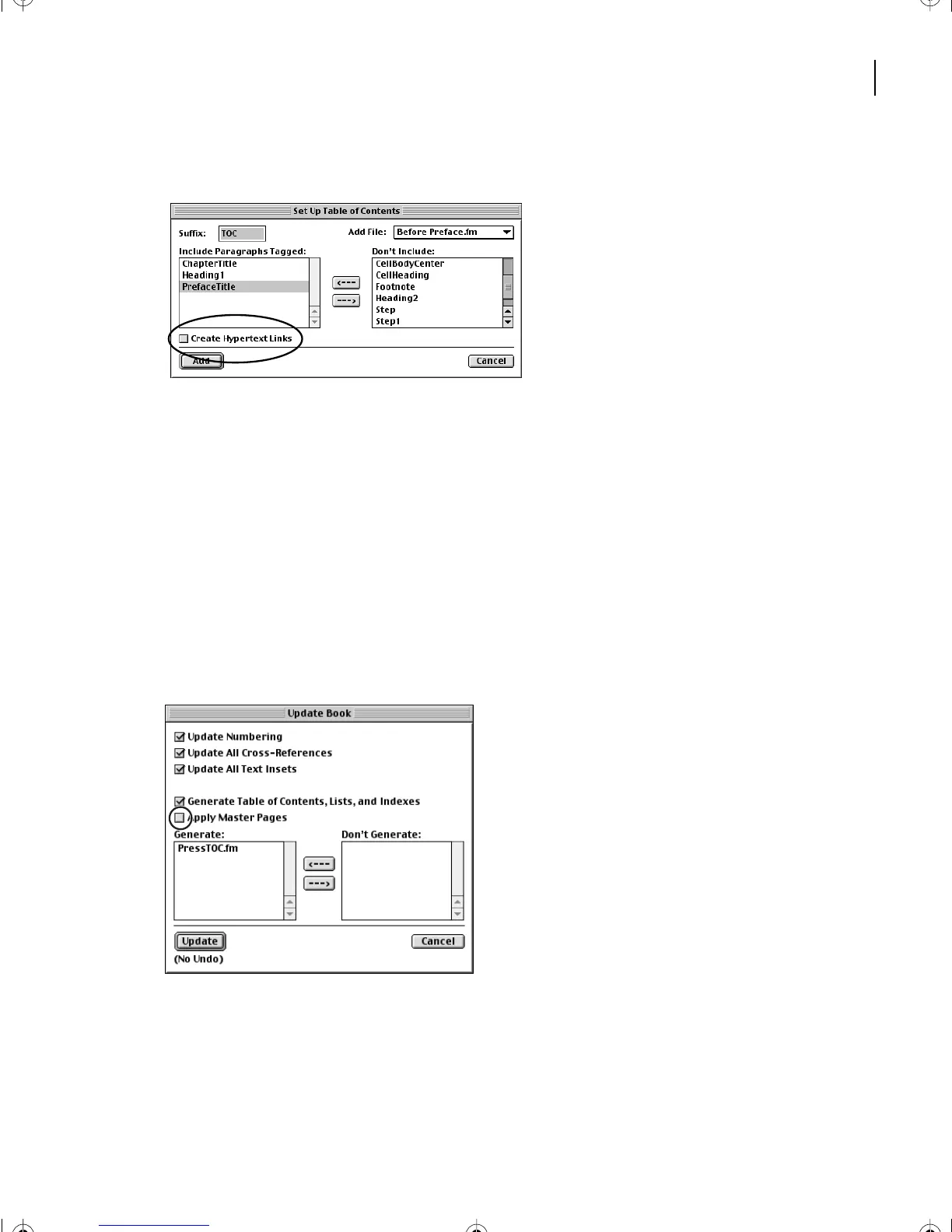
Turn off Create Hypertext Links. Click Add.
Generating the table of contents
In the Update Book dialog box that appears, the
filename
of the table of contents,
PressTOC.fm, appears in the Generate list on the left. The filename is based on the book’s
name (
TOC
indicates that the file is a table of contents.)
The PressTOC.fm
file
doesn’t actually exist until FrameMaker 7.0
generates
it (meaning
that FrameMaker 7.0 gathers the paragraphs tagged with the formats you want included
(ChapterTitle, Heading1, and PrefaceTitle) and puts them into a new file called
PressTOC.fm).
1
In the Update Book dialog box, deselect Apply Master Pages.
2
Click Update to generate the table of contents for your book.
Note
: (Unix users, in order to invoke the Update functions in this lesson, you may need to copy
Helvetica and Times from another location in your system into
(Frame_path)/fminit/fontdir
.
L11.fm Page 269 Sunday, July 7, 2002 10:27 PM



 To Next Page