291
ADOBE FRAMEMAKER 7.0
Classroom in a Book
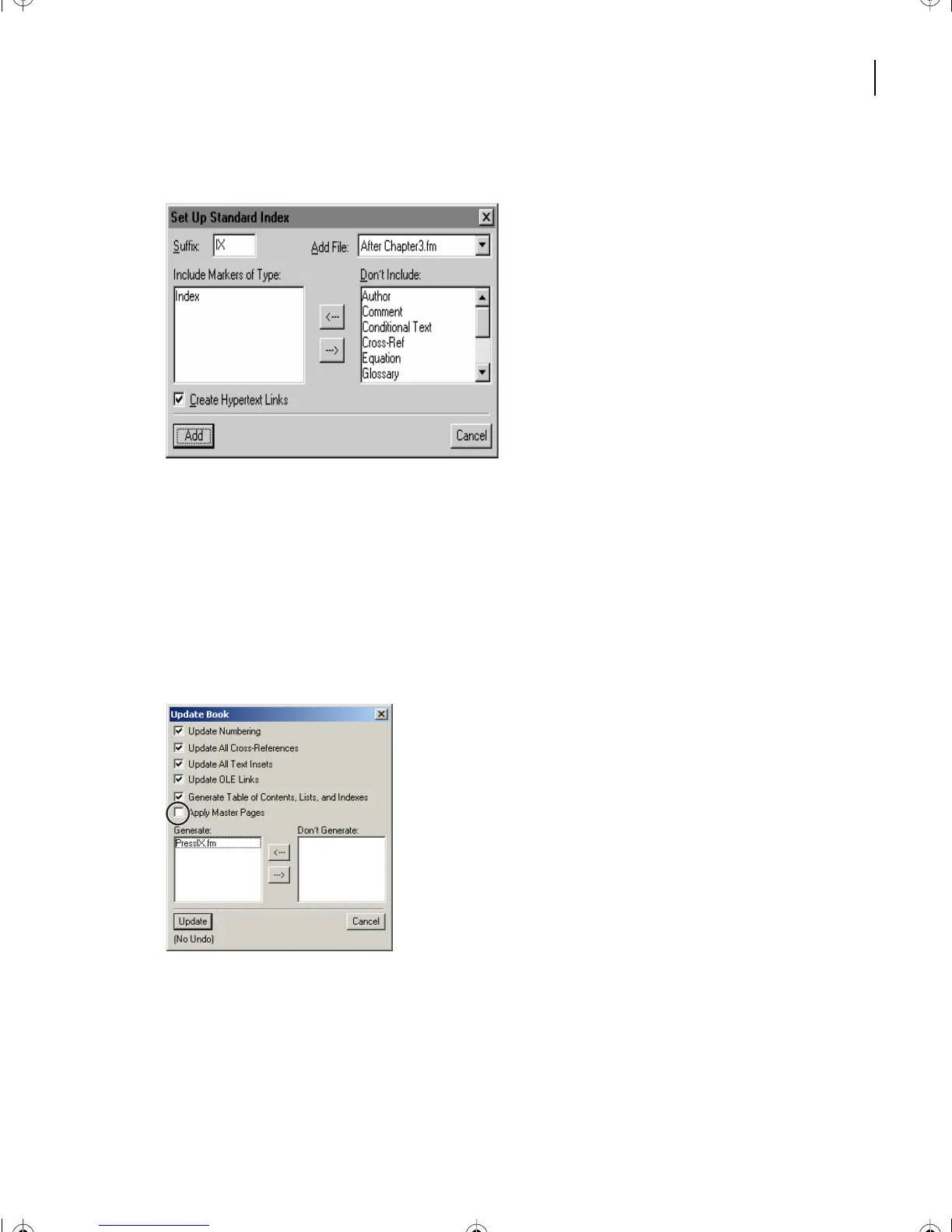
The dialog box that appears is already set up for a standard index.
4
Make sure that Create Hypertext Links is selected so that FrameMaker 7.0 will include
a hypertext link with each index entry. You’ll use this feature later to display the source of
an index entry by clicking the entry’s page number. Click Add.
The index
filename
(PressIX.fm) appears in the Update Book dialog box. The filename is
based on the book’s name (
IX
indicates that the file is an index.) The PressIX.fm
file
doesn’t actually exist until
FrameMaker 7.0
generates it (meaning that
FrameMaker 7.0
gathers and sorts the markers of type Index into the index file). Click Update.
Note
: Unix users, in order to invoke the Update functions in this lesson, you may need to copy
Helvetica and Times from another location in your system into
(Frame_path)/fminit/fontdir
.
5
Messages appear in the status bar at the bottom of the book window as FrameMaker
7.0 scans each file in the book. After a few moments, the index appears.
L12.fm Page 291 Monday, July 8, 2002 1:28 PM



 To Next Page