LESSON 15
378
HTML and Web Publishing
5
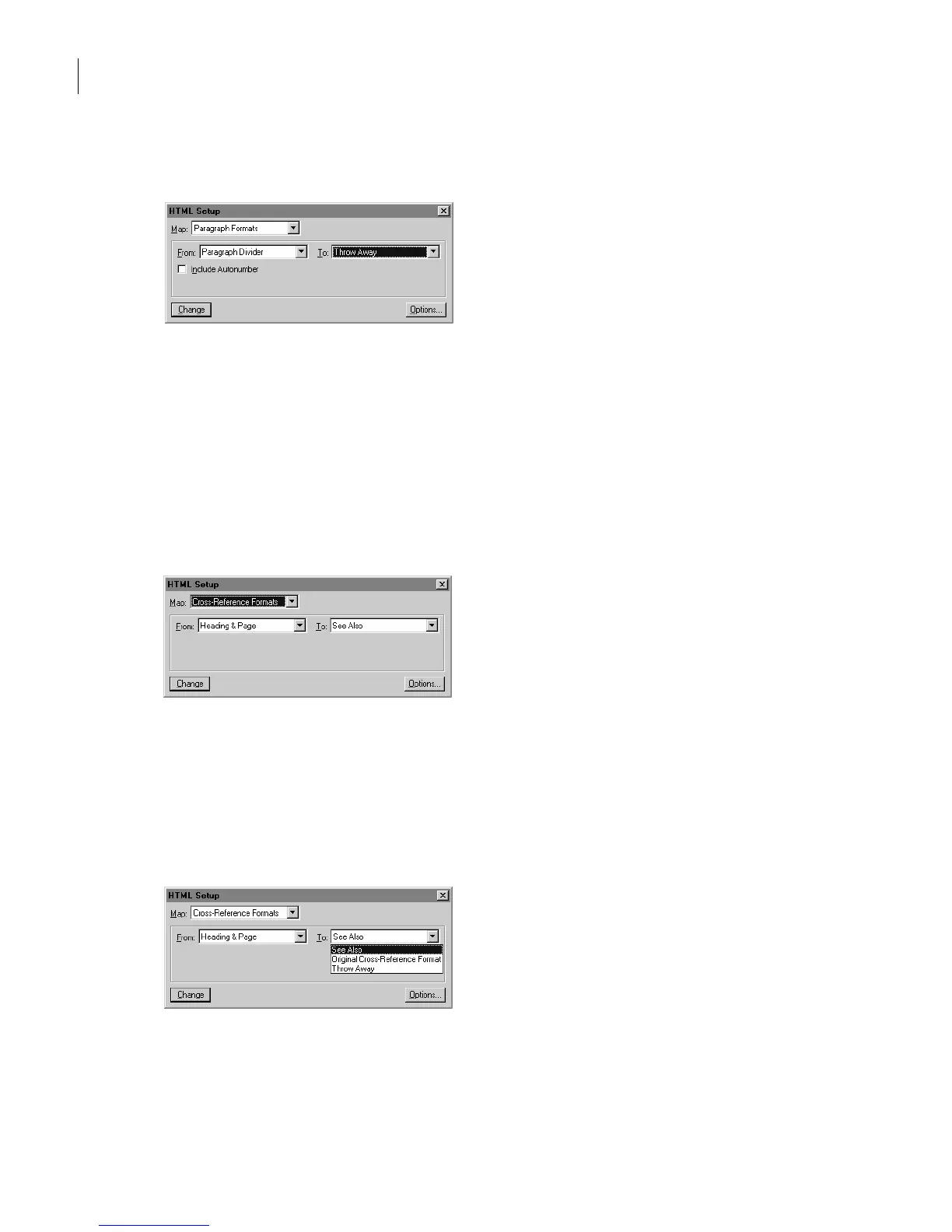
Choose Throw Away from the To pop-up menu and then click Change.
The next time you save as HTML, any text formatted as Paragraph Divider will be omitted
in the conversion.
Looking at cross-reference mappings
Cross-reference formats don’t map directly to HTML elements. FrameMaker 7.0 uses a
conversion macro to change cross-references to HTML.
1
Choose Cross-Reference Formats from the Map pop-up menu.
2
Click the From pop-up menu to display its contents. The From pop-up menu lists the
document’s cross-reference formats.
3
Click the To pop-up menu to display its contents. The To pop-up menu lists the
currently defined cross-reference conversion macros. (Later you’ll see where to add new
macros in the HTML reference pages.)



 To Next Page