409
ADOBE FRAMEMAKER 7.0
Classroom in a Book
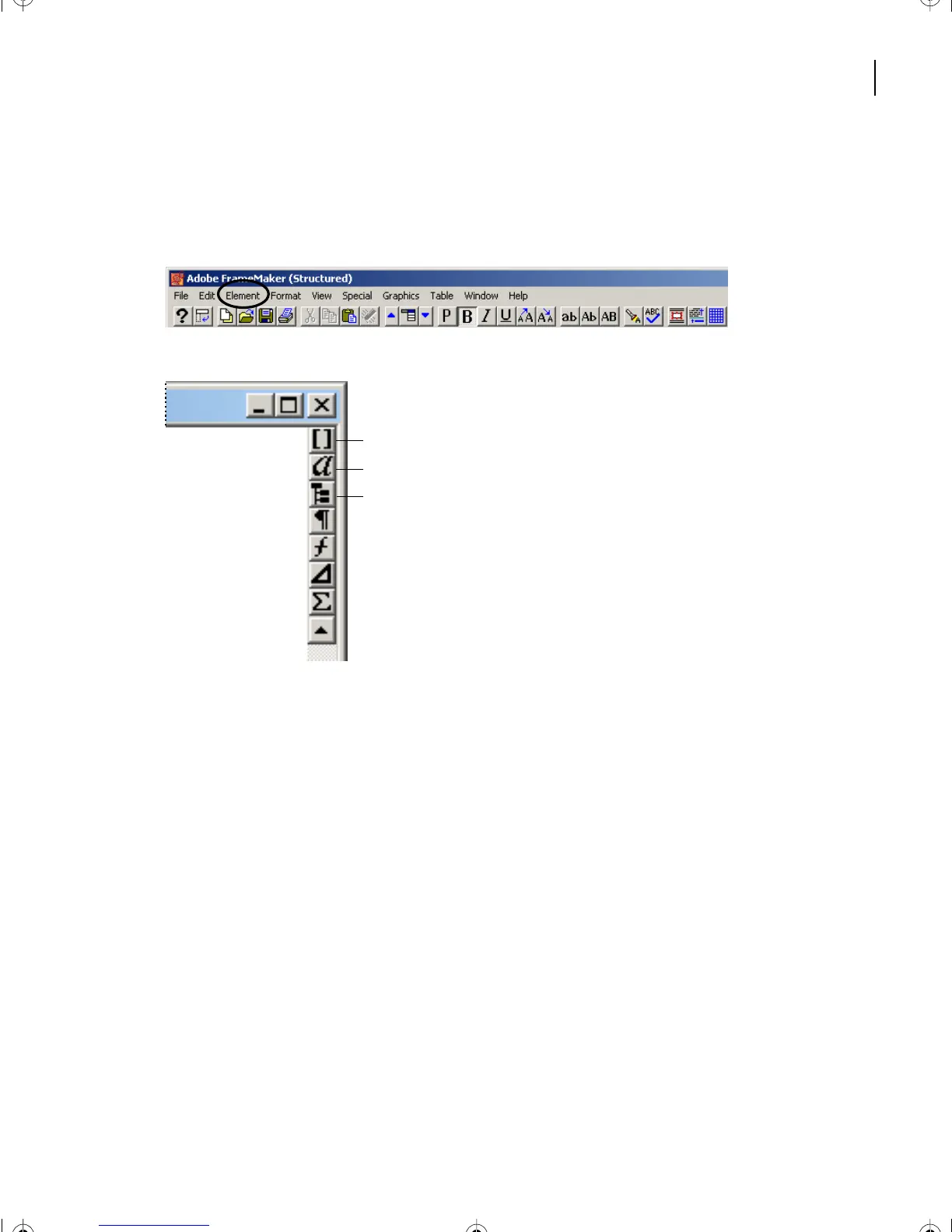
Structured FrameMaker 7.0 window and menu
The Structured FrameMaker 7.0 environment closely resembles standard FrameMaker,
but there are some differences.
An additional menu item called Element has been added to the Main menu.
The document window contains
three additional control buttons:
A.
Element Catalog
B.
Attribute window
C.
Structure View.
Setting up Structured FrameMaker 7.0 work space
1
Open Studoc.fm from the Lesson16 folder.
2
Choose File > Save As, enter the filename
Review.fm
, and click Save.
3
Go to page 1 and zoom the document to 140%.
A
B
C
L16.fm Page 409 Saturday, July 6, 2002 4:02 PM



 To Next Page