413
ADOBE FRAMEMAKER 7.0
Classroom in a Book
3
From Structure View, select the Chapter element.
All elements in the document are now selected because the Chapter element is the
document’s highest level (root) element.
4
In Structure View, select the first Head element.
5
Hold down the shift key, and click on the Intro element (below it).
Note:
Holding down the shift key allows you to select more than one element.
Moving the insertion point in document view
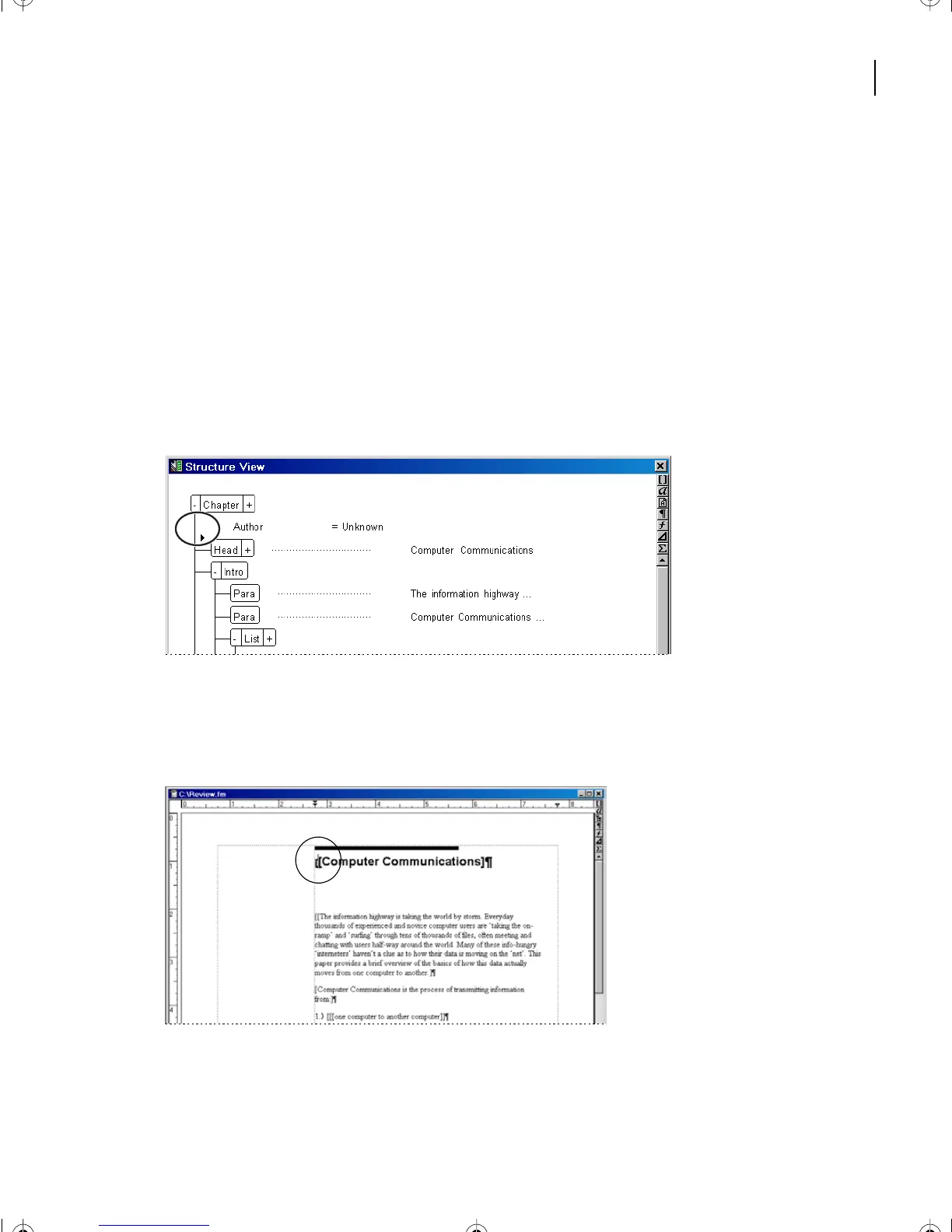
1
In Structure View, click between the Chapter and Head elements.
In the document window, the insertion point is positioned between the two opening
brackets, in front of the word Computer. The outer bracket represents the opening tag of
the Chapter element. The inner bracket represents the opening tag for the Head element.
L16.fm Page 413 Saturday, July 6, 2002 4:02 PM



 To Next Page