LESSON 2
50
Defining Paragraph Formats
6
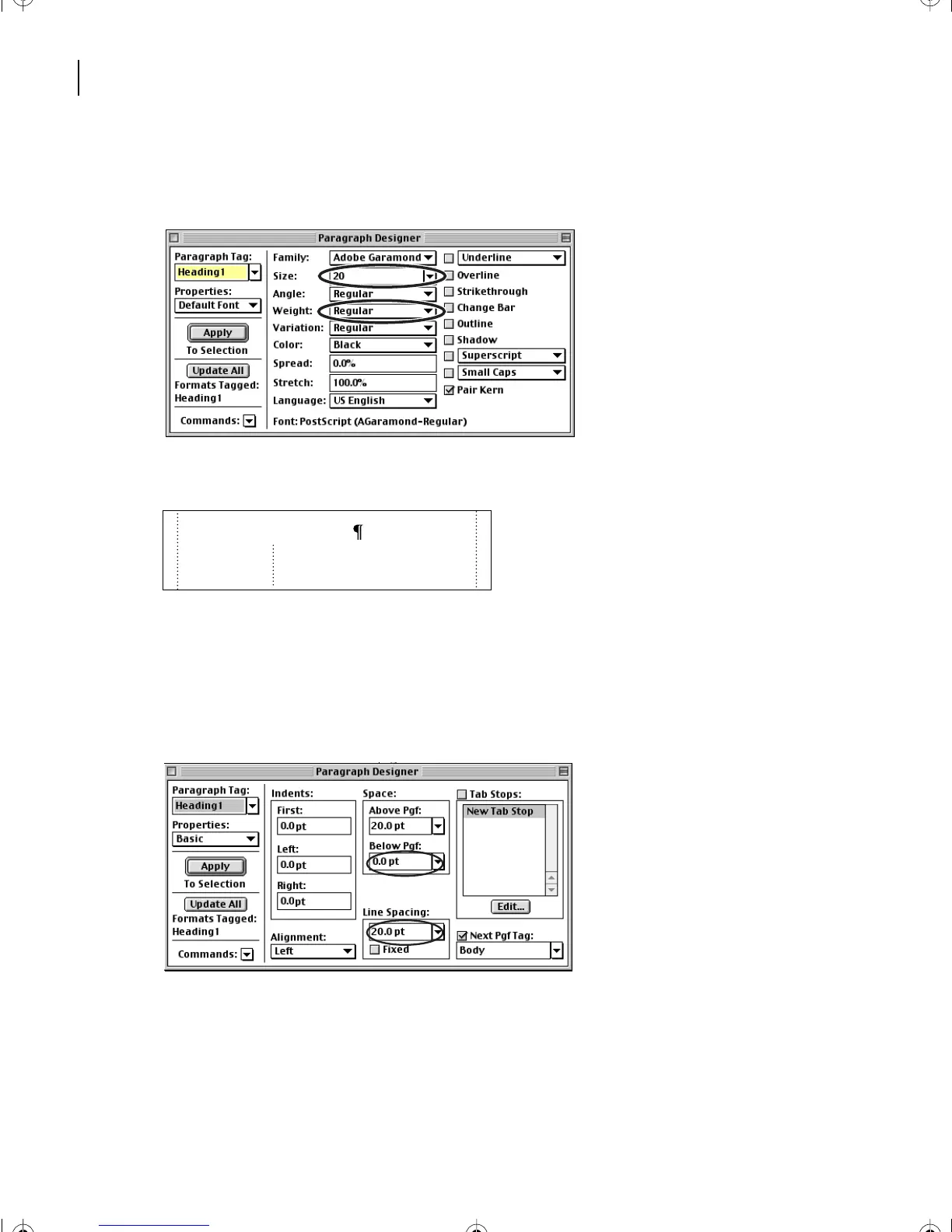
Change the Size to 20. Make sure the Weight is Regular. The value 20 does not appear
in the pop-up menu, so you must enter it in the Size text box.
7
Click Update All.
Finally, you’ll change the paragraph spacing and line spacing to reduce the space between
the heading and the body text that follows it.
8
Choose Basic from the Properties pop-up menu.
9
Change the Space Below to 0 and the Line Spacing to 20, and click Update All.
Formatting second-level headings
The second-level headings in the document are all tagged Heading2. You’ll modify their
paragraph format.
Planning and evaluation
Preparing a publication for commercial print-
ing takes careful thought: both imagesetters
and commercial printing presses have inherent
L02.fm Page 50 Saturday, July 6, 2002 11:23 AM



 To Next Page