LESSON 2
54
Defining Paragraph Formats
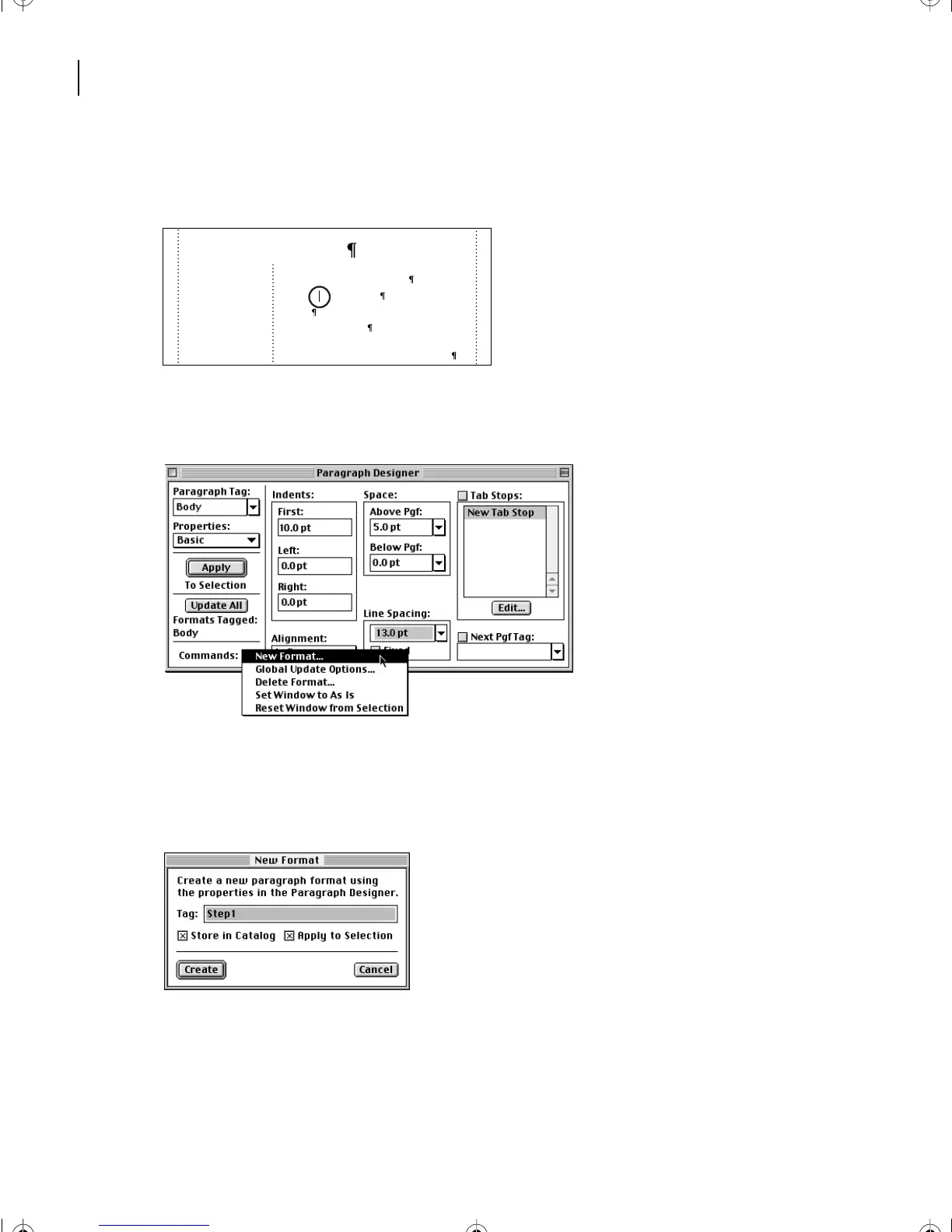
2 Click in the paragraph Planning and organizing (the second paragraph under
the heading).
3 In the bottom-left corner of the Paragraph Designer, choose New Format from the
Commands pop-up menu.
4 Enter Step1 in the Tag text box.
5 Make sure that the options Store in Catalog and Apply to Selection are selected and
click Create.
The tag of the current paragraph changes to Step1, and the Step1 format is added to the
Paragraph Catalog.
Next you’ll use the rulers and formatting bar to set up indents and a tab stop.
The publishing process
Successfully completing a commercially printed
publication requires several steps:
Planning and organizing
Design
Content development
Prepress tasks where your electronic files are
prepared to be reproduced with ink on paper.
L02.fm Page 54 Saturday, July 6, 2002 11:23 AM



 To Next Page