33
USING ADOBE MEDIA SERVER ON AMAZON WEB SERVICES
Using Adobe Media Server on Amazon Web Services
Last updated 9/20/2013
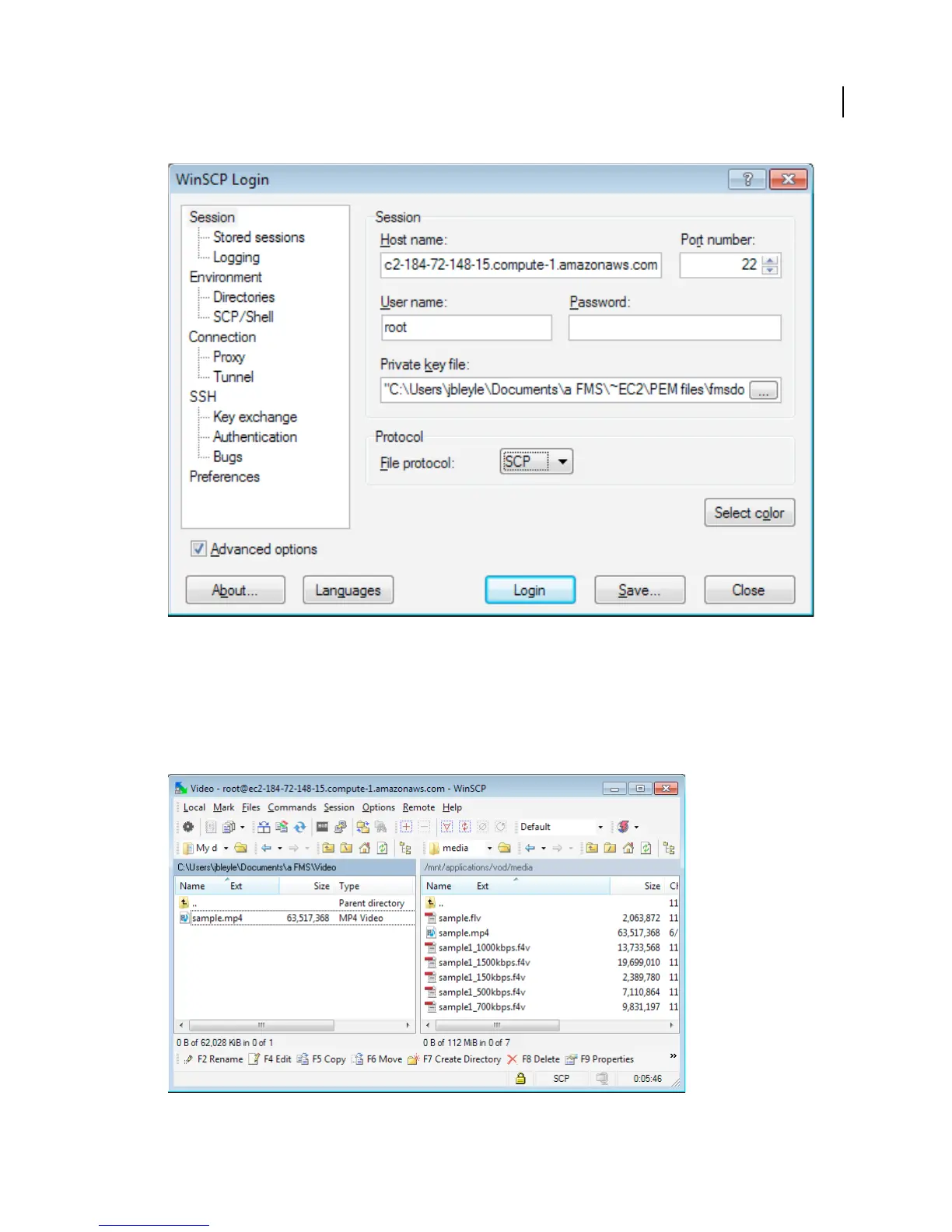
WinSCP Login screen
Note: This task uses WinSCP version 4.2.9. The steps may be different on other versions of WinSCP.
5 Click Login to connect to your Adobe Media Server for Amazon EC2 instance.
WinSCP may display a Security Alert. Read the alert and click Yes or No.
6 To manage files, use the graphical user interface.
WinSCP graphical user interface. Local files are on the left. Remote files (on the Adobe Media Server instance) are on the right.



 To Next Page