JOT PRO
Touch screens have simplified technology, but there
has yet to be a way to capture the precision of a cal-
ligrapher or the stroke of an artist. Not only should it
meet your needs, but a stylus should have style.
We would like to fix that.
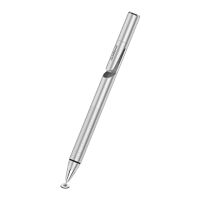
Introducing Jot Pro, the stylus the world’s
been looking for.
COLORS
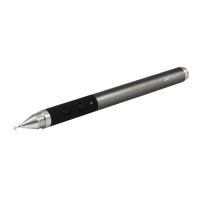
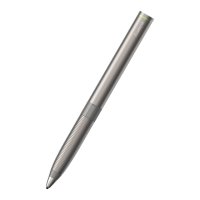
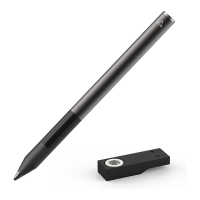
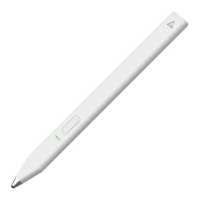
The Jot Pro is available in three colors; gunmetal,
silver, and turquoise.
PRECISION DISC
Your stylus should be as sharp as your ideas. The
thin and clear disc gives you the acuracy you want in
a digital pen.
WRITING ANGLE
The Jot Pro is designed to provide a range of writing
angles, but is optimized for a minimal angle of 45
degrees. Hold your stylus at the angle you’re most
comfortable with. Jot gives you the freedom to write
or sketch like you’re used to.
RUBBER GRIP
One of the features differentiating the Jot Pro from
the regular Jot, is a rubber grip for writing comfort;
the Jot does not have a grip.
INTERNAL MAGNET
Another feature differentiating the Jot Pro from the
regular Jot, is a magnet in the body of the stylus,
which adheres to magnetic surfaces. It can be used
to hold the Jot Pro to the side of an iPad2, but the
stylus can still be dislodged easily, so this is not
recommended when the iPad is being carried.
COMPATIBILITY
The Jot Pro will work with any capacitive screen
including iPads, iPhones, MacBook Trackpads,
Magic Trackpads, HTC, Samsung, Nokia, Motorola,
Blackberry. It will not work with Wacom tablets or
Cintiq monitors, since these use
different technology.
It will only function on a PC if a capacitive touch
monitor is being used, but will not work with a
regular monitor. Note that the risk of scratching
is minimal when the Jot Touch is used with a
hardened glass capacitive touch screen, but touch
screen monitors for PCs may not use such
a glass screen.
THE JOT PRO’S DISC
The small plastic disc on the tip of the Jot is the
most important part of the stylus. The disc must be
attached when the stylus is used, and should not be
removed unless it is being replaced. The disc should
be kept clean and undamaged, protected by the cap
when the Jot is not in use. If the disc is damaged,
however, it can be removed and replaced with
a new disc.
JOT PRO TERMINOLOGY
1. Precision Disc
Mimics the capacitance signature of your
finger while allowing you to see exactly
where you’re drawing
2. Rubber Grip
For more command and comfort
3. Protective Cap
Twists on to front and back
REPLACING THE DISC
The Jot Pro’s disc can be replaced if the disc is
damaged, or if it is dislodged from the Jot Pro for
any reason. The disc is attached to the ball tip
of the stylus.
To remove the Jot Pro’s disc, place the disc flat on a
hard surface, and position the stylus at an angle so
you can see the disc clearly.
Hold the disc down firmly with two fingers on either
side of it, then pull the stylus up sharply with your
2
3
1
+
Jot pro
Product Information


 To Next Page
 Loading...