Snaptune and Instant Radio cannot run at the same time. If you wish to run the Instant Radio application to tune FM radio stations,
you need to select “Shut down Snaptune One Now”. This will interrupt any recordings you have scheduled. Notice that you can
enable Snaptune One record engine to re-start when ever you exit the Instant Radio application. This makes it easy to temporarily
switch from Snaptune to Instant Radio and back again.
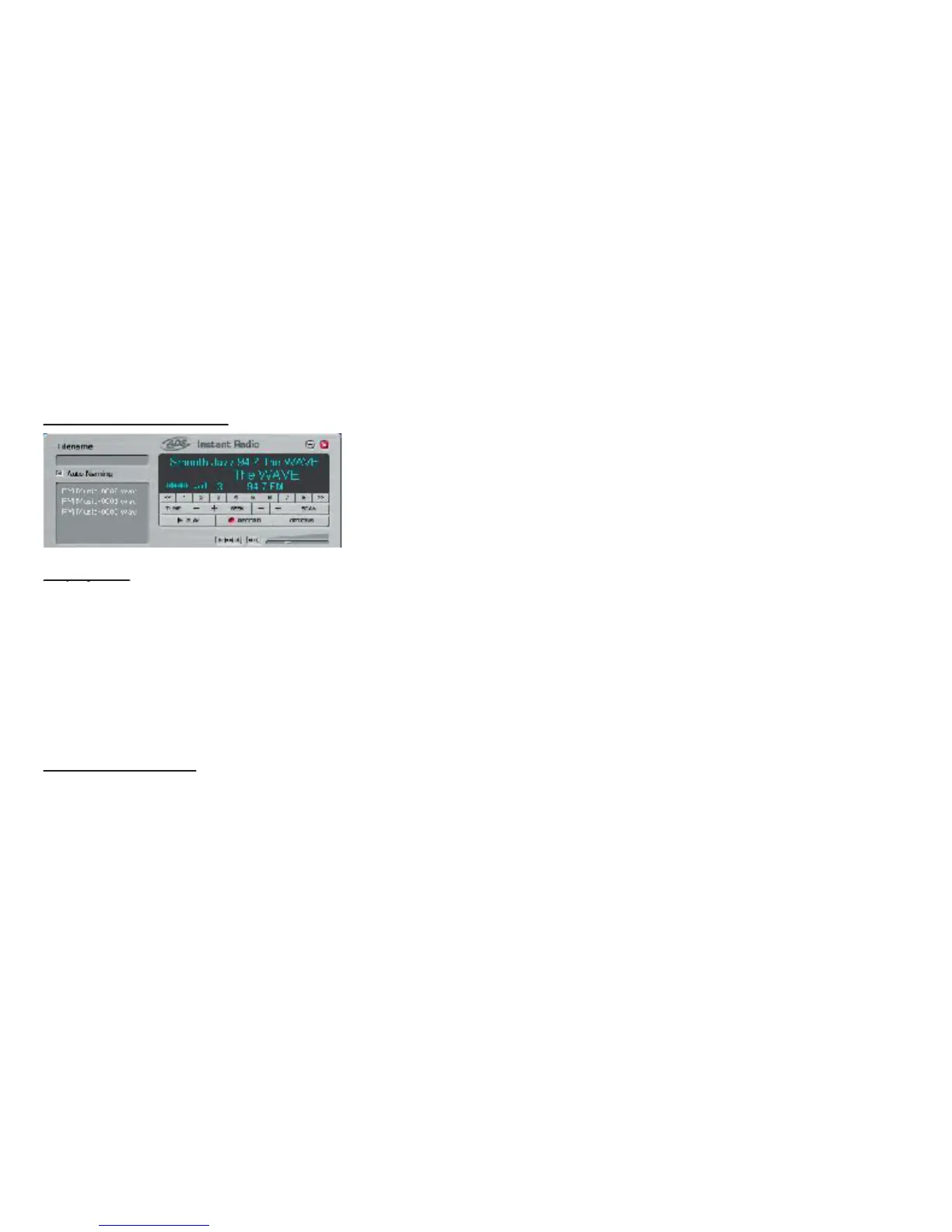
The Instant Radio Interface
The display area will provide the following information:
Current tuned frequency (large text = no RDS signal present)
Signal Strength indicator bars
Station Call Letters or slogan up to 8 characters such as The Wave or K-Mozart
Radio Text – up to 64 characters (32 at a time) of text which can display station slogans, artist name and song title or
any textual information the radio station wants to transmit.
– Use the (+) and (-) buttons to tune up or down the FM radio band. You can hold down the button to quickly tune to the
- Use the (+) and (-) buttons to Seek up or down the FM radio band. You can set a seek signal threshold level in the
Options screen so you automatically bypass weaker stations.
– Click the Scan button to Scan up the FM band. Instant Radio will scan to the next found station, play for several
seconds then move to the next found frequency. You can set the scan hold time on the Options screen.


 To Next Page