– 29 –
3DJLQJ)HDWXUH
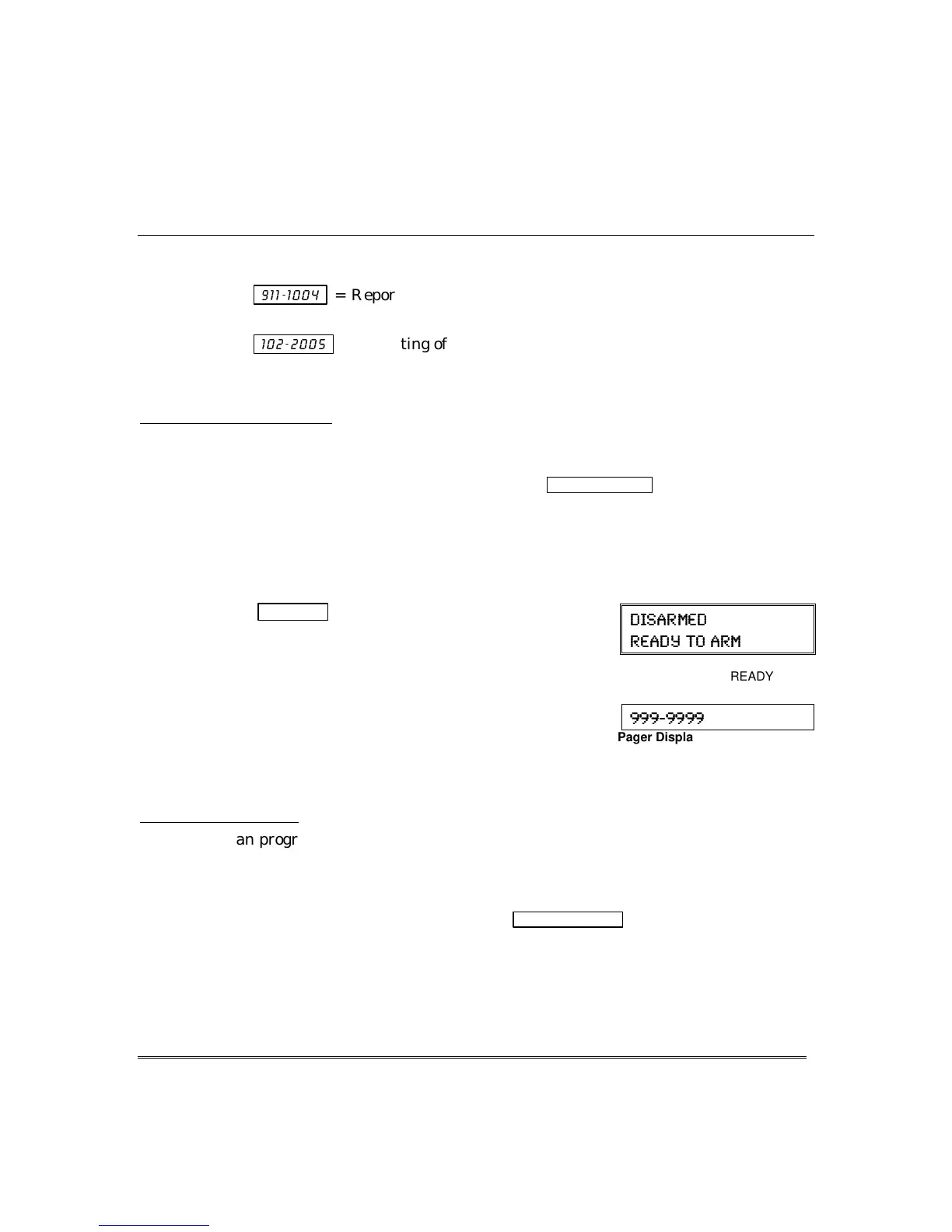
Examples of typical 7-digit pager displays follow.
Ex. 1
.
³
= Reporting of an alarm (911) caused by a fault on zone 4 (0004) in
partition 1.
Ex. 2.
³
= Reporting of a closing–system arming (102)– by user 5 (0005) in
partition 2.
$ERXW0DQXDO3DJ LQJ
Your system may be set up so you can manually send a message to up to four pagers.
• Your installer programs the paging function key and the pager phone numbers.
• Pressing the paging keys sends the message
999–9999
to the selected pager
.
• This message could mean “call home”, “call your office”, or any other prearranged
meaning.
• See the Paging chart at the back of this manual for details of the paging setup for
your system.
1. Hold
pager key
2 seconds then press [1-4].
(pager no.)
Press and hold the programmed Paging Key for at
least 2 seconds (wait for beep), then press the pager
number (1-4)* representing the pager intended to
receive the message.
2. The recipient, on seeing the 999–9999 message, will
understand the prearranged meaning of this signal.
*
If no number is pressed, the message is sent to pager 1
.
(-7%61)(
6)%(= 83 %61
English Display:
READY
Pager Display
/DWFK.H\3DJLQJ
You can program a schedule that causes a pager report to be sent if the system is not
DISARMED by the scheduled time (see Scheduling section, event “03”). For example,
a working parent might want a message to be sent to a pager if their child did not
arrive home from school and disarm the system by a certain time.
If programmed, the message that is sent is:
777–7777
.


 To Next Page
 Loading...