617600139F1-13A 3
Wall Mount Installation
The 834-5 can be mounted on a wall. Wall Mount Kit (17600192F1) can be ordered for mounting the 834-5. Instructions are provided in the related
Quick Start Guide (617600192F1-13A).
Connecting the 834-5 Gateway
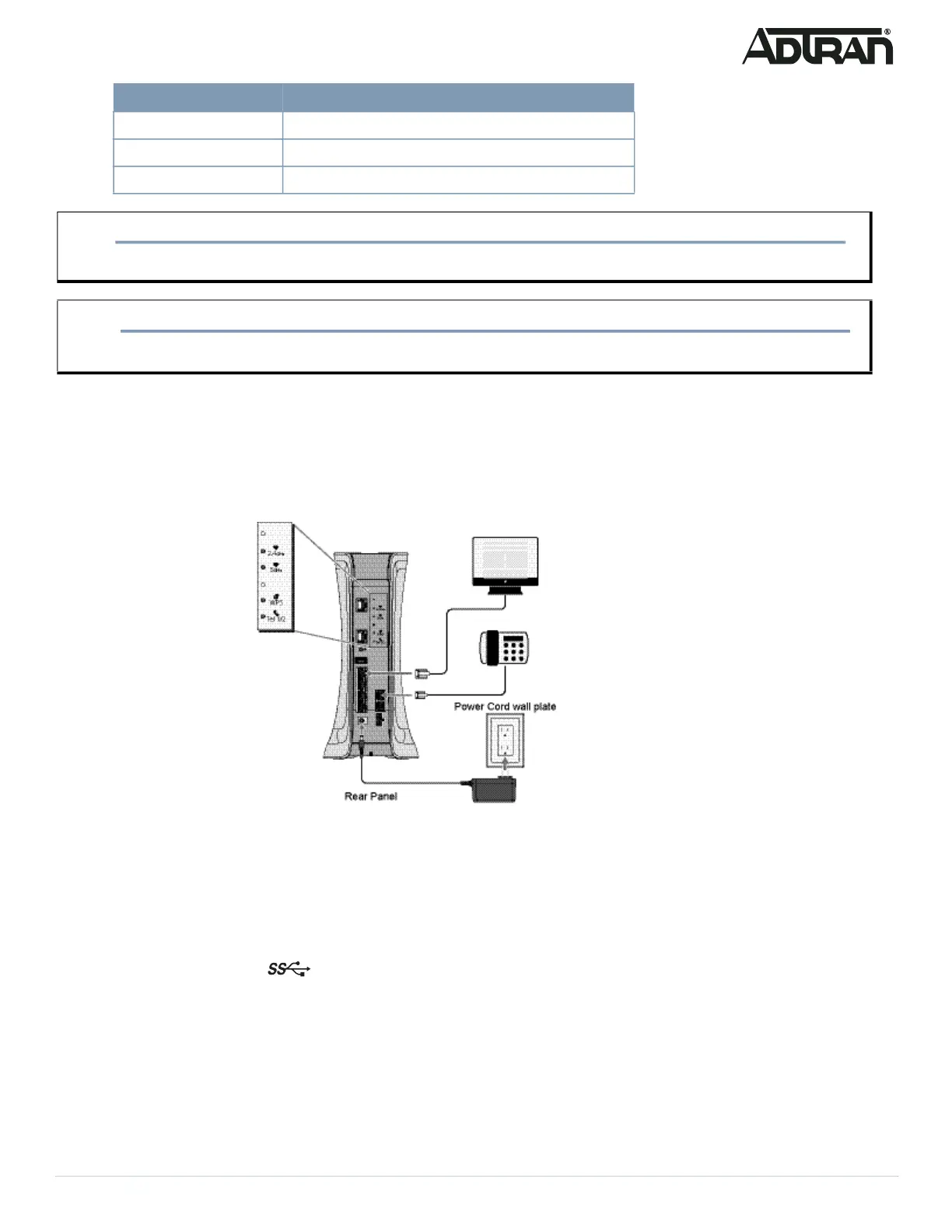
Figure 2 illustrates the installation (connection) options for the 834-5 gateway.
Figure 2. 834-5 Gateway Installation Options (placeholder)
The following subscriber connections are available on the rear of the 834-5:
■ 4x Gigabit Ethernet (RJ-45 Connectors) – LAN 1- 4 ports
■ 1x Gigabit Ethernet port (RJ-45 Connector) -WAN port
■ 4x4 802.11ax @ 2.4GHz
■ 4x4 802.11ax @ 5GHz
■ 1x USB 3.0 (Type A Connector) - port
To connect the subscriber Ethernet interfaces, refer to Figure 2 and insert a Category 5E (or better) RJ-45 cable into one of the LAN ports (labeled
LAN 1- 4) or the Gigabit Ethernet port (WAN) until there is an audible “click”.
Connecting the Power Supply
1. Connect the end of the power adapter to the Power port on the rear panel of the gateway
2. Plug other end of the power adapter into the wall outlet.
Cordless phone – digital 30 feet / 9 meters
Bluetooth devices 20 feet / 6 meters
ZigBee 20 feet / 6 meters
WARNING!
f
Ensure that the 834-5 does not come in contact with water or other liquids.
CAUTION!
f
Ensure that the 834-5 is not located in direct sunlight or next to any thermal obstructions.
Household Appliance Recommended Minimum Distance (in feet and meters)


 To Next Page