CHARGING YOUR BEE-BOP SPEAKER
Your Bee-Bop Speaker uses rechargeable battery. Fully charge
battery before using. Please turn OFF speaker before charging.
1. Use the USB cable provided to connect to any computer or
USB power adapter. When charging, the red indicator light
will appear.
2. When fully charged, the red indicator light will turn off.
Charging time: Approximately 3hrs. Turn Bee-Bop Speaker
off when not is use to save battery life. Battery saver will
move into sleep mode when there is no sound input for
more than 10 minutes. Switch Bee-Bop Speaker off and
then on to restart.
Bee-Bop Speaker
CONTENTS
Bee-Bop Speaker
3.5mm Audio Cable
USB Charging Cable
User Manual
PAIRING DEVICE WITH YOUR
BEE-BOP SPEAKER
Before using the Bee-Bop Speaker, please pair it with your
smartphone, MP3 player, computer or any Bluetooth-enabled
device. Set your Bluetooth to discover the Bee-Bop Speaker
by following the instruction manual for your device. With most
Bluetooth devices, pairing mode can be activated by using the
following steps: SETTINGS > BLUETOOTH > SCAN FOR
NEW DEVICE. Click on Bee Bop Speaker when it shows up in
the scan. (Please, refer to your devices manual for more exact
pairing instructions).
1. Turn the Bee-Bop Speaker ON. Speaker will automatically
beginpairing.Theblueindictorlightwillashquickly,this
indicates “In Paring Mode.”
2. When your Bluetooth-enabled device discovers the
Bee-Bop Speaker, press “OK” to pair with the Bee-Bop
Speaker. Enter code “0000.” Once successfully paired, the
Bee-Bop Speaker will make a response tone and the blue
indicator light will turn off to indicate pairing is successful.
PRODUCT OVERVIEW:
*Please Note Buttons have dual functionality
Play/Pause
Hold down
for “-” Volume
Tap for RWD
Hold down
for “+” Volume
Tap for FWD
Answer/End Calls
AUX-in for 3.5mm Audio Cable Charging Cable Input On/Off
Indicator Lights

 Need help?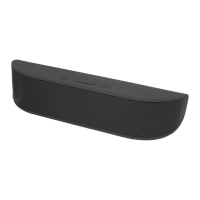

 To Next Page
 General