58
5. Software and app are now updated to the newest version.
6. Now you are connected and able to operate using the app.
App features
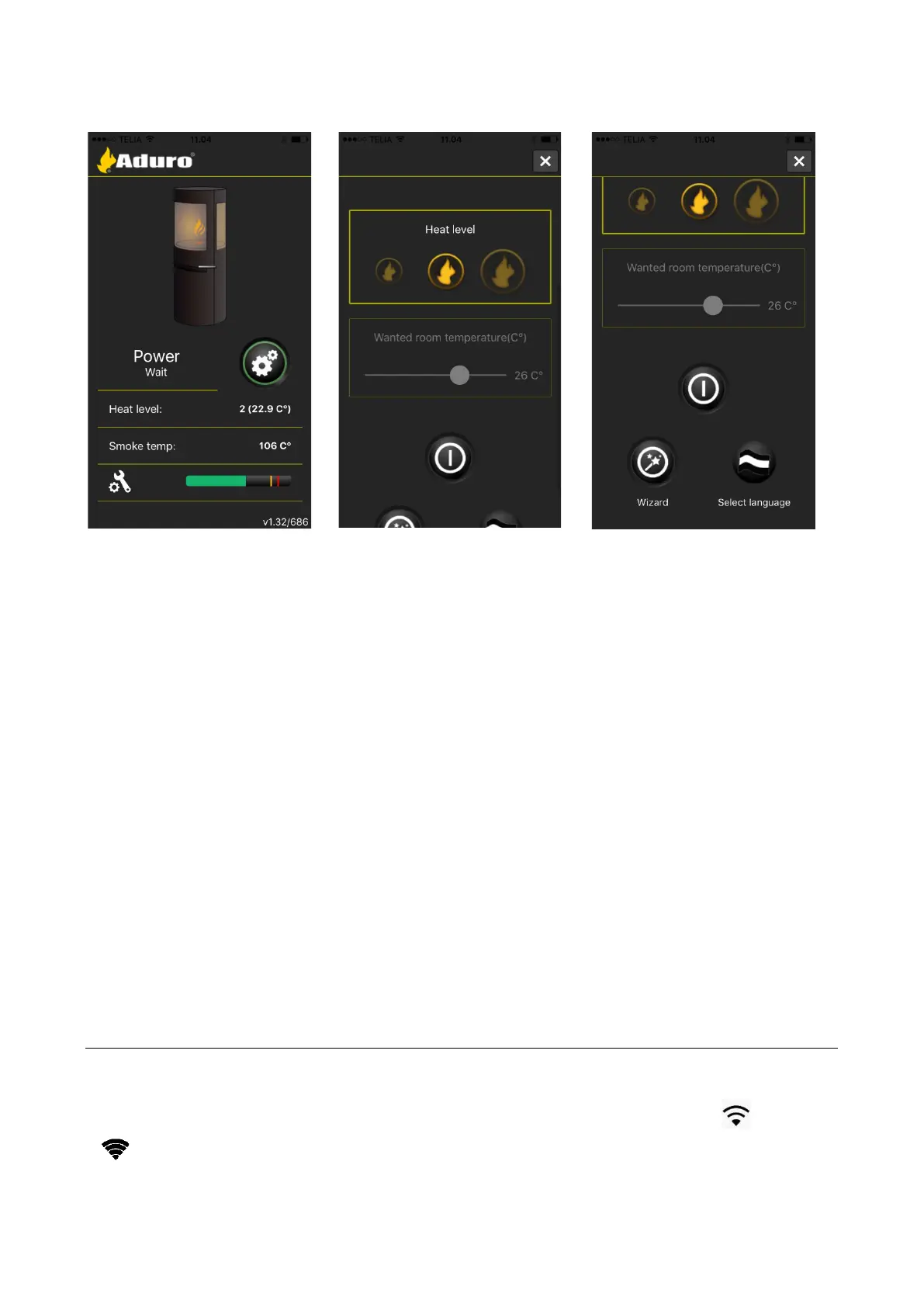
The app has several features to choose from; heat level, desired room temperature, and timer/week
program. The timer/week program makes it possible to plan, how the stove should run during the week.
The frontpage of the app shows:
1. Power status
2. Heat level
3. Smoke temperature
4. CO level (Safety measurement which measures whether there is smoke in the back of the system).
A green bar is OK. If the bar reaches yellow, the hybrid stove will lower its heat level to 1. If the bar
reaches red, the stove will turn off itself.
The CO sensor is located by the pellet inlet to prevent the stove from firing when the chimney draft is not
sufficient. The CO sensor could be affected by the pellets. Some pellet bags have a high level of CO that can
affect the sensor up to 24 hours after loading the stove with pellets. If this problem occurs, you can open the
door to the pellet container and add fresh air to the room until the CO level has dropped.
2.5.1 How to connect the stove to the internet
For successful connection, there must be a stable Wi-Fi signal where the stove is installed. In case of weak
or unstable signal, the use of the stove could be affected.
It is recommended to install the stove where there is a maximum Wi-Fi signal with 3 out of 3 or 4 out of
4 . Your smartphone/tablet must be connected to the local Wi-Fi network. If you experience any


 To Next Page