
 Need help?
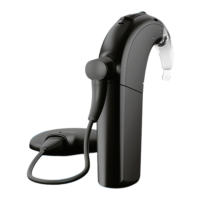
Do you have a question about the Advanced Bionics Naida CI and is the answer not in the manual?
Explains symbols used on the device and packaging.
Lists critical safety warnings and precautions for using the device.
Provides an overview of the AB myPilot and its key components.
Details how to charge the AB myPilot battery and general battery usage.
Instructions for turning the AB myPilot device on and off.
Explains how to lock and unlock the device keypad to prevent accidental changes.
Defines the effective communication distance for the device.
Guides users through the process of connecting the myPilot to the Naída CI.
Describes the Standard and Direct Control modes of the device's home screen.
Explains how to adjust the volume settings for the Naída CI.
How to adjust volume for left, right, or both Naída Cls using the menu.
Resets the volume of Naída Cls to the default fitting level.
Explains how to adjust the sensitivity settings for the Naída CI.
Accesses information like program, battery, and serial number of the Naída CI.
Displays the battery status of the AB myPilot and Naída CI(s).
How to view the AB myPilot software version.
Addresses situations with different programs on bilateral Naída Cls.
Shows the battery level indicator for the AB myPilot.
Explains the optional feature for focusing sound direction.
Lists the main menu options and how to navigate them.
Instructions for performing a listening check of auditory input sources.
Manual locking and unlocking of the device keypad.
How to view the AB myPilot software version.
Customizing the ON/OFF button for quick access to settings.
Selecting between Standard and Direct Control home screen modes.
Instructions for setting the device's internal clock.
Option to display or hide the clock on the Home screen.
Choosing between 12-hour and 24-hour clock formats.
Instructions for setting the device's internal date.
Choosing between DD.MM.YYYY and MM/DD/YYYY date formats.
Adjusting the screen contrast level.
Adjusting the screen brightness level.
Setting the duration the backlight remains illuminated.
Configuring automatic keypad locking.
How to reset the device if it becomes unresponsive.
Guidelines for cleaning and maintaining the AB myPilot.
Important safety advice regarding device usage and storage.
Information about potential interference with medical devices like pacemakers.
A table listing common issues, their causes, and remedies.
Specifies the acceptable operating and storage temperature ranges.
Details the warranty coverage and service options.
States compliance with relevant directives and standards.
 General
| Manufacturer | Advanced Bionics |
|---|---|
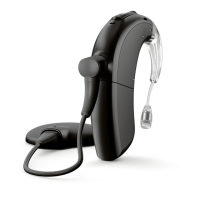
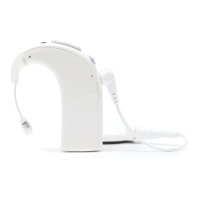
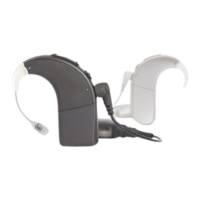
| Model | Naida CI |
| Battery Life | Up to 24 hours |
| Type | Cochlear Implant |
| Wireless Connectivity | Bluetooth |
| Compatibility | Advanced Bionics cochlear implants |


 To Next Page
