MAINTENANCE
BATTERIES ARE
HEAVY. USE CARE
WHEN LIFTING
USE
INSULATED
TOOLS
WEAR EYE
PROTECTION
WARNING
CORROSIVE
WARNING
EXPLOSIVE
WARNING
Do not disconnect the DC output
cord from the battery receptacle when
the charger is on because that may
cause an explosion.
3. The charger will turn off automatically
when the batteries reach full charge.
4. After the charger has turned off
disconnect the DC output plug from
the golf car receptacle by grasping
the plug body and pulling the plug
straight out of the receptacle.
WARNING
When installing the batteries, do not
put the wrenches or other metal
objects across the battery terminals.
An arc occur causing explosion
of batteries.
BATTERY INSTALLATION
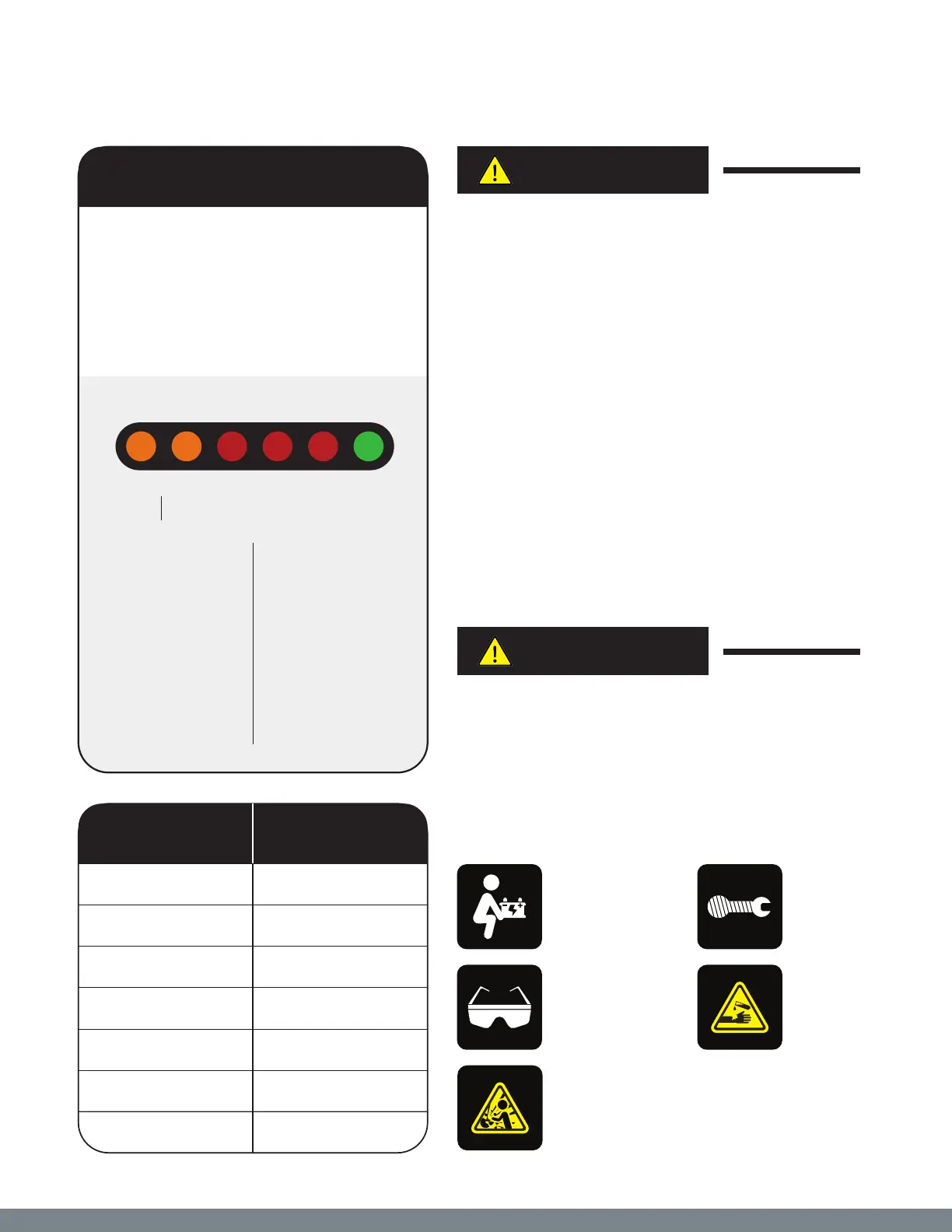
CHARGING INDICATOR
When your battery charging system is
activated, the battery status indicator
provides charging information utilizing
two (2) Amber LED indicators, three (3)
LED indicators, and one (1) Green
LED indicator.
Battery Type
Two (2) Amber
LED indicators
are provided in
order to display
what type of
battery the
charger has been
programmed
to charge.
Battery System
Four (4) LED
indicators are
provided in order
to display the
progress of the
charge cycle in
percentage
of charge.
Battery Type Battery System
PRO
Volt
Select 30 60 90 100
Percent Charged
1
ST
AMBER LED
2
ND
AMBER LED
1
ST
RED LED
1
ST
ND
RED LEDs
1
ST
, 2
ND
, AND 3
RD
RED LEDs
BLINKING GREEN LED
STEADY GREEN LED
Configure for
PROVolt
TM
Algorithm
Configure for “Other”
Charging — Initial Charging
Charging — 60% Complete
Charging — 90% Complete
Finishing Stage
Charge Complete —
Float/Maintenance Mode
21



 To Next Page