
 Need help?
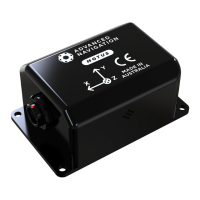
Do you have a question about the Advanced Navigation Motus and is the answer not in the manual?
Presents mechanical drawings for Motus rugged and OEM units.
Lists achievable navigation specs with GNSS integration.
Details specifications for Accelerometers, Gyroscopes, and Magnetometers.
Specifies comms interfaces, speeds, and protocols for rugged units.
Specifies comms interfaces, speeds, and protocols for OEM units.
A step-by-step checklist for installing the Motus unit correctly.
Guidelines for selecting mounting sites and achieving proper alignment for optimal performance.
Details the mounting plate and hole guide for the Motus unit.
Information on power supply filtering, isolation, and input protection for Motus.
Explains using odometer input to improve navigation during GNSS dropouts.
Recommends aftermarket wheel speed sensors for high performance.
Recommends radar speed sensors for harsh conditions or infeasible aftermarket sensors.
Discusses how magnetometers determine heading and sources of magnetic interference.
Addresses Motus's tolerance to vibration and methods to mitigate its effects.
Describes the four levels of initialisation: orientation, navigation, heading, and time.
Explains the hot start functionality allowing rapid inertial navigation startup.
Details Motus's timekeeping accuracy and synchronization methods.
Explains available heading sources: Magnetic, Velocity, and External.
Covers static and dynamic magnetic interference and calibration methods.
Procedure for performing 2D magnetic calibration using Motus Manager or Packet Protocol.
Procedure for performing 3D magnetic calibration using Motus Manager or Packet Protocol.
Explains the automatic calibration algorithm and its continuous operation.
Guidance on disabling magnetometers and the need for an alternative heading source.
Explains how Motus filters data to prevent aliasing at lower output rates.
Discusses using vehicle profiles to optimize filter performance.
Details how to set odometer pulse length manually or via automatic calibration.
Explains the reversing detection algorithm and its role in navigation.
Describes the motion analysis algorithm for associating inertial data with vehicle speed.
Explains how Motus provides vertical heave position for ships.
Covers environmental protection limits for Motus Rugged, including water, salt, and dust.
 General
| Brand | Advanced Navigation |
|---|---|
| Model | Motus |
| Category | Controller |
| Language | English |

 To Next Page