Need help?
Do you have a question about the ADVANSEA C-56 and is the answer not in the manual?
Essential guidelines for safely cleaning the chart plotter screen.
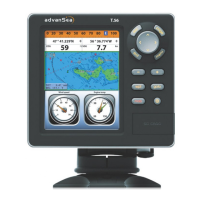
Overview of the AdvanSea chart plotter's capabilities and features.
Technical details and performance characteristics of the AdvanSea unit.
Contents included in the product package upon purchase.
How to control power, brightness, night mode, and background settings.
Using chart windows, scales, symbols, and navigation aids.
Understanding and using the sonar display, modes, and frequencies.
Creating, editing, moving, and managing waypoints and routes.
Settings for language, beep volume, auto power, and unit information.
Customizing chart display options and sonar parameters.
Configuring GPS sources, static navigation, speed filters, and alarms.
Managing memory, AIS data, and other unit options.
Instructions for installing the AdvanSea unit using bracket or flush mounting.
Procedures for inserting and removing C-MAP MAX SD cards.
Using simulate mode for practicing unit functions without live data.
List of optional sensors, instruments, and accessories for the unit.
Diagrams showing unit connections and pin assignments for various cables.
Information on selecting and installing internal or external GPS antennas.

 To Next Page

 General